Exception scenarios
The final step is to implement exception handling within the payment flow. While the Receive Payment Notifications page outlines webhook types, the following guides offer more detailed scenario explanations.
Because cryptocurrency payments are push transactions, BVNK cannot control the timing or amount received to complete an end-user's payment.
Exception scenarios typically result from user errors, unexpected or hidden fees from the sending exchange, or slow blockchain processing.
Merchants must consider and address the following payment exception scenarios:
Overpayments
Overpayments occur when end-users send more cryptocurrency than intended. For example, they intend to send 0.01 ETH but send 0.1 ETH instead. In this case, the payment still transitions to a COMPLETE status.
Underpayments
Underpayments occur when end-users do not transfer enough cryptocurrency to fulfill their payment obligation.
Late payments
This type of payment is specific for Merchant Payment Services / Payment Links only.
Refund payments
When a payment exception occurs, BVNK offers automatic cryptocurrency refunds for partners who do not wish to hold these assets due to compliance concerns or who prefer not to process payments outside agreed payment rules.
Auto-refund to source address
When a payment exception (overpayment, underpayment, or late payment) occurs, BVNK can automatically refund the cryptocurrency directly to the wallet address that sent the original payment. Unlike the standard refund flow where a payout link is generated, refund to source address requires no action from you or your customers.
Held payments
Payments may be placed on hold for security or compliance reasons. There are two types of holds:
- Manual Review: BVNK's compliance team reviews the payment.
- If the review passes, the payment moves to Complete.
- If additional information is required, a Request for Information (RFI) is issued.
- Request for Information (RFI): You may be asked to provide additional details about the payment.
- If resolved successfully, the payment moves to Complete.
- If the RFI fails, the payment is Cancelled.
RFIs are managed in the Payment Support area within the Manage Account section of the Portal. For more information, see Case Management Portal for efficient RFI handling.
- Via API
- Via Portal
When a payment is held, the status field in the payment response updates to ON_HOLD. You also receive a webhook notification with the new status. Monitor webhooks or poll the GET /api/v1/pay/{uuid}/summary endpoint to identify held payments.
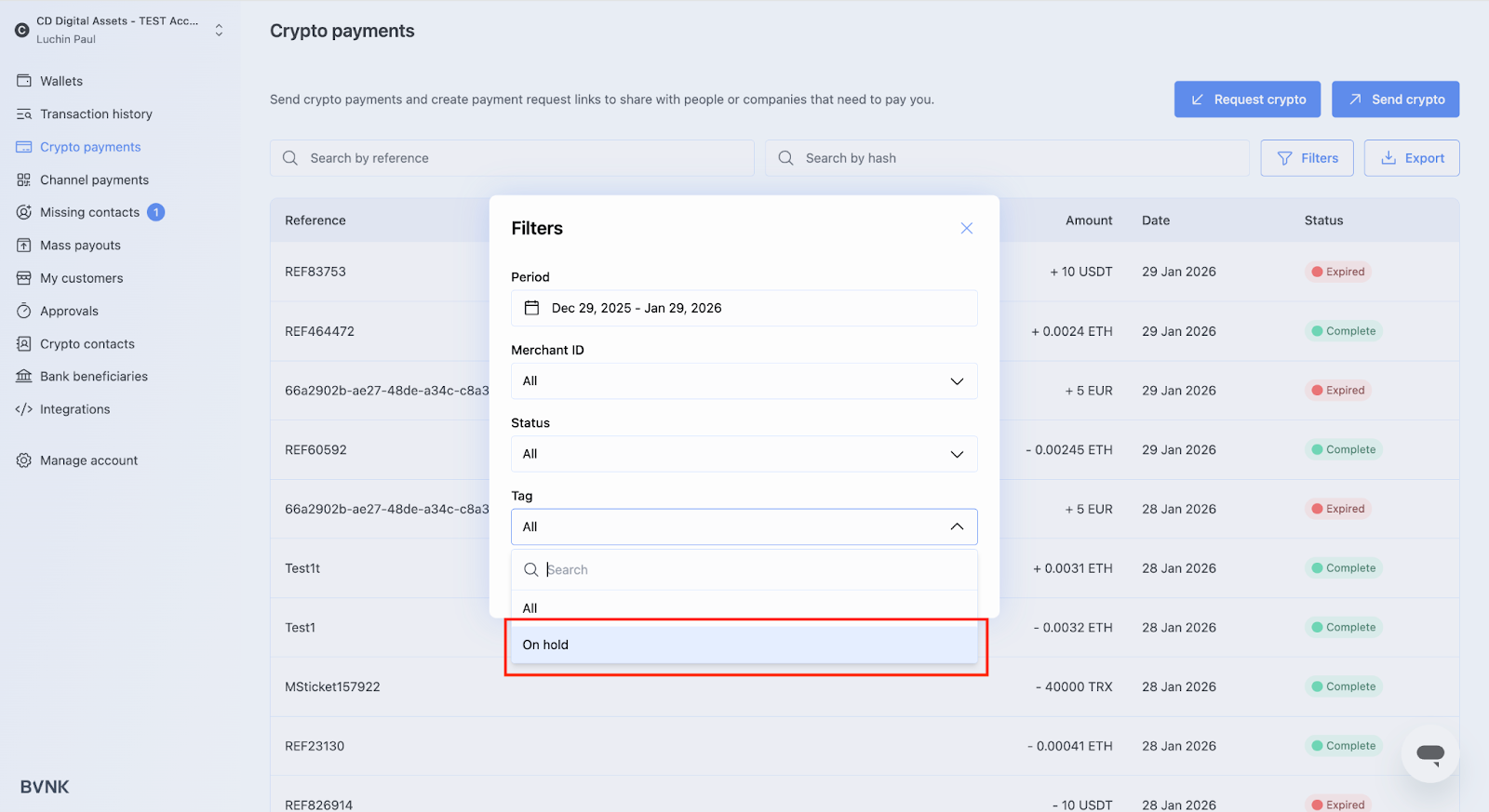
Managing exception scenarios
Blockchain delays or end-user errors may cause payments to differ from the payment link details. The three exception types are:
- Underpayments - the end user sends less than the requested amount.
- Overpayments - the end user sends more than the requested amount.
- Late payments - the payment arrives after the payment link has expired.
Configure exception handling
Contact BVNK Support to enable or disable the following settings for each wallet:
| Setting | Behaviour |
|---|---|
| Auto convert enabled | The amount is credited to your receiving wallet at the FX rate at the time it was received. No manual action is required. |
| Auto convert disabled | The amount is credited to your crypto wallet in the currency received. You can then manually refund or convert the funds. |
| Auto-refund enabled | The amount is automatically refunded to the source address. A refund link is also generated. |
Refund behaviour by exception type
Each exception type handles refunds differently:
| Exception type | Refund behaviour |
|---|---|
| Underpayment | The full amount is refunded to the sender. |
| Overpayment | Only the overpaid difference is refunded. The original requested amount is still credited to the merchant. |
| Late payment | The full amount is refunded to the sender. |
You can also manually refund or convert funds after a payment has expired, regardless of whether auto-refund is enabled.