Receive transactions report via webhook
Generate account-level webhook and secret
Create a webhook as described in Create webhook listener. In the Events field, specify bvnk:ledger:report:ready to enable the receiving of reports.
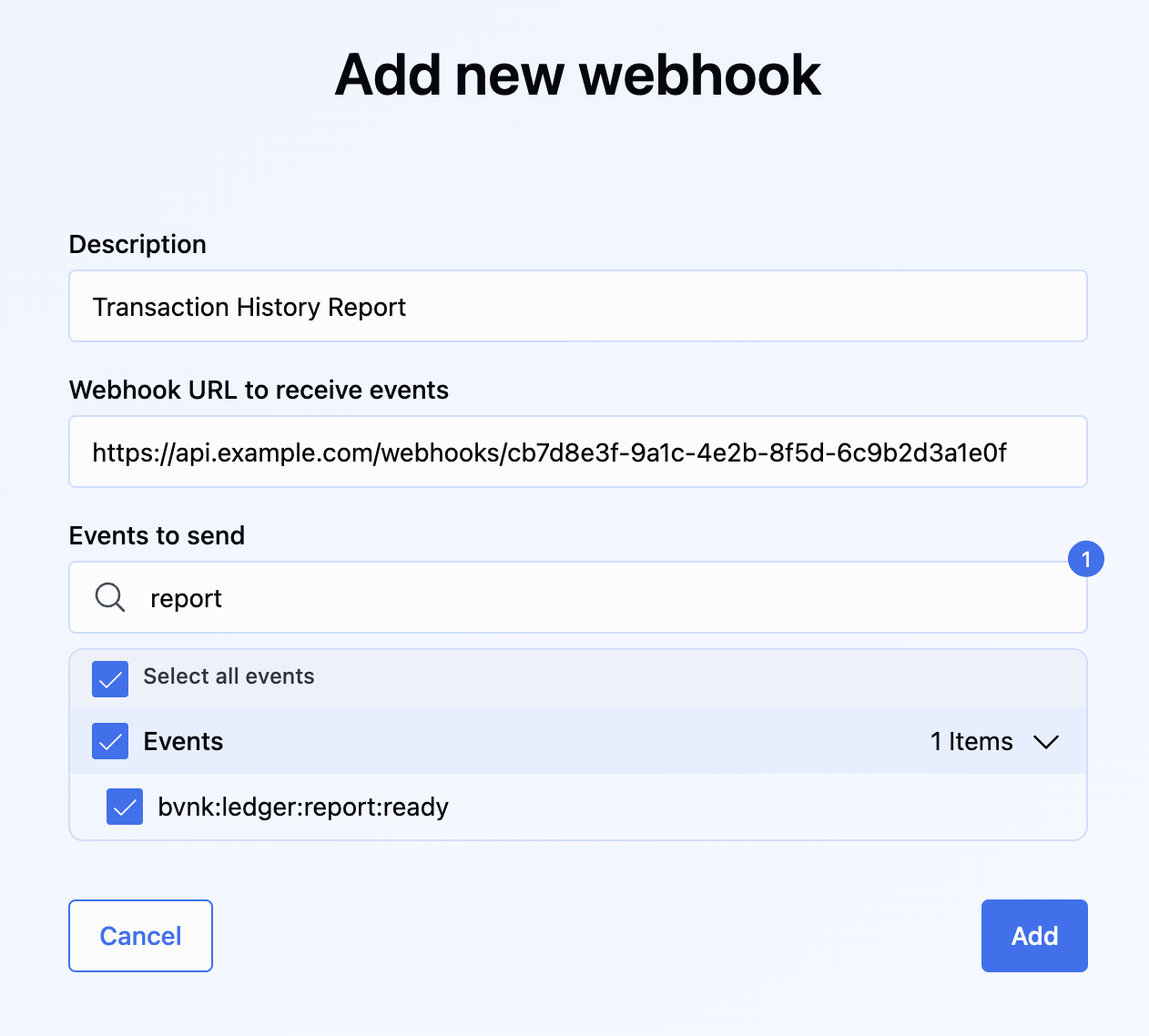
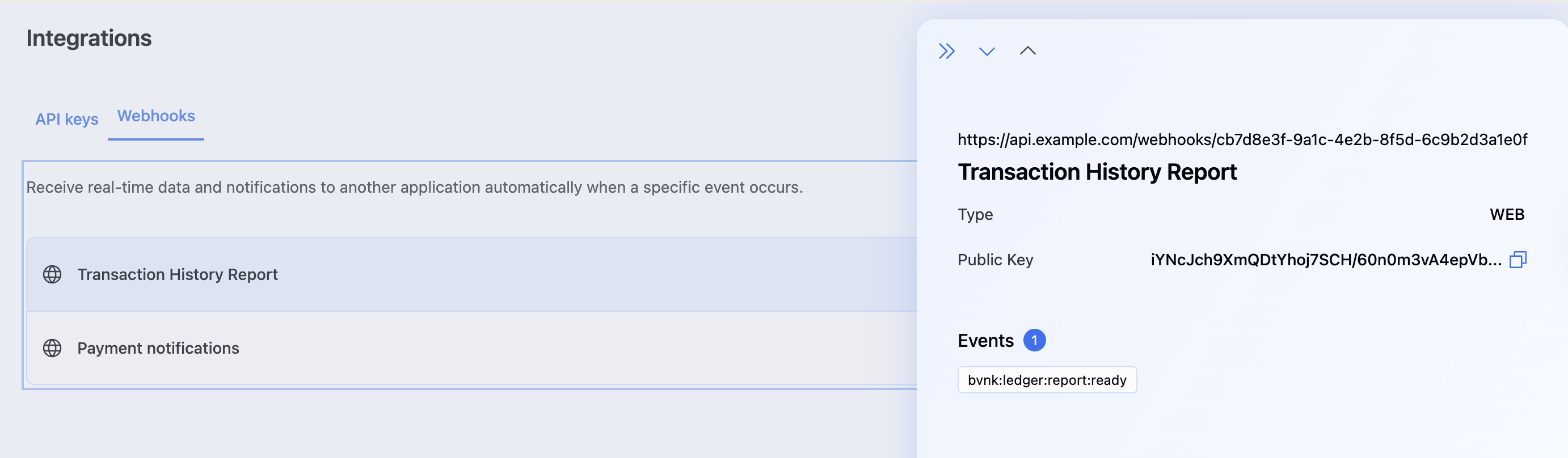
After creating the webhook, click it in the list to open the details and copy the Public key value. You will later need to use it as secretKey to verify the webhook and calculate the signature.
Generate transactions report
To generate a report, send the POST /ledger/v1/reports request with the following payload:
{
    "format": "csv",
    "type": "TRANSACTION",
    "from": "2025-08-01T00:00:00",
    "to": "2025-09-29T23:59:59",
    "deliveryChannel": "EMAIL",
    "walletId": "a:25082029387281:8DBI2gV:1"
}
The example above triggers asynchronous transaction report generation for all of your wallets. Once the report is ready, it will be sent via webhook.
Other possible parameters are:
| Parameter | Required | Description |
|---|---|---|
from | ✅ | Export range from date in format 'YYYY-MM-dd'. |
to | ✅ | Export range to date in format 'YYYY-MM-dd'. |
deliveryChannel | ❌ | Method of how the report will be received. Available options: "webhook", "email". Default, "email". In this scenario, provide deliveryChannel=webhook. |
format | ❌ | Format of the generated file report. Available options: "CSV", "JSON". Default, JSON. |
walletId | ❌ | Filter the transactions based on walletId. If omitted, all transactions will be included in the report. |
type | ✅ | Type of the sent report. Use TRANSACTIONfor a transactions report. |
Handle created transaction report
Webhooks for transaction reports are sent as an HTTP POST with Content-Type: application/json containing the following payload:
{
  "event": "bvnk:ledger:report:ready",
  "eventId": "01989e35-4435-7a98-978d-780c97566ac0",
  "timestamp": "2025-08-12T12:15:47.7656623082",
  "data": {
    "id": "b13ae8ee-3f1c-45c4-b99c-93d784abbe02",
    "type": "TRANSACTION",
    "status": "READY",
    "url": "https://reports.ws.com/transaction/b13bc8ee-3f1c-45c4-b99c-93d784abbe02_a0479821-71fd-45aa-8aa3-173cvcde4e1c.csv?X-Amz-Algorithm=AWS4-HMAC-SHA256&X-Amz-Credential=AKIA2P6R7NUDFAGFQNAX%2F20250812%2Feu-west-1%2Fs3%2Faws4_request&X-Amz-Expires=604800&X-Amz-Signature=bf045216e6dbe2b5e1ab2664affceb0c0371ee0ced"
  }
}
Verify that the event name is correct and then download the report. Note that the link to the report will remain active for the next 24 hours. After that, the report won't be accessible.