Create a wallet (v.1)
The Wallets v.1 functionality will be deprecated soon. However, you can still use it for existing integrations.
For the new integrations, we recommend checking Wallet v.2.
BVNK offers capabilities to create and manage crypto wallets directly from within the BVNK portal.
When you create a fiat wallet, it is not available right away. Before you can use it, request your Account Manager for the wallet verification.
Create a wallet
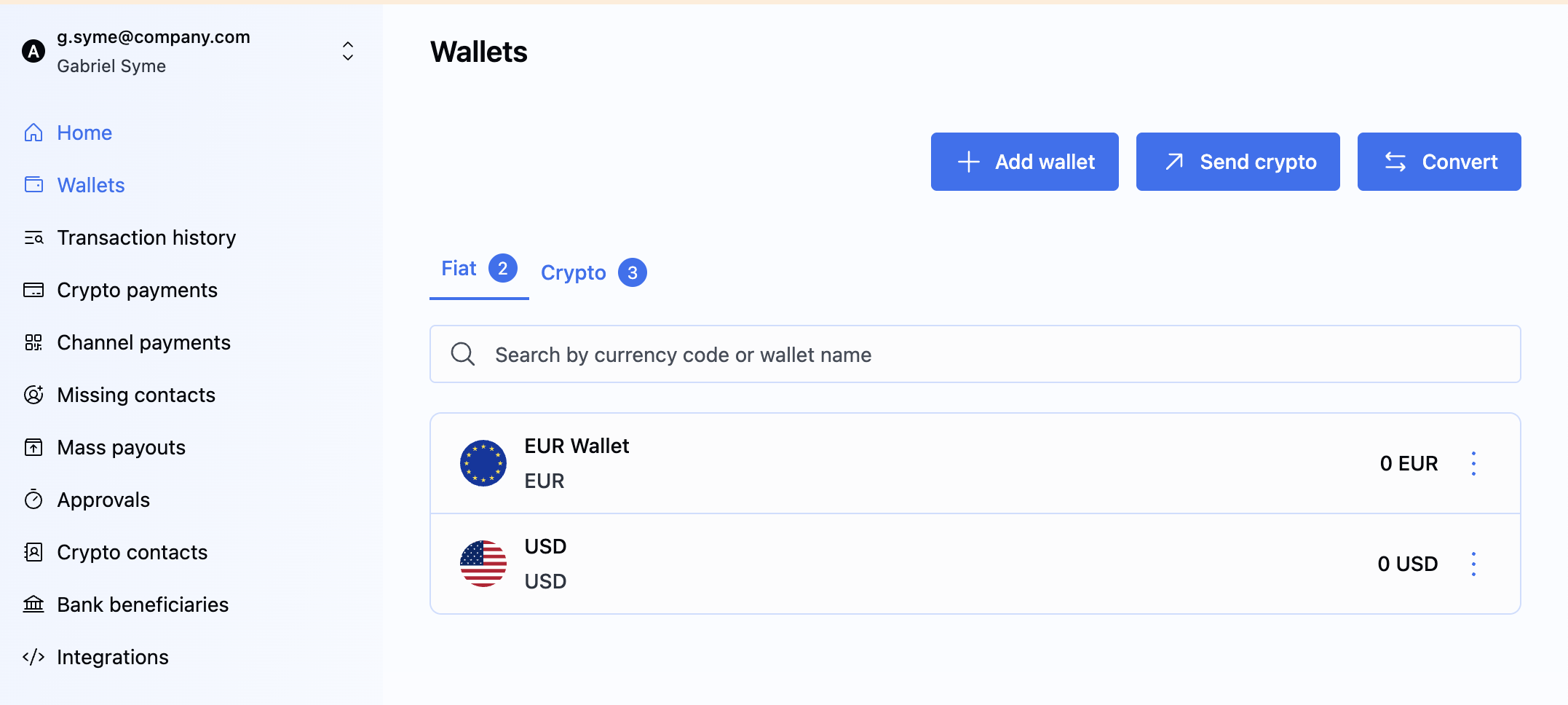
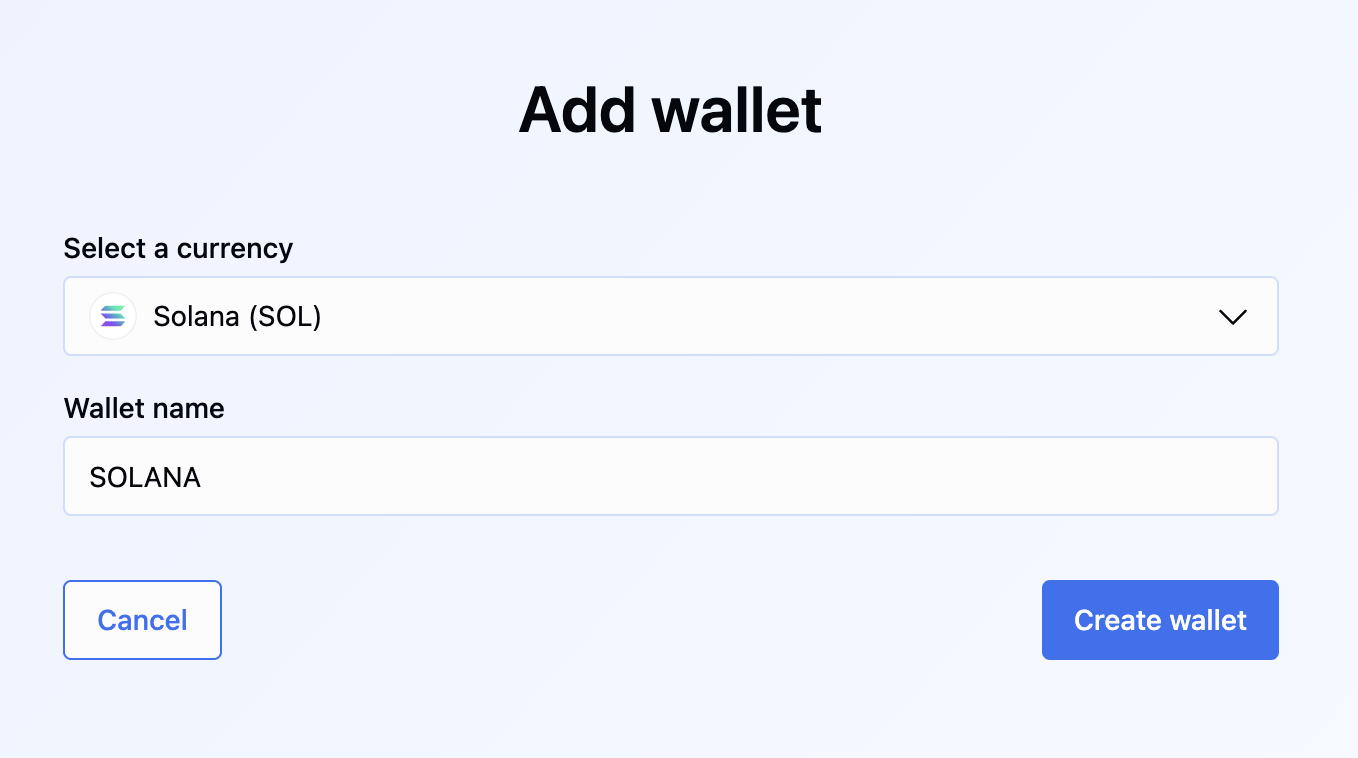
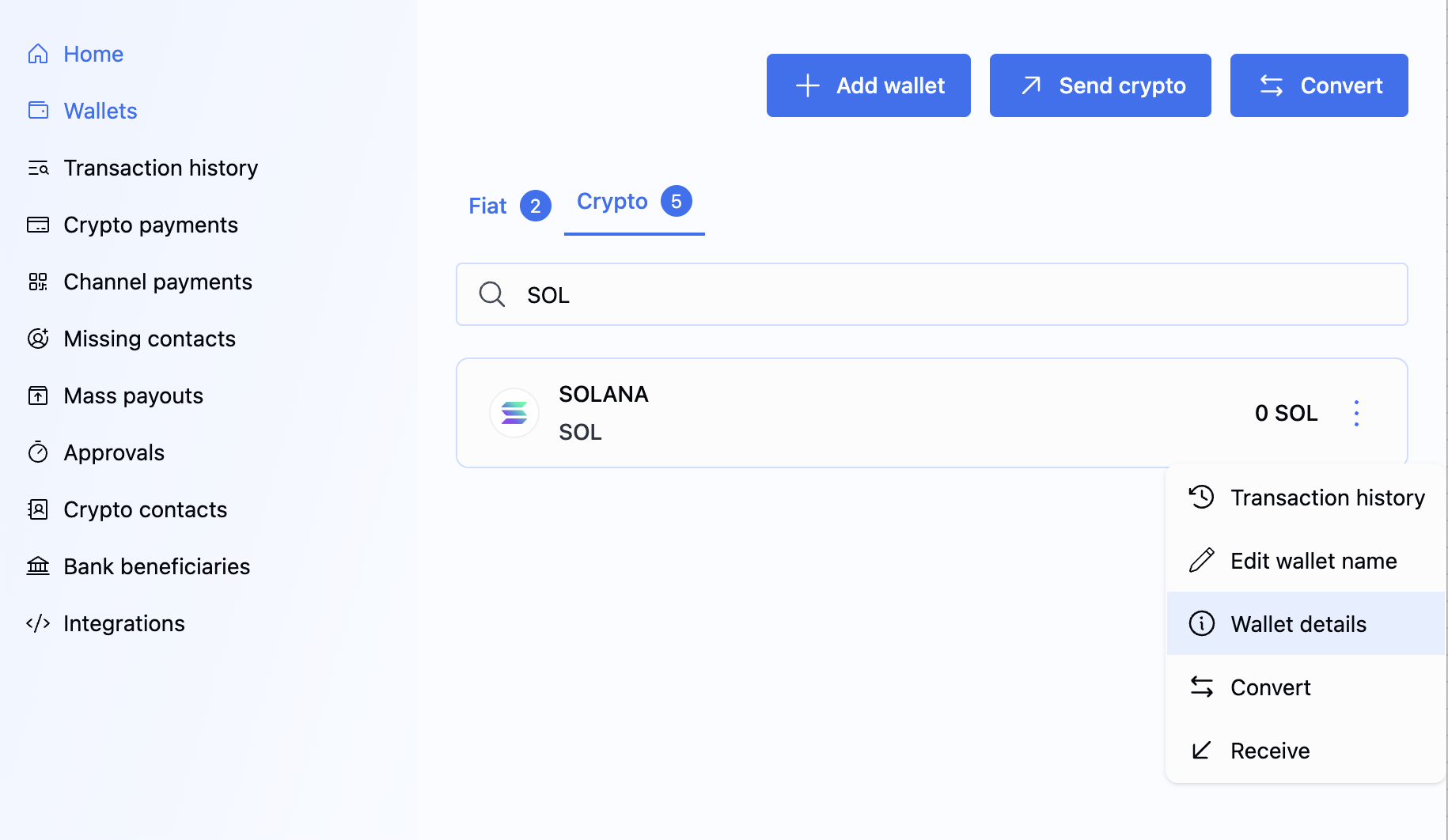
To create a wallet, do the following:
- API
- Portal
To create a fiat or crypto wallet with an assigned wallet profile, send the POST /ledger/v1/wallets request using the following parameters:
- ACH/FedWire Wallet Creation
- SWIFT Wallet Creation
- Crypto Wallet Creation
{
    "currencyCode": "USD",
    "name": "ACH/FEDWIRE test",
    "customerReference": "09c04f1b-77b2-42cc-a0c0-da9748a3be11",
    "instruction": {
        "walletProfile": "2a3fe604-2b14-4009-90b3-1e48f1a38b11",
        "type": "FIAT",
        "virtualAccountRequired": true
    }
}
In the successful response, you get the details of the new wallet:
- Fiat Wallet
- Crypto Wallet
{
    "id": "a:25032877416178:1PL2yxP:1",
    "accountReference": "5bc49988-fe25-408f-bccc-3e0fe96cf322",
    "customerReference": "fb8c0b12-6552-429e-955e-70af0873331",
    "name": "USD ",
    "status": "ACTIVE",
    "balance": {
        "value": 0.00,
        "currencyCode": "USD"
    },
    "ledgers": []
}
The id of the created wallet is returned in a link via response header: Location: https://api.sandbox.bvnk.com/ledger/v1/wallets/{id}.
By default the wallet has an INACTIVE status and should not be made available to the customer until it has been activated (ACTIVE status). The endpoint provided in the response header should be called periodically, to determine if the wallet has been activated as well as if a virtual account has been created and made available. See the Wallet Read API endpoint.
The wallet can also have the TERMINATED status. This means the wallet can no longer be used, and that state is final; BVNK can never reactivate it. All operations, including receiving pay-ins, sending payouts, and currency conversions, are blocked for the terminated wallets. You can only access its transaction history. In case of a fiat wallet, the associated virtual account will be permanently closed with the banking partner.
Assign a wallet profile
To list the existing Wallet Profiles, send the GET /ledger/v1/wallets/profiles request. You can filter by currencyCodes and paymentMethods.
In the response, you get the Profile reference that you can assign to your customer's wallet based on the currency and payment method.
- Fiat Wallets
- Crypto Wallet (EU Entity)
- Crypto Wallet (US Entity)
{
    "profiles": [
        {
            "reference": "bd72bff2-6842-4212-9aa3-9298597d7d6e",
            "currencyCodes": [
                "GBP"
            ],
            "paymentMethods": [
                "FASTER_PAYMENT"
            ]
        },
        {
            "reference": "c143fce7-a0e4-4475-86cd-ed37bc30efa5",
            "currencyCodes": [
                "EUR"
            ],
            "paymentMethods": [
                "SWIFT"
            ]
        },
        {
            "reference": "18f9a1bf-0d77-45f5-b5ff-1e90411d88ce",
            "currencyCodes": [
                "USD"
            ],
            "paymentMethods": [
                "SWIFT"
            ]
        },
        {
            "reference": "2a3fe604-2b14-4009-90b3-1e48f1a38b11",
            "currencyCodes": [
                "USD"
            ],
            "paymentMethods": [
                "ACH",
                "FEDWIRE"
            ]
        },
        {
            "reference": "fe55d078-eaad-4c8b-a917-15170548df67",
            "currencyCodes": [
                "EUR"
            ],
            "paymentMethods": [
                "SEPA_CT",
                "SEPA_INST"
            ]
        }
    ]
}
Fetch wallets
The endpoint provides comprehensive information for each wallet, including status, balance, and other relevant details. This enables efficient monitoring and management of all payment channels linked to the customer, ensuring full operational visibility. You can list all wallets assigned to a customer and retrieve information for a specific wallet by providing its reference.
All wallets
To list all the wallets associated with a specific customer, send the GET /ledger/v1/wallets request.
Wallet by customer reference
To retrieve wallet details by customer reference, send the GET ledger/v1/wallets?customerReference={customerReference} request with the customerReference query parameter. The response uses the same paginated format as the full wallet list above.
Wallet by Wallet ID
To retrieve wallet details by its unique identifier, send the GET ledger/v1/wallets/{id} request with the {id} specified in the path.
Wallet webhook
To get notified when the a new wallet is created, listen to the Ledger wallet creation notification.
What's next?
Now, when you have a wallet, you can start sending and receiving payments.
- See the available use cases to select the one that best suits your needs.
- Configure a designated wallet for customer fees.