Charge customer fees
As a partner, you can add a markup fee to your customers' transactions, enabling you to collect additional revenue from your customers.
Customer fees are optional charges, separate from the transaction amount and transaction fees, and are collected from the customer's wallet.
Implement customer fees
To add a customer fee to a transaction, include the customerFee object in your API request:
{
    "type": "OUT",
     "fees": {
        "customerFee": {
            "currency": "USD",
            "amount": 1
        }
    }
}
A typical use case for charging customer fees is outlined below:
-
Send the
GET /ledger/v2/walletsrequest to acquire the list of your existing wallets with details.In the response, find a wallet to which you plan to deposit fees and copy its
idvalue.
The selected wallet's currency must match the currency of the fees you intend to charge.
You can use both fiat or crypto wallets by configuring an existing wallet or creating a new one for fee collection.
2. Designate the selected wallet as the fee destination by sending the PUT /platform/v1/fees/customer-fee-wallets request. Include the following payload:
Here, destinationWalletId is the id from step 1.
3. Check that your selected wallet can receive customer fees by sending the GET /platform/v1/fees/customer-fee-wallets request.
The response provides a list of wallets designated to accept customer fees. Ensure the wallet with the specified id appears in this list.
Your wallet is now set up to receive customer fees.
4. To apply the fee, include the customer fee information in the fees object when creating payment requests:
- Crypto
- Fiat
{
    "walletId": "a:25022613287255:zmHs0pg:1",
    "amount": 100,
    "currency": "USDC",
    "reference": "REF182597",
    "type": "OUT",
    "fees": {
        "customerFee": {
            "currency": "USDC",
            "amount": 1
        }
    }
}
When implemented correctly, the fee-charging process works as follows:
- The system calculates the total transaction amount, which includes the payment amount and the customer fee.
- During payment processing, the customer fee is:
- Deducted from the customer's wallet.
- Transferred to your designated fee wallet.
- The full payment amount, excluding fees, is sent to the recipient.
This approach ensures transparent fee management and maintains accurate transaction accounting.
The following example illustrates how the customer fee is calculated:
If you receive $100 from customer Jane and charge a $0.50 partner customer fee, Jane must have a minimum wallet balance of $100.75 in her wallet (transaction amount $100, BVNK fee $0.25, and customer fee $0.50). After a successful transaction,
- Jane's initial wallet balance was $100.75. The current balance is now $0.
- Amount credited to your designated fee wallet is $0.50.
Pass processing fees to end customers
In addition to charging a custom markup fee, you can configure your payment setup to pass processing and network fees directly to the end customer for payouts. When enabled, the customer receives the payout amount minus processing and network fees.
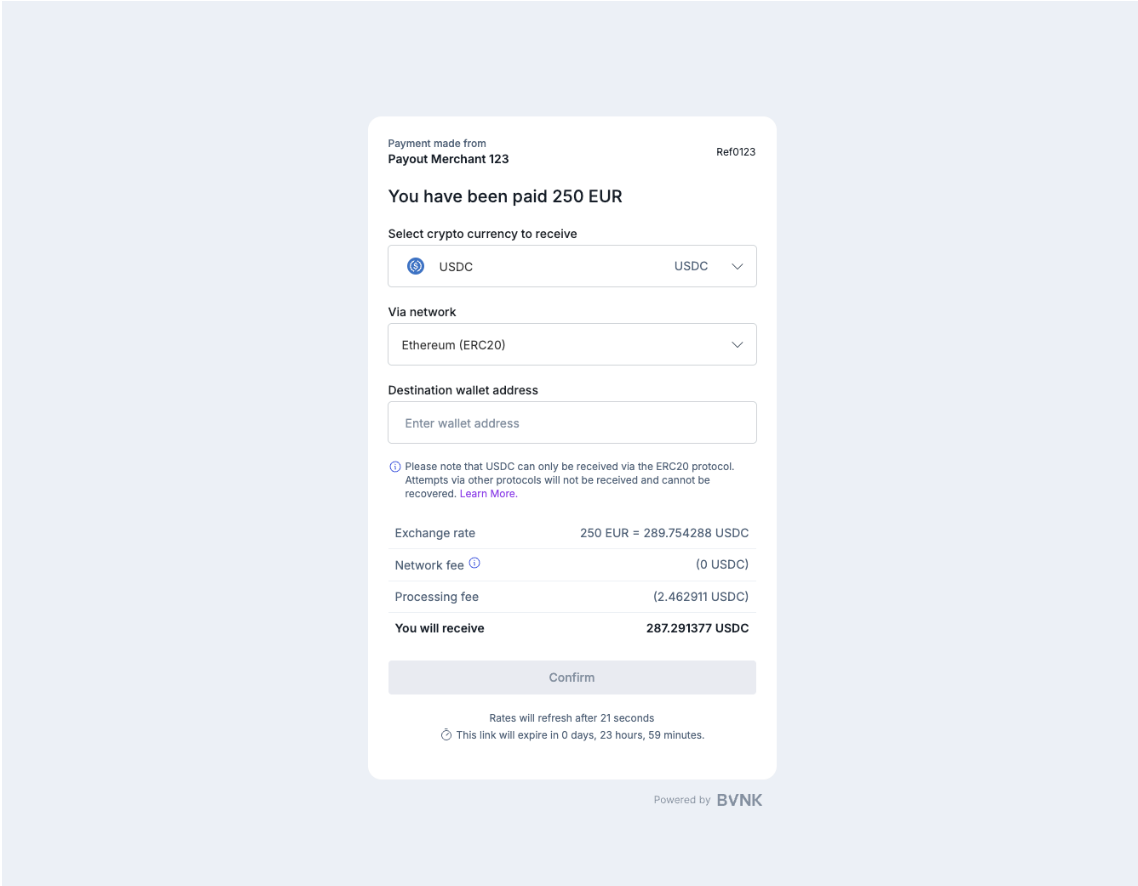
This feature is currently available only for payouts, not pay-ins. To activate it, contact BVNK Support.
Important considerations
- Outgoing payments: Customer fees are currently supported only for payment
type: OUT. Ensure the customer's wallet has sufficient funds to cover the customer fee. If network or customer fees cannot be covered, the transaction will be cancelled. - Fee Structure: Customer fees are implemented as a flat fee, a fixed predetermined price, per transaction.
- Optional: You are not required to charge customer fees. You can process transactions without additional fees if desired.
Error handling
If the customer's wallet does not have enough funds for the customer fee, you have two options:
- Return an "insufficient funds" error to the user. In this case, the transaction is cancelled.
- Reduce the transaction amount to accommodate the fee. This ensures the total (transaction amount plus fee) does not exceed the available balance.