Provide virtual account to your customers
As a licensed financial institution, you can create virtual accounts for your own customers so that each customer receives a vIBAN issued in their name. Every action you perform for customer virtual accounts is the same as for your own direct virtual accounts—you prepare for integration, send payments, receive funds via SWIFT, and refund pay-ins in exactly the same way.
This guide covers only the steps and payloads that are specific to the customer use case. For any action not described here, follow the corresponding direct virtual account guide.
Prepare for integration
Preparing for customer virtual accounts follows the same steps as Prepare for integration: set up your sandbox account and API credentials, create a fiat wallet, then test and go live.
The only additional step is creating the customer before you create their wallet. Once the customer exists, you create their fiat wallet by sending the POST /ledger/v2/wallets request, the same as in the direct guide, but with the customerId set to the customer's reference:
{
  "customerId": "a7e21c62-27b8-4b3b-b51e-eb10edeb1731",
  "currency": "USD",
  "name": "USD SWIFT",
  "profileId": "fiat:usd:ijkm9012"
}
Create the customer
Before creating a customer, collect information about them. To create an account for your customer, send the POST /platform/v2/customers request with the payload specific to the customer type.
Apart from the typical information, include the industry reference number and the expected monthly volumes in the request payload. Unlike an Embedded Customer, you don't need to provide agreements or upload documents to verify the customer.
For the detailed description of the body parameters, see the Create customer endpoint.
- Company
- Individual
{
    "type": "COMPANY",
    "company": {
        "name": "TechSolutions GmbH",
        "description": "Software development and IT consulting services",
        "taxResidenceCountryCode": "DE",
        "registrationNumber": "HRB 123456",
        "industryReference": "30fdc9e7-06d8-11ef-b6e1-027612b7f6b5",
        "monthlyExpectedVolumesReference": "ef77a16d-547e-11ef-8b9c-027612b7f6b5",
        "address": {
            "addressLine1": "Unter den Linden 77",
            "city": "Berlin",
            "postalCode": "10117",
            "countryCode": "DE"
        },
        "representative": {
            "firstName": "Hans",
            "lastName": "Mueller",
            "dateOfBirth": "1980-11-29",
            "birthCountryCode": "DE",
            "address": {
                "address1": "Unter den Linden 77",
                "address2": "Apartment 9",
                "postalCode": "10117",
                "city": "Berlin",
                "countryCode": "DE"
            }
        }
    }
}
In the successful response, you receive a unique customer reference for tracking the verification status, which starts as PENDING and becomes VERIFIED or REJECTED once verification completes.
{
    "reference": "a7e21c62-27b8-4b3b-b51e-eb10edeb1731",
    "status": "PENDING"
}
Use the returned reference as the customerId when you create the customer's wallet, as shown above.
Fiat wallet setup
Virtual accounts are linked to fiat wallets, which store your funds. Once BVNK enables virtual accounts based on your business requirements, your wallet is assigned a unique identifier, such as a vIBAN or ABA routing number. Accounts can be issued in your business name or your customers' names for personalised payment routing.
To create a wallet for your customer, send the POST /ledger/v2/wallets request with a selected profile. For details on body parameters, refer to the Create wallet endpoint.
{
  "profileId": "fiat:eur:abcd1234",
  "name": "EUR Wallet",
  "customer": {
    "id": "a7e21c62-27b8-4b3b-b51e-eb10edeb1731"
  }
}
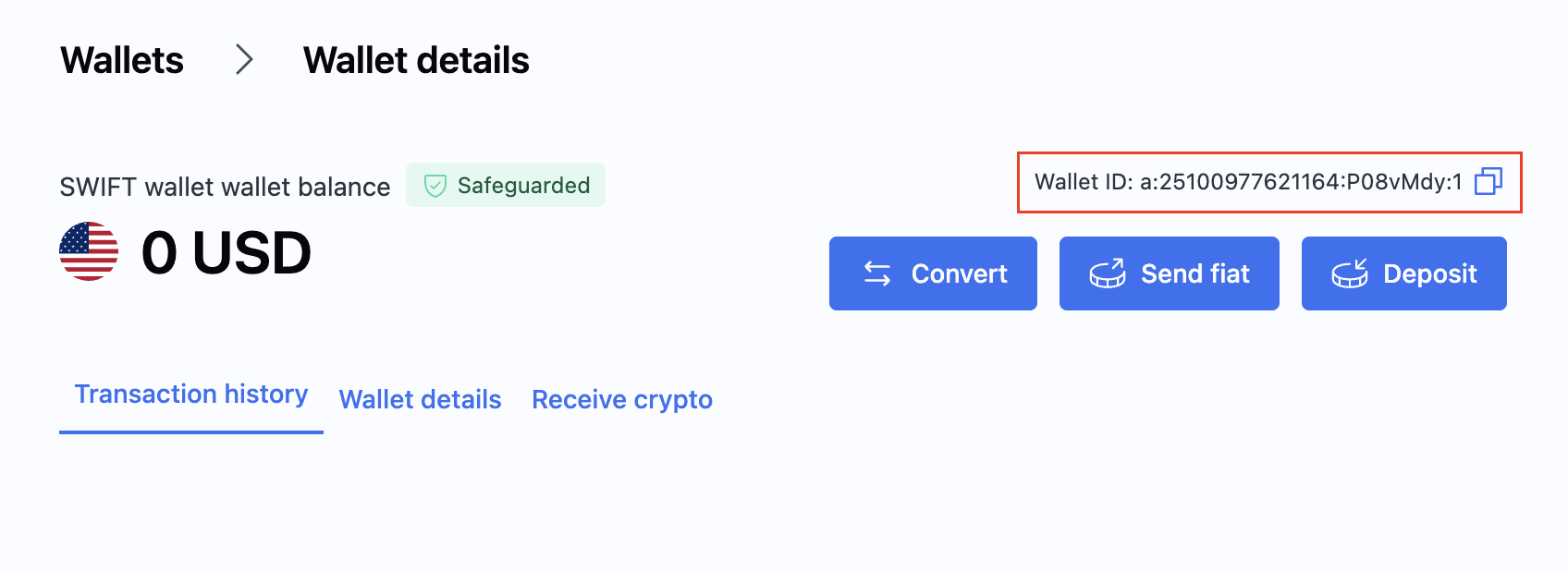
After creating the wallet, locate its ID in the Wallet section of the Portal. You will need this ID when creating payments.
For more information and available wallet actions, see Create a wallet.
Create internal transfers
Customer virtual accounts additionally let you move funds between the accounts you manage. You can transfer funds between a partner and a customer, or between customers of the same partner.
Create a transfer by sending the POST /payment/v3/transfers request. The originator.walletId is the originating wallet, and beneficiary.walletId is the destination wallet:
{
  "reference": "REF558628",
  "originator": {
    "amount": 111,
    "currency": "EUR",
    "walletId": "a:25032550863140:zKwR3P9:1"
  },
  "beneficiary": {
    "currency": "EUR",
    "walletId": "a:25021926815866:4jlPfFg:1"
  },
  "metadata": {
    "memberId": "987654321"
  }
}
To check the status of the transfer, listen to the Transfer webhook or send the GET /payment/v3/transfers/{transferId} request. In the successful response, you receive the transfer details, including the originating and beneficiary entities:
{
  "id": "ae29acc3-c54a-11f0-90b6-21c3f364ff25",
  "reference": "REF558628",
  "status": "COMPLETED",
  "type": "payment:transfer",
  "method": "BOOK",
  "fees": {
    "processingFee": {
      "amount": 0,
      "currency": "EUR"
    }
  },
  "originator": {
    "amount": 111,
    "currency": "EUR",
    "entity": {
      "legalName": "3Com",
      "type": "COMPANY"
    },
    "walletId": "a:25032550863140:zKwR3P9:1"
  },
  "beneficiary": {
    "amount": 111,
    "currency": "EUR",
    "entity": {
      "legalName": "4COM",
      "type": "COMPANY"
    },
    "walletId": "a:25021926815866:4jlPfFg:1"
  },
  "metadata": {
    "memberId": "987654321"
  },
  "createdAt": "2025-11-19T13:21:38.870144Z",
  "updatedAt": "2025-11-19T13:21:38.870144Z"
}
Send payments
Sending payments from a customer's virtual account follows the same flow as Send payments, including Verification of Payee (VoP) for EUR transfers.
The only customer-specific difference is that when you make a payout from a customer's wallet, you must include the customer's IP address in the requestDetails.originator.ipAddress field:
{
    "walletId": "a:24092324785677:o6rhCEZ:1",
    "amount": 1000.5,
    "currency": "EUR",
    "method": "SEPA_CT",
    "beneficiary": {
        "remittanceInformation": "Payment for services",
        "entity": {
            "type": "INDIVIDUAL",
            "firstName": "John",
            "lastName": "Dove",
            "relationshipType": "SELF_OWNED",
            "address": {
                "addressLine1": "123 Main St",
                "city": "New York",
                "region": "NY",
                "postCode": "10001",
                "country": "US"
            }
        },
        "bankAccount": {
            "accountNumber": "000123456789",
            "bank": {
                "identificationCode": "ATFEUS33"
            }
        }
    },
    "requestDetails": {
        "originator": {
            "ipAddress": "10.0.0.2"
        }
    }
}
Refund payments
Refunding pay-ins made to a customer's virtual account is identical to Refund payments—there is no customer-specific payload. Follow the direct guide to estimate, initiate, and track refunds.
What's next?
- Send payments from a customer's virtual account.
- Refund payments from a customer's virtual account.
- Check your transactions with reconciliation reports.
- Track your transactions with webhook notifications.