Manage payment limits
Payment limits allow you to set the maximum amount you can send per transaction or per day for each currency and payment method. Limits apply only to payouts. BVNK accepts all incoming transactions, regardless of amount.
The Payment Limit Management system ensures compliance with the Instant Payments Regulation (IPR) and aligns with industry best practices for security, fraud prevention, and liquidity management.
See Payment schemes for detailed descriptions of payment methods and supported currencies.
Due to the Instant Payment Regulation (IPR), you can set either a transaction limit or a daily limit for SEPA Instant, but not both. Other payment methods support both limit types at the same time.
How limits work
Limits are evaluated on every outgoing fiat payment. When a transaction is initiated, all relevant limits are checked. The transaction must pass all applicable checks to be approved. If any limit is exceeded, the payment is blocked.
You can set the following limit types:
- Transaction: Maximum amount allowed for a single payment.
- Daily: Maximum total amount for all payments within a calendar day. The day boundary is determined by the time zone specified when creating the limit, defaulting to UTC if not set.
The system uses three hierarchical levels. The most restrictive limit always applies:
| Level | Scope | Who can manage | Configuration | Applies to |
|---|---|---|---|---|
| Level 1: Global | System-wide | BVNK | Configured by BVNK. See Global limits below. | Every transaction across the platform |
| Level 2: Partner | Partner's account | Partner (Admin, workspace owners, or via API) | Per payment method + currency | The partner and all underlying customers, or the partner only, or all underlying customers only |
| Level 3: Customer | Individual customer | Partner or their customers (Admin, workspace owners, or via API) | Per payment method + currency | A single customer only |
Key rules:
- Partners can create, modify, or delete limits for themselves or for one or more customers. Changes take effect immediately.
- Limits set by BVNK cannot be overwritten by partners.
- Limits follow a strict hierarchy: customer limits must remain below global limits. Limits cannot exceed global thresholds.
- Same-day rejections, such as insufficient funds or banking partner declines, release the consumed limit. Rejections on the following day do not affect that day's limit.
- Limits are only applied to payouts. Returns and refunds are not subject to limit checks.
- Returned or recalled payments do not restore daily limits and are counted as separate transactions.
How daily limits are calculated
- Daily limits consider all transactions processed from 00:00 to 23:59 in the configured timezone (UTC by default).
- The daily limit is reduced immediately when a transaction is processed, regardless of its final outcome. This prevents concurrent transactions from exceeding the limit.
- For payments that are triggered on one day but sit in an approval state (for example, four-eyes approval) for multiple days, the daily limit is decreased based on the date of creation, not the date of final processing.
- When a daily limit is first created, calculation starts from the creation time, not from the start of the day. Historical data is not recalculated.
- Once a daily limit exists, any update takes effect immediately. The system includes all transactions already processed that day.
Limit enforcement
Limits are checked at two stages during payment processing:
- Initial check at payment creation: Validates the transaction against all applicable limits. If rejected, the payment is not created, and you receive an error message.
- Secondary check before banking partner submission: This step addresses edge cases in mass payment processing. If rejected at this stage, the payment receives a
PROCESSING_FAILEDstatus, and both the account balance and remaining limit are immediately restored.
A transaction must pass all applicable limit checks at every level to be approved.
In mass payment processing, each transaction is validated separately. If a limit is reached during batch processing, affected transactions are rejected individually and may not follow the original order.
Global limits
Global limits are set by BVNK and define the maximum transaction amount per payment method and currency across the platform. Partners and customers cannot modify these limits. The table below shows the current global transaction limits:
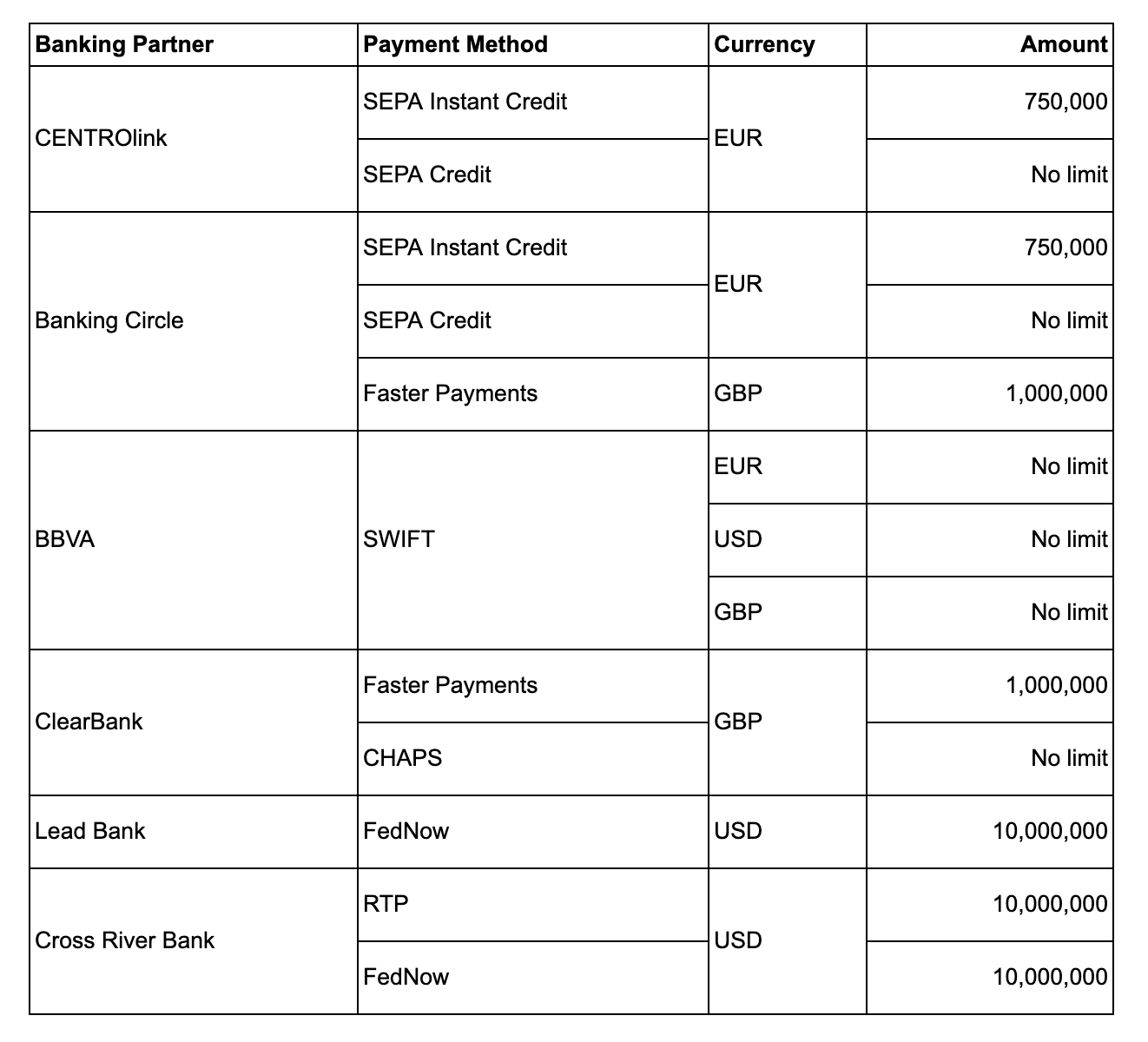
Global limits may change. To request a higher limit for a specific payment method, contact your BVNK account manager.
Example scenario
For example, consider the following limit configuration:
| Level | Payment method | Currency | Limit type | Amount |
|---|---|---|---|---|
| Global | SEPA Instant | EUR | Transaction | 50,000 |
| Partner | SEPA Instant | EUR | Daily | 20,000 |
| Customer | SEPA Instant | EUR | Transaction | 25,000 |
Transaction 1: Customer sends a 13,000 EUR SEPA Instant payment.
- Global transaction limit (50,000): 13,000 < 50,000 — Pass
- Partner daily limit (20,000): 13,000 < 20,000 — Pass
- Customer transaction limit (25,000): 13,000 < 25,000 — Pass
- Result: Approved
Transaction 2 (same day): Customer sends a 15,000 EUR SEPA Instant payment.
- Global transaction limit (50,000): 15,000 < 50,000 — Pass
- Partner daily limit (20,000): 13,000 + 15,000 = 28,000 > 20,000 — Fail
- Result: Rejected. Daily limit exceeded at partner level.
Create a limit
- Via API
- Via Portal
To create a payment limit, send the POST /governance/v1/limits request with a similar payload:
The zoneOffset field is only relevant for DAILY limits. It determines the start and end of a calendar day. If omitted, it defaults to +00:00 (UTC).
On success, you receive a 201 response with the limit identifier:
{
  "id": "fa2f29ca-fa0e-421b-86b6-4eb415d2933c",
  "createdAt": "2026-07-03T12:20:53.276599438Z",
  "updatedAt": "2026-07-03T12:20:53.330993Z"
}
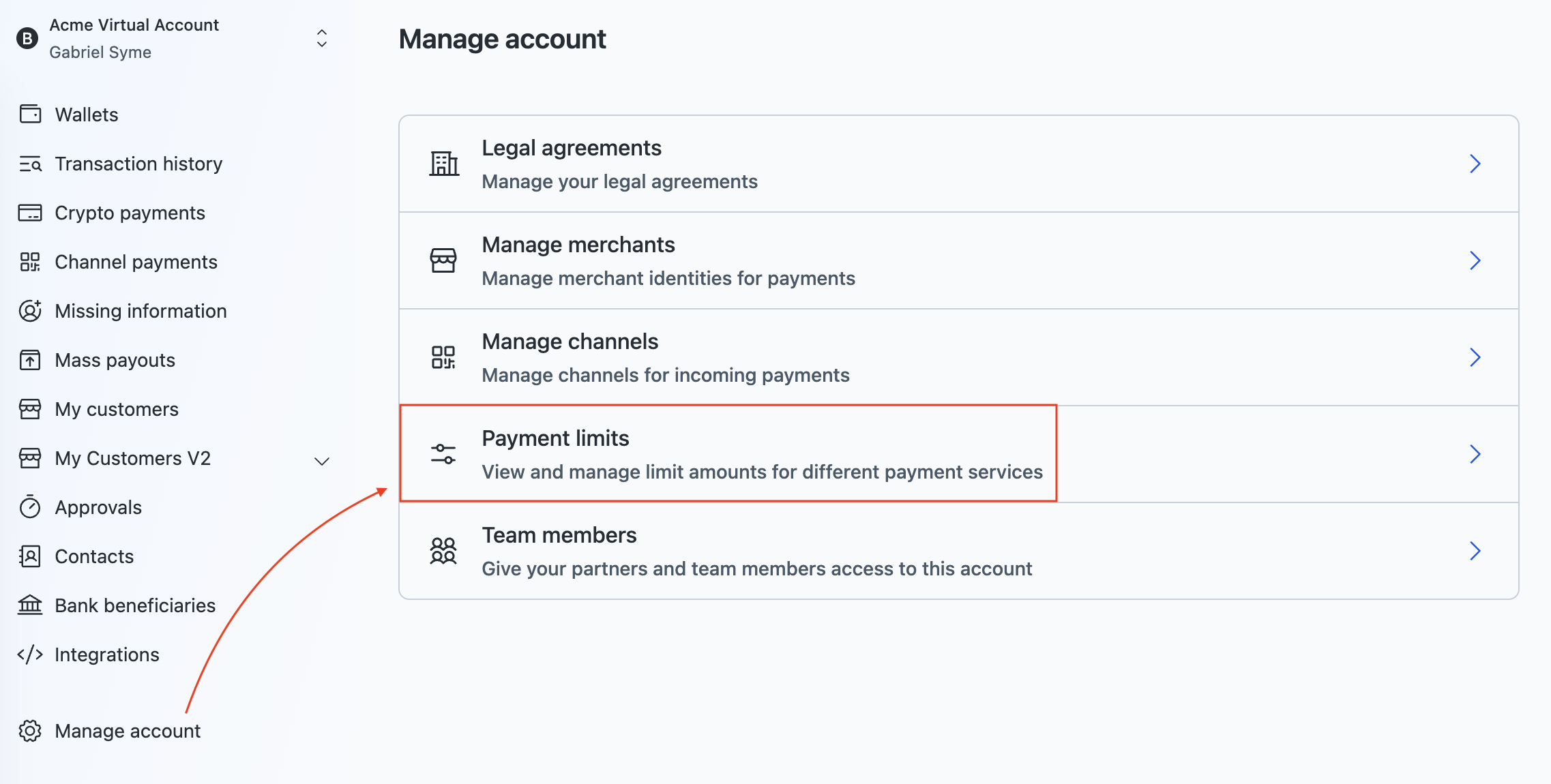
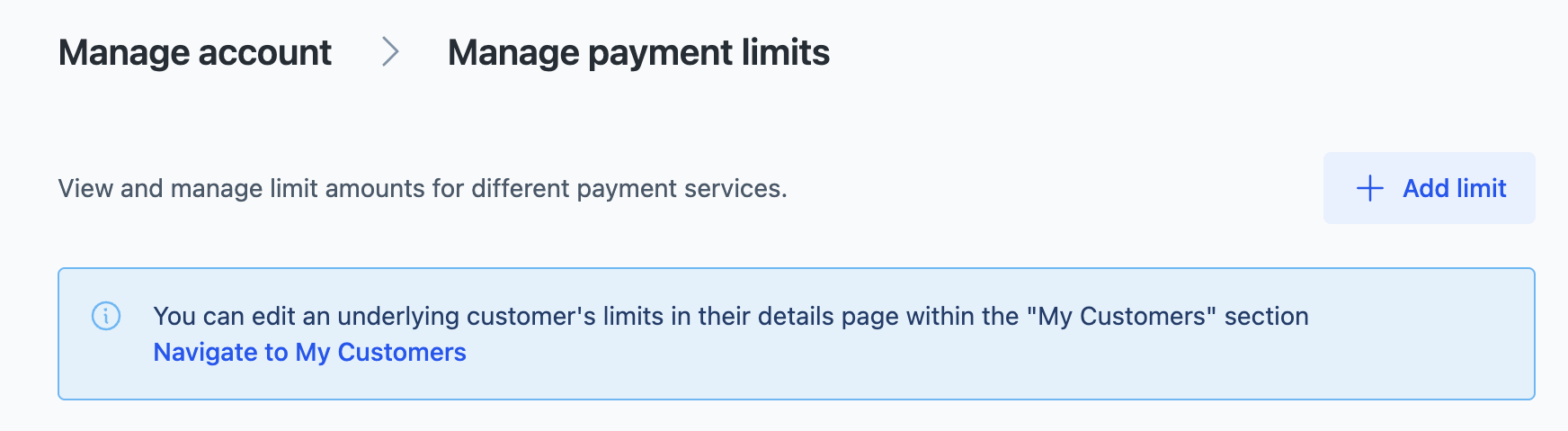
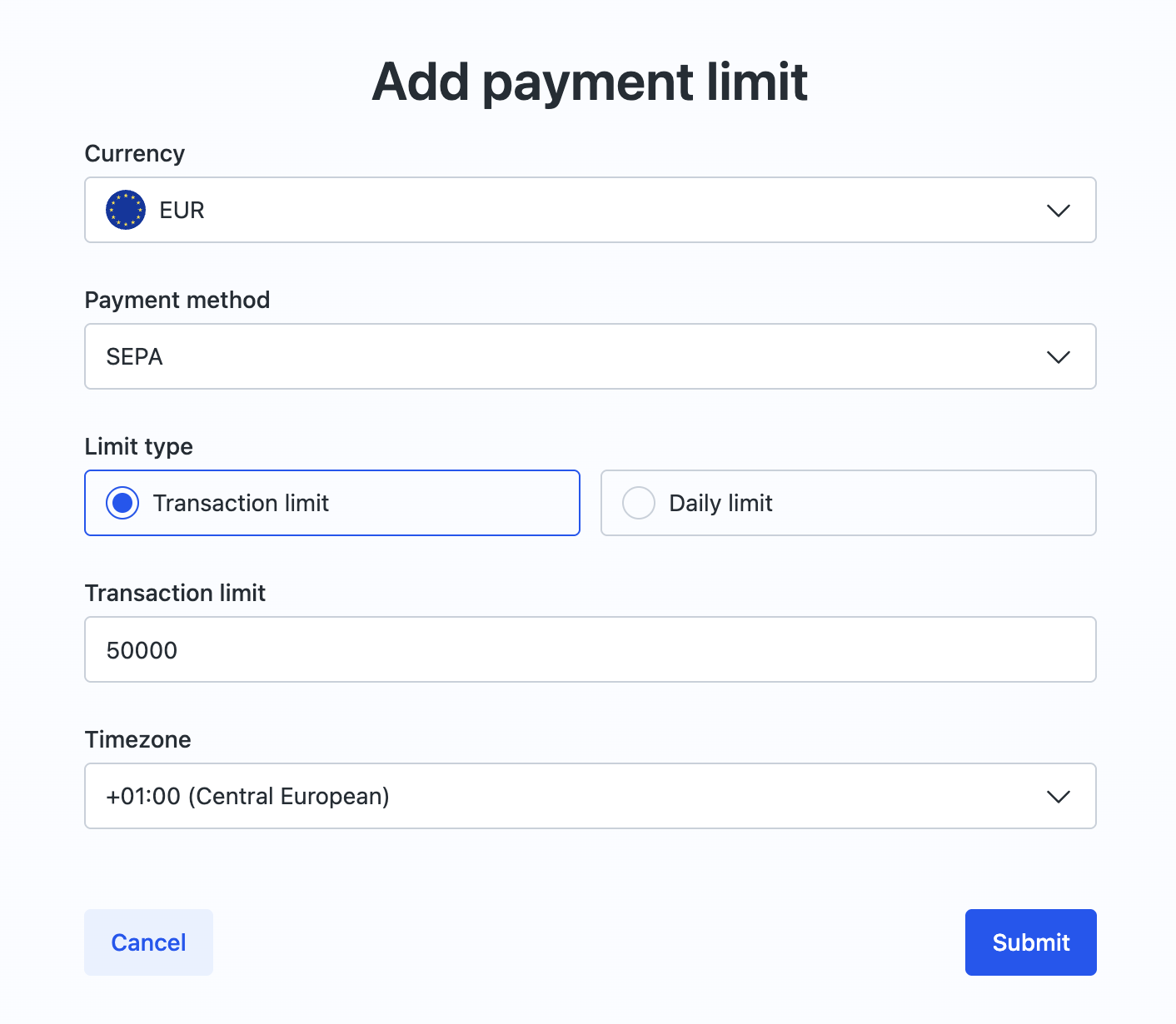
The new limit appears in the list and takes effect immediately.
Update a limit
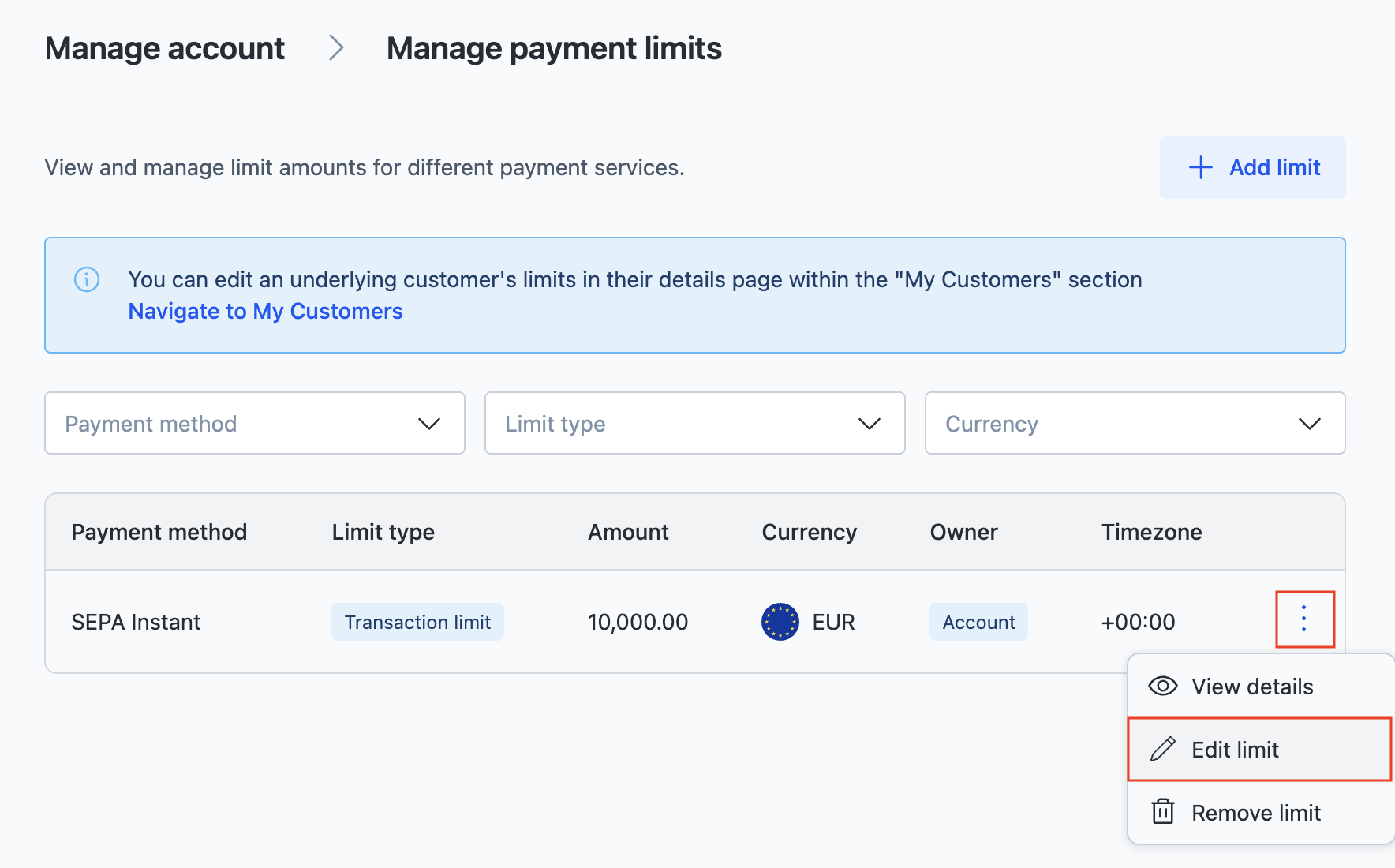
You can change a limit's amount or type (transaction or daily) at any time. Updates take effect immediately.
- Via API
- Via Portal
Send the PUT /governance/v1/limits/{limitId} request with the fields you want to change. Use the id of the limit rule that you received in the response when creating a limit.
On success, you receive a 200 response with the limit identifier and update date.
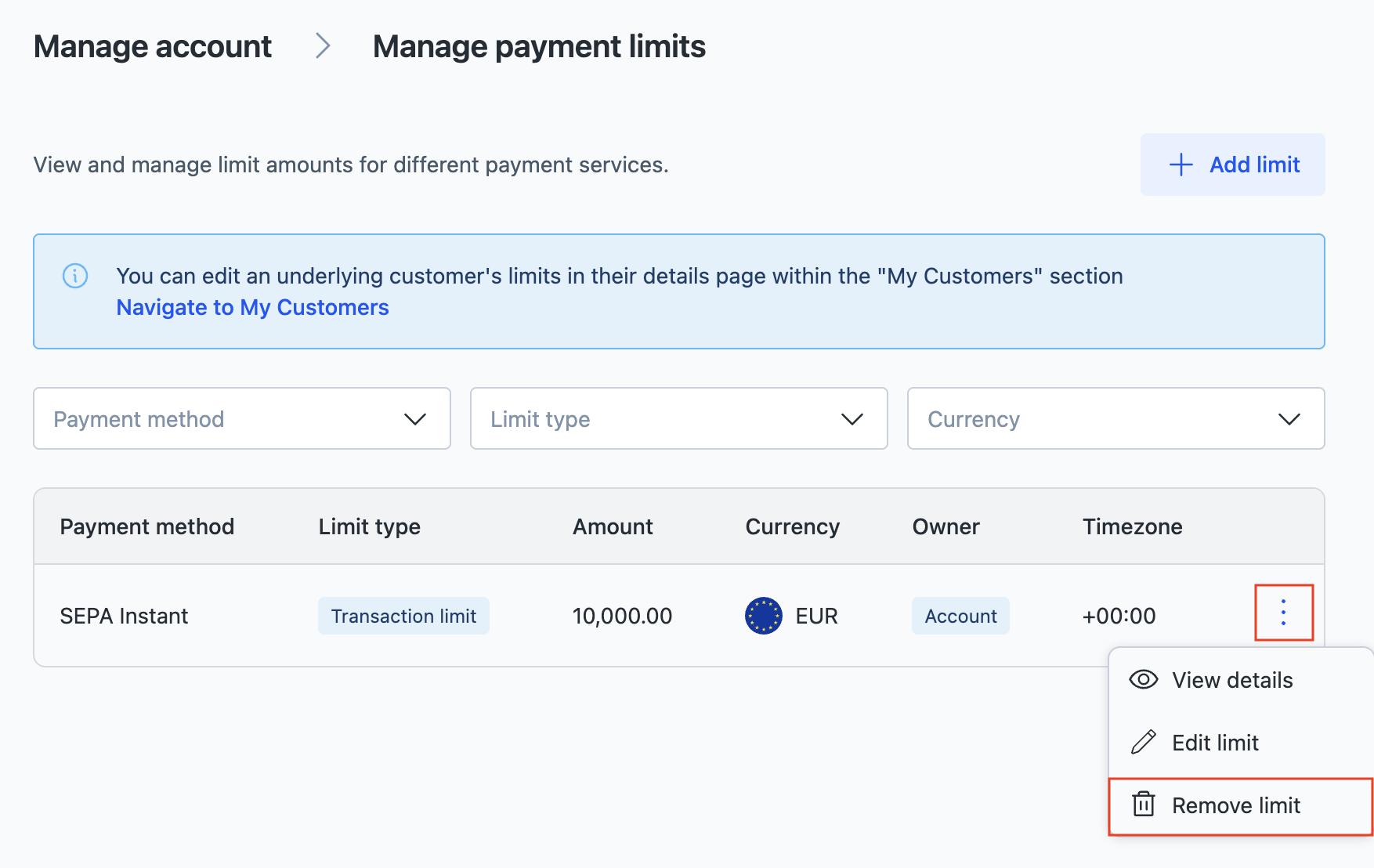
Delete a limit
- Via API
- Via Portal
Send the DELETE /governance/v1/limits/{limitId} request. Use the id of the limit rule that you received in the response when creating a limit.
On success, you receive a 204 No Content response, and the limit is removed immediately.
Manage customer limits
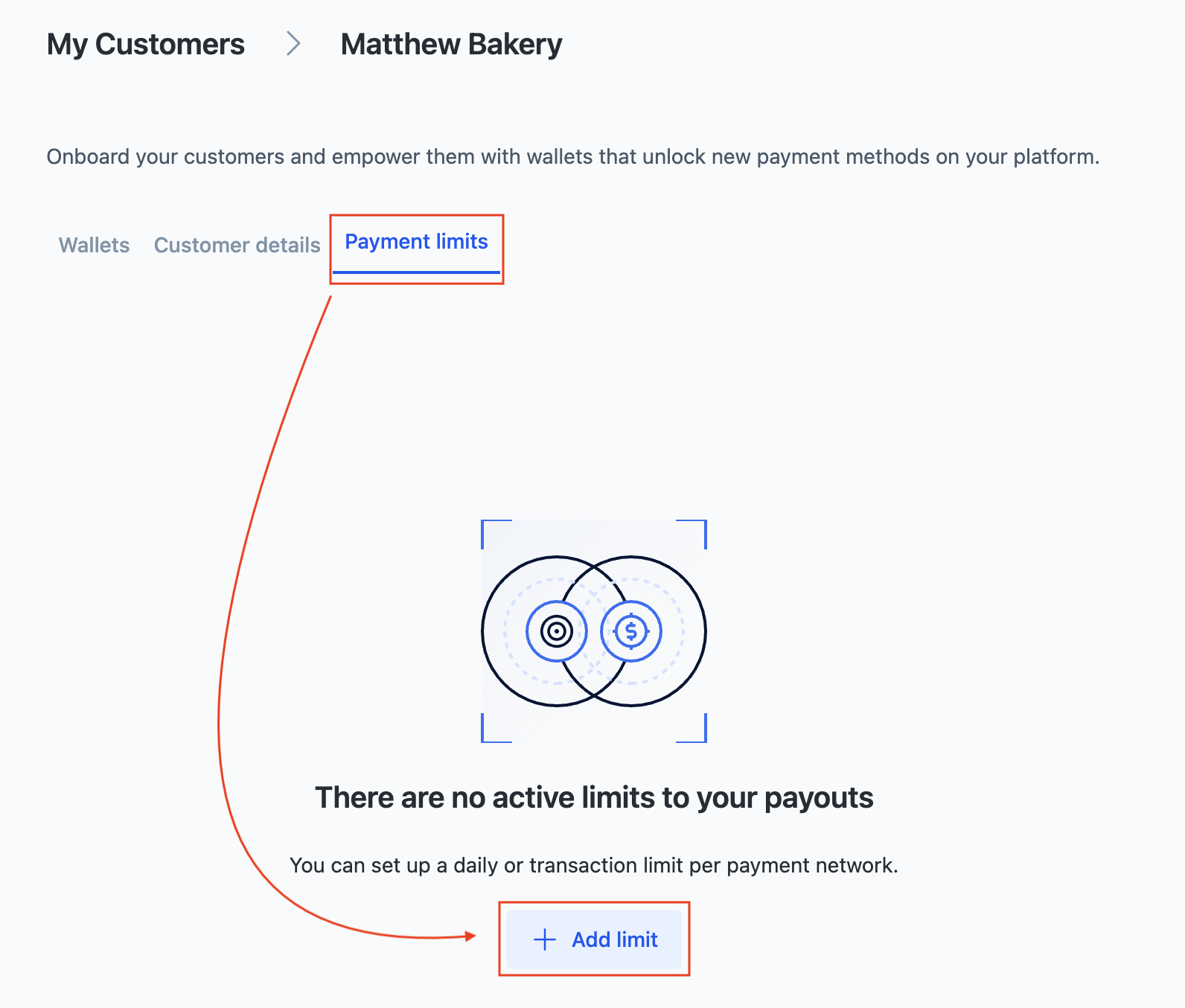
As a partner, you can set limits for individual customers under your account. These limits apply only to the selected customer's payouts.
- Via API
- Via Portal
Use the same POST /governance/v1/limits endpoint with level set to CUSTOMER and the target customer's ID (customerId):
{
  "level": "CUSTOMER",
  "customerId": "b7c3e1a2-8f4d-4a6e-9c12-3d5f7a8b9e01",
  "method": "SEPA",
  "limitType": "DAILY",
  "amount": "25000",
  "currency": "EUR",
  "zoneOffset": "+01:00"
}
To update or delete a customer's limit, use the same PUT and DELETE endpoints described above with the customer's limit ID.
Customers can also create limits for themselves via the API. They cannot modify or delete limits you have set for them.
Show all limits
- Via API
- Via Portal
Send the GET /governance/v1/limits request. You can use optional query parameters to filter by currency, payment method, or limit type.
You can also retrieve a single limit by ID using GET /governance/v1/limits/{limitId}.
The owner field indicates who created the limit:
ACCOUNT: Created by the partner.BVNK. Created by BVNK operations.
Error handling
When a payment is blocked by a limit, the API returns 422 Unprocessable Entity with the bvnk:payment:0063 error code:
{
  "code": "bvnk:payment:0063",
  "traceId": "eff5b4d970432d42f30c1e5299cca3da",
  "status": "Unprocessable Entity",
  "message": "Limit exceeded. We cannot satisfy this 200 EUR payment as transaction which you are trying to trigger is violating configured limits.",
  "details": {
    "documentLink": "https://docs.bvnk.com/reference/errors",
    "errors": {
      "totalAmount": [
        "200"
      ]
    }
  }
}
Review the account's configured limits and either increase the limit or reduce the payment amount.