Create API keys
BVNK uses Hawk authentication to secure API access. Hawk is a cryptographic scheme that ensures request integrity and authentication without transmitting your secret key. Instead, you use your Hawk Auth ID and Secret Key to generate a signature for each API request. This method protects your credentials, even if requests are intercepted.
After your BVNK sandbox account is active, create API keys to access BVNK endpoints:
-
Log in to the BVNK Portal.
-
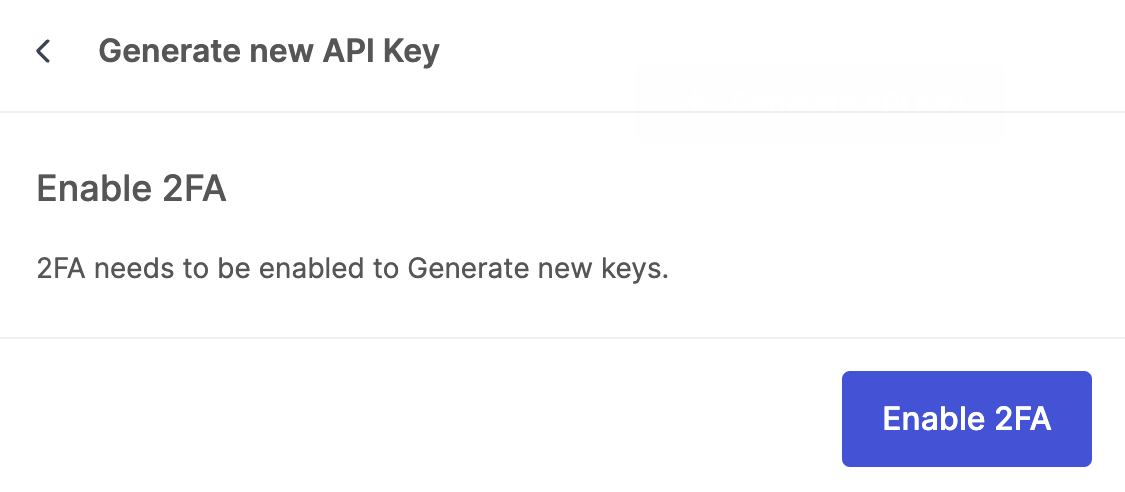
On the sidebar, select Integrations and click Generate API Key. If 2FA is not yet enabled on your account, you will be prompted to set it up using an authenticator app.
-
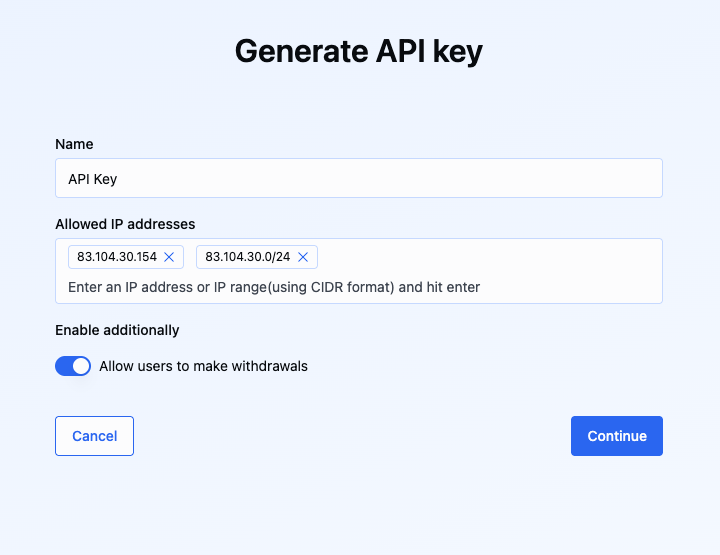
In the Generate new API key window, specify the following parameters:
- Name: Enter a description to help identify the key in the future.
- Allowed IP addresses: Specify the IP addresses your service will use to restrict API access. This enhances security by allowing only requests from your servers or trusted networks. This must be set to enable withdrawals.
You can specify:
-
Static IP address, for example,
83.104.30.154, or -
Range of addresses using the CIDR (Classless Inter-Domain Routing) format, for example,
83.104.30.0/24Using CIDR notation
CIDR format defines a network prefix and the size of the address block. It consists of an IP address, followed by a slash (/), and then a number (prefix length). The prefix length tells you how many bits of the address are fixed (the network part). The remaining bits are available for host addresses within that network.
For example:
-
83.104.30.0/24: Prefix length/24means the first 24 bits (or first three octets) are fixed. This covers all IPs from83.104.30.0to83.104.30.255(256 addresses will have API access). -
83.104.0.0/16. Prefix length/16means the first 16 bits (or first two octets) are fixed. This covers 83.104.0.0 to 83.104.255.255 (65,536 addresses will have API access).
Avoid using overly broad ranges such as
/8or/0, as this significantly weakens security by granting access to over 16 million addresses. -
-
Withdrawals: Use the toggle to enable or disable these keys for withdrawals and payouts. If withdrawals are disabled, you will only be able to use these keys to collect payments. Allowed IP addresses must be specified to enable withdrawals.
-
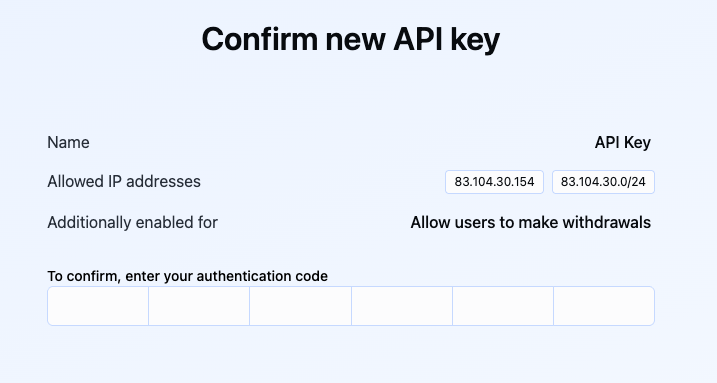
Click Continue. Enter the 6-digit code from your configured 2FA app when prompted.
-
The API keys are now generated. Save the Hawk Auth ID and Secret Key.
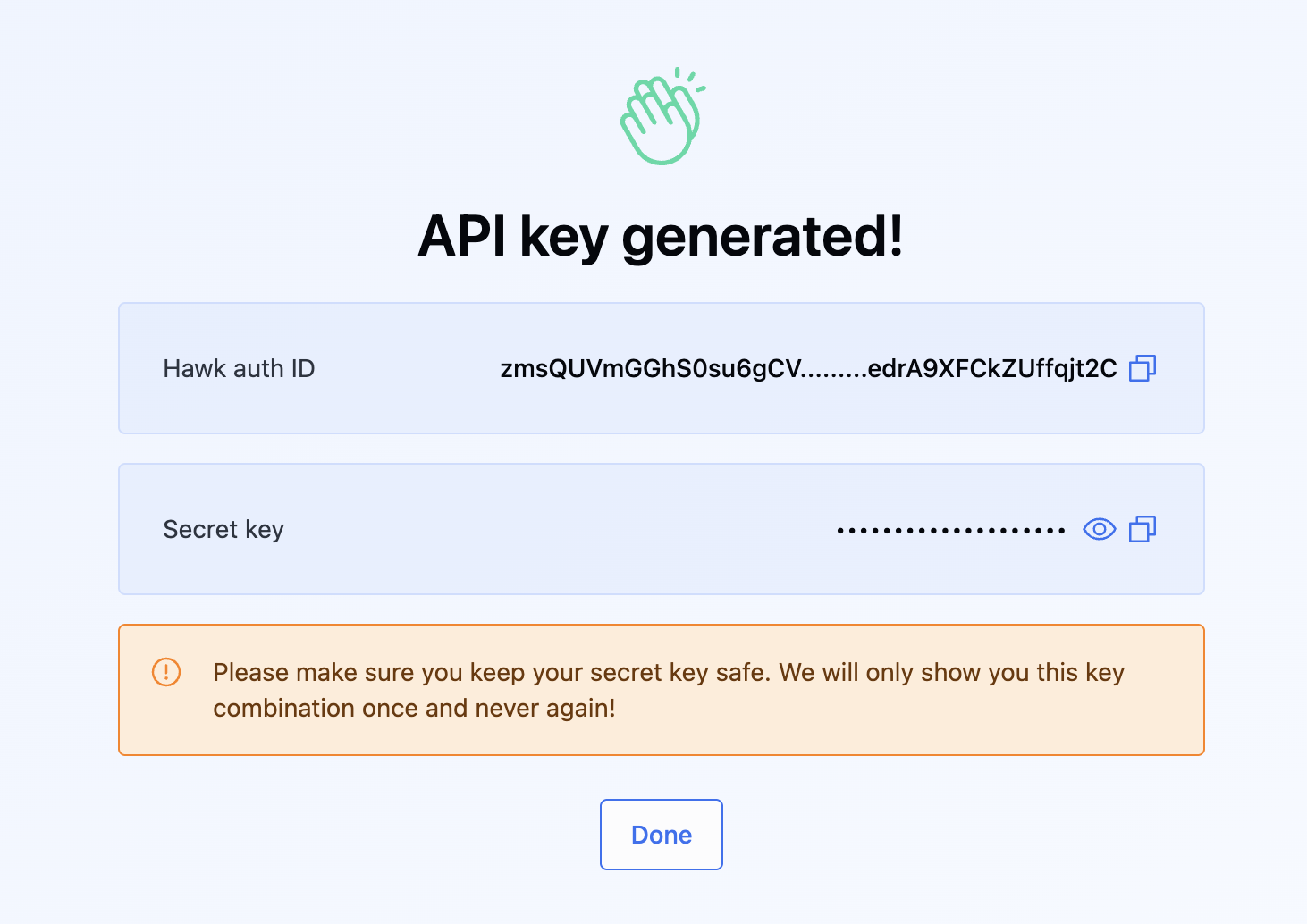
After creating the keys, you will see the Hawk Auth ID and Hawk Auth Key. Store these credentials securely, as you will not be able to access the Hawk Auth Key again after leaving this page.
If you suspect an API key has been compromised, revoke it immediately from the Integrations page and generate a new key.
What's next?
Next, you can:
- Set up your first wallet for payment operations or request it from your Account Manager.
- Create accounts for your customers and onboard them to ensure regulatory compliance.
- Find your use case and start building.