Prepare for integration
Sandbox account and API credentials
The sandbox environment mirrors production but operates with test data, allowing you to build and validate your integration without financial risk.
Your sandbox account provides access to the BVNK Portal where you manage wallets, configure integrations, and monitor transactions. API credentials use Hawk authentication, a cryptographic scheme that signs each request without exposing your secret key.
When configuring API keys, consider which operations your integration requires. Payouts and withdrawals require IP address allowlisting for security. Read-only operations like fetching transaction data have fewer restrictions.
Steps to complete this phase:
- Contact your Account Manager to request a sandbox account.
- After you have it, you can Create API keys there.
Fiat wallet setup
Virtual accounts are linked to fiat wallets, which store your funds. Once BVNK enables virtual accounts based on your business requirements, your wallet is assigned a unique identifier, such as a vIBAN or ABA routing number. Accounts can be issued in your business name or your customers' names for personalised payment routing.
To create a wallet, send the POST /ledger/v2/wallets request with a selected profile. For details on body parameters, refer to the Create wallet endpoint.
{
  "profileId": "fiat:eur:abcd1234",
  "name": "My EUR Wallet",
}
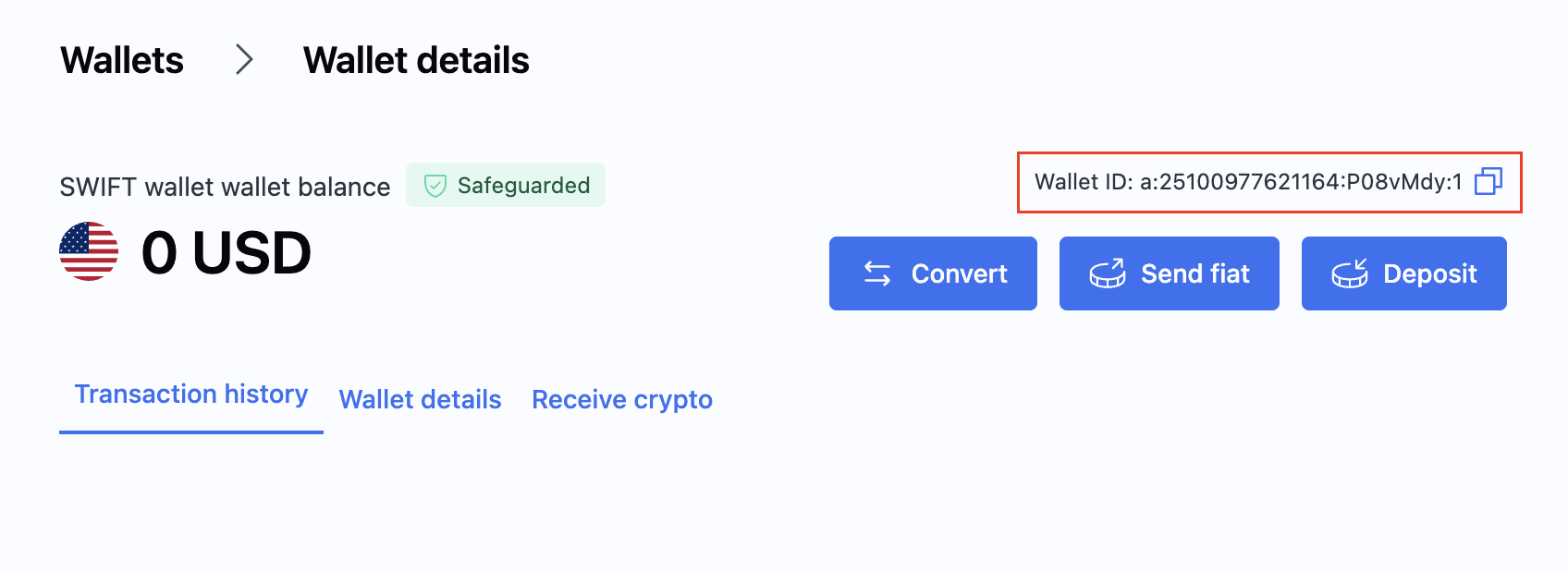
After creating the wallet, locate its ID in the Wallet section of the Portal. You will need this ID when creating payments.
For more information and available wallet actions, see Create a wallet.
Webhook integration
Webhooks provide real-time notifications when transaction states change, eliminating the need for continuous polling.
Your webhook endpoint receives HTTP POST requests from BVNK whenever relevant events occur—payment confirmations, status changes, customer onboarding updates, and more. Design your endpoint to acknowledge receipt immediately (return HTTP 200) and process the event asynchronously to avoid timeouts.
Webhook payloads include cryptographic signatures for authenticity verification. Implement signature validation to ensure requests originate from BVNK and haven't been tampered with.
Steps to complete this phase:
- Configure webhooks for endpoint setup and signature verification examples.
Integration testing
Use the sandbox environment to validate your implementation before going live. Test both success paths and error scenarios to ensure your system handles edge cases gracefully.
For pay-ins, create payment channels and simulate incoming transactions to verify your webhook handling and balance updates. For payouts, send test transactions to destination wallets and confirm delivery. If using the Embedded model, test the full customer onboarding lifecycle.
Optional external wallets like MetaMask (Ethereum) or TronLink (Tron) can simulate end-user interactions during testing.
Go live
Production activation requires coordination with your Account Manager. Sandbox configuration does not transfer automatically—you must replicate settings in your live account.
Update your codebase to use production credentials and endpoints. The base URL changes from https://api.sandbox.bvnk.com/ to https://api.bvnk.com/. Generate new API keys in your live Portal account and configure webhooks with production endpoint URLs.
Before processing real transactions, verify your live wallets have sufficient balance for payouts and confirm all webhook subscriptions are active.
Next steps
Once a virtual account is created, you can immediately:
- Send payments from the virtual account to your customers.
- Receive payments from your customers into the virtual account.
- Refund payments from the virtual account to your customers.
- Check your transactions with reconciliation reports.
- Track your transactions with webhook notifications.