Set up wallets
This new wallets flow is recommended for all new integrations.
If you already have an existing integration with Wallets API v.1, you can continue using it. For the Wallets v.1 guide, see Create a wallet.
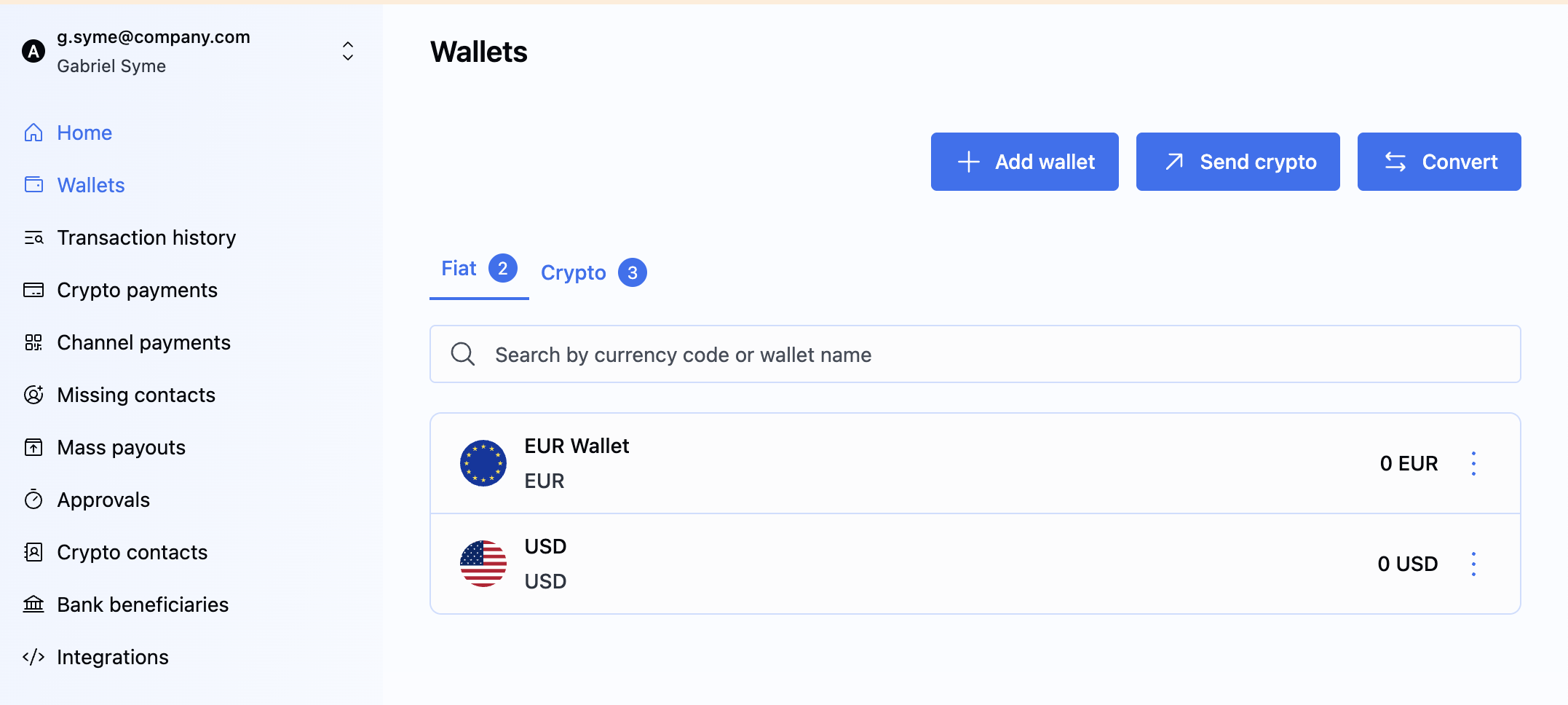
On BVNK, you can create and manage both crypto and fiat wallets through the Portal or API. To create a wallet for a customer, specify their ID and reference. If you don't provide one, the wallet is created for your account.
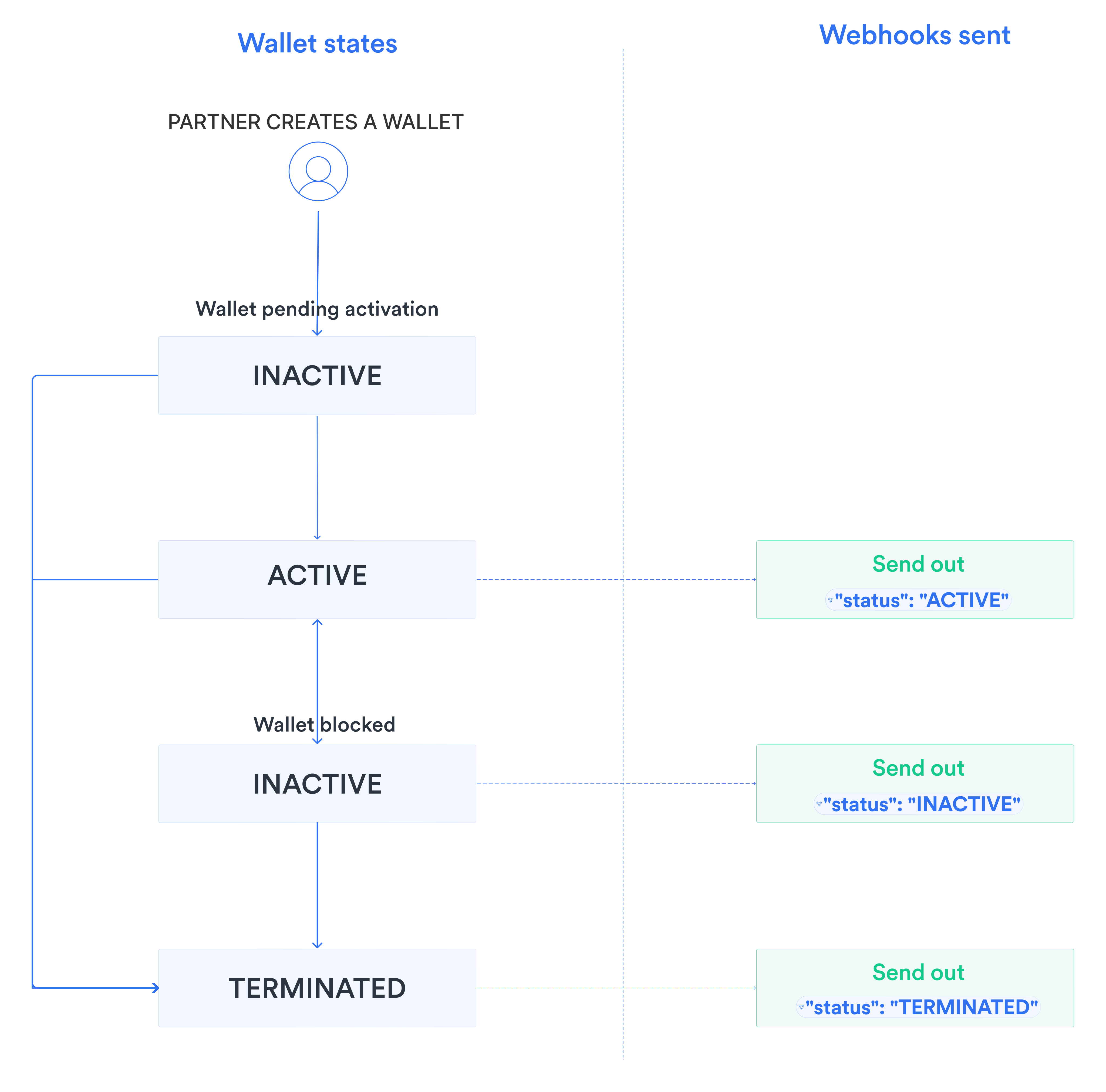
After creation, a wallet goes through the following stages:
* For fiat wallets only. For crypto wallets, start with step 2: Create a wallet.
Retrieve wallet profiles
When creating crypto wallets, start with the Create a wallet step.
Before adding a wallet to your account, you must assign a wallet profile to it. The wallet profile is a template that defines the currency codes and payment methods available for a wallet.
To list wallet profiles, send the GET /ledger/v2/wallets/profiles request. Use the optional q parameter to filter results with Lucene query syntax, such as currency:USD, method:SWIFT, or customerId:550e8400-e29b-41d4-a716-446655440000 AND currency:USD.
Each profile in the response has an id to use as profileId when creating a wallet. Available currencies and methods vary by account and jurisdiction.
Create a wallet
To create a wallet, follow these steps:
- API
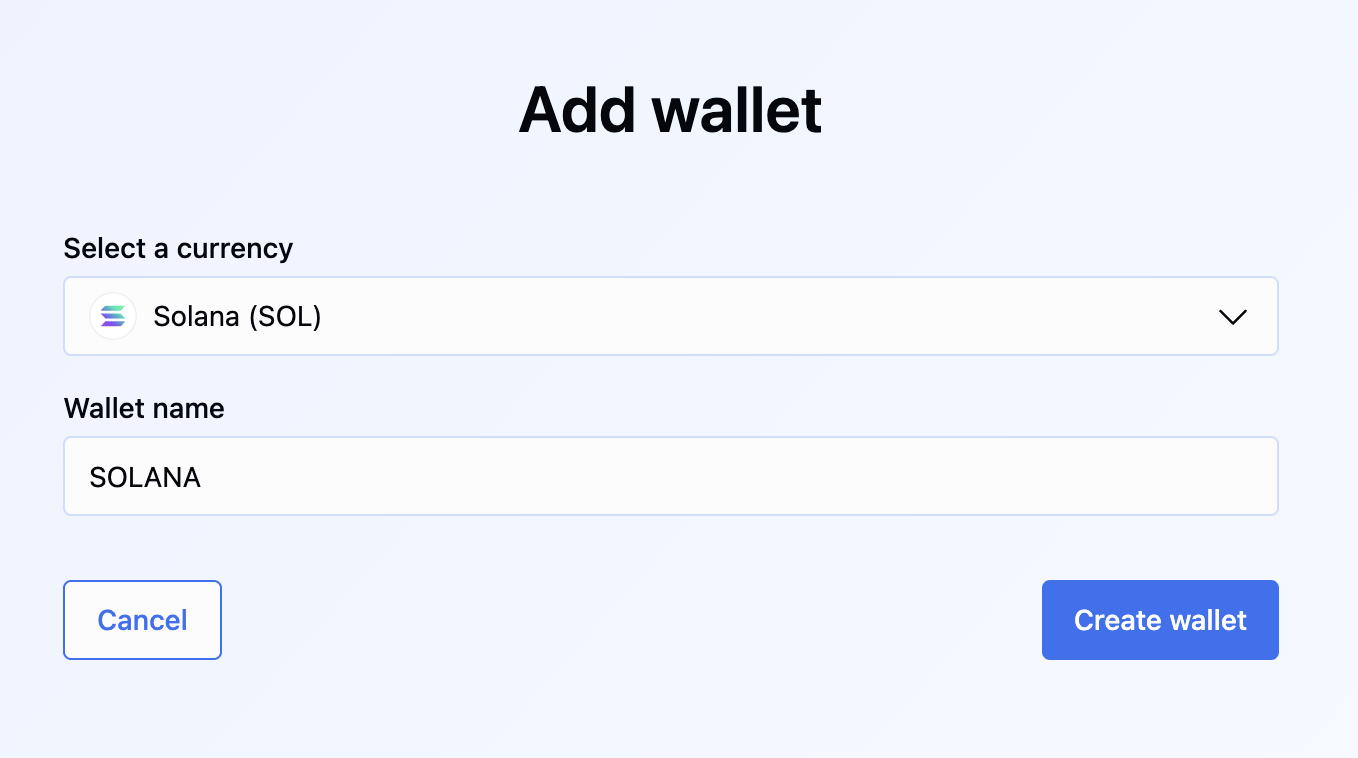
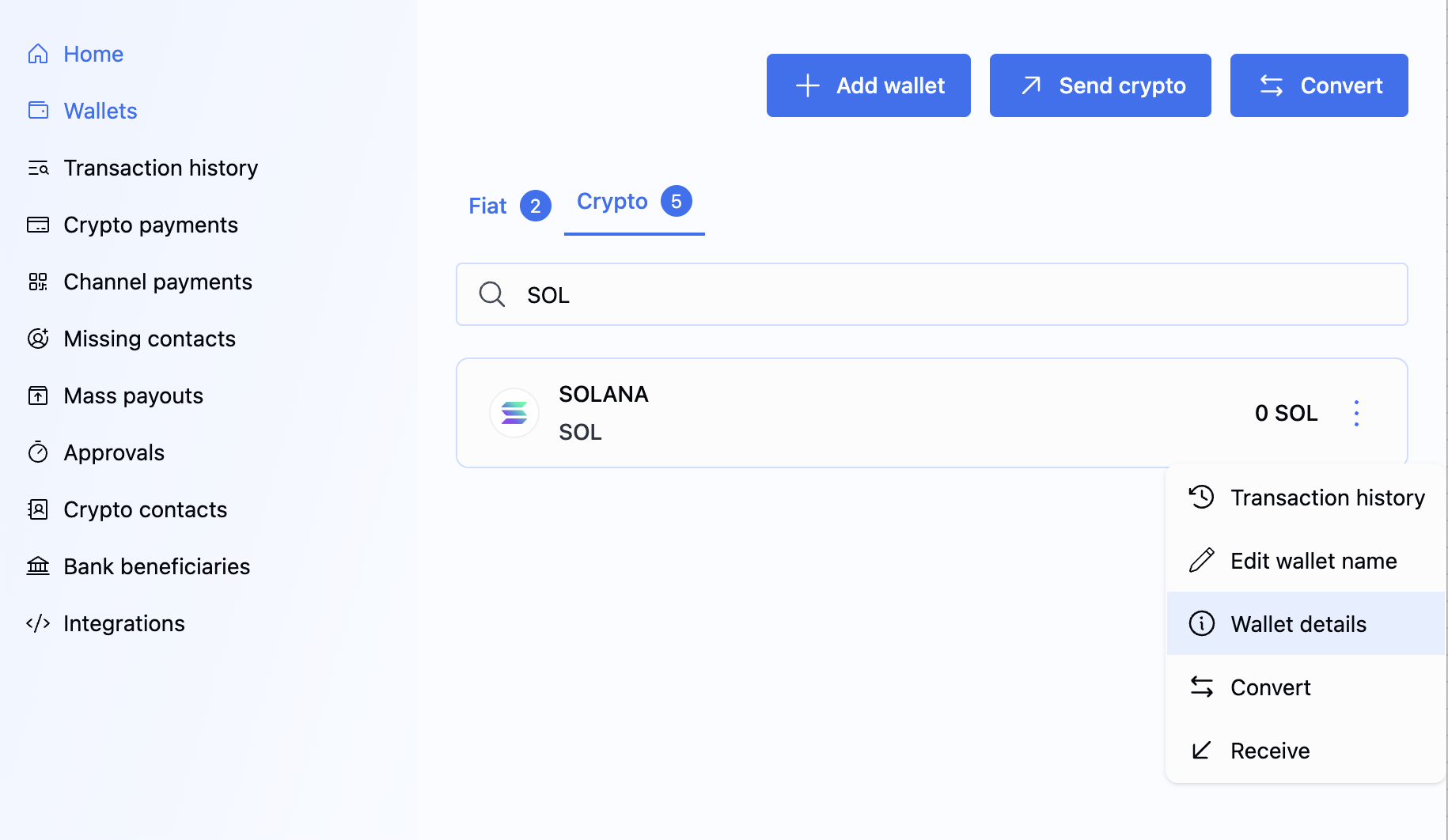
- Portal
- Fiat Wallet
- Crypto Wallet
To create a fiat wallet with an assigned wallet profile, send the POST /ledger/v2/wallets request with a JSON body like the following. Use the id from GET /ledger/v2/wallets/profiles as profileId.
- Create a direct fiat wallet
- Create a fiat wallet for your customer
{
    "currency": "USD",
    "name": "USD SWIFT",
    "profileId": "fiat:usd:141d6bae"
}
A successful response returns the new fiat wallet details:
{
    "id": "a:25060945127830:rTgK3wN:1",
    "name": "USD SWIFT",
    "status": "INACTIVE",
    "balance": {
        "amount": 0.00,
        "currency": "USD"
    },
    "paymentInstruments": [],
    "createdAt": "2025-06-09T14:05:12.830Z",
    "updatedAt": "2025-06-09T14:05:12.830Z"
}
The id of the created wallet is returned in the Location response header, for example: https://api.sandbox.bvnk.com/ledger/v2/wallets/{id}.
Wallets are not created instantly. A new wallet typically appears as INACTIVE and automatically transitions to ACTIVE. Activation may take several minutes. Poll GET /ledger/v2/wallets/{id} or use webhooks instead of creating duplicate wallets if activation is delayed.
When the wallet is created, the paymentInstruments array is empty and the balance is 0. Payment details are added to paymentInstruments after activation and receipt of the status webhook.
The wallet may also have the TERMINATED status. This means the wallet can no longer be used, and that state is final; BVNK can never reactivate it. All operations, including receiving pay-ins, sending payouts, and currency conversions, are blocked for terminated wallets. You can only access its transaction history. To learn how to terminate a wallet, see the Manage wallets guide.
Manage wallets
You can manage the wallet lifecycle through the Portal or API. Available actions include Block, Unblock, and Terminate. All changes are synchronised across the Admin Portal, Merchant Portal, and API.
- Via API
- Via Portal
To manage the wallet lifecycle, use POST /ledger/v2/wallets/{walletId}/actions.
You can perform the following actions:
TERMINATE: Permanently terminates the wallet. This action is irreversible. The wallet balance must be zero (0) before termination. For fiat wallets, the associated Virtual Account is closed. Crypto wallets do not use this mechanism.BLOCK: Temporarily blocks the wallet and prevents activity.UNBLOCK: Removes a previously applied block from the wallet.
In the payload, specify the action value and include a non-empty comment explaining the reason. Use one of the following comment values:
COMPLIANCEOPERATIONOFFBOARDINGCLIENT_REQUESTOTHER
- BLOCK
- UNBLOCK
- TERMINATE
{
  "action": "BLOCK",
  "comment": "COMPLIANCE"
}
If successful, the endpoint returns 204 No Content.
Possible error scenarios include:
400 Bad Request: For example, this occurs if you attempt to runTERMINATEwhen the wallet has a non-zero balance.409 Conflict: For example, this occurs if you attempt to runBLOCKorUNBLOCKon a wallet that is already terminated.
Retrieve wallets
Use wallet endpoints to monitor status and balances. GET /ledger/v2/wallets returns summaries only and excludes paymentInstruments. For full payment instrument and account details, use GET /ledger/v2/wallets/{id}.
Fiat wallet balances use 2 decimal places (e.g. 48250.75), while crypto wallet balances use 6 decimal places (e.g. 14727.556775).
All wallets
To list all wallets, send the GET /ledger/v2/wallets request.
The list response provides wallet summaries without paymentInstruments. For payment instruments and full account details, call GET /ledger/v2/wallets/{id} with the wallet's {id}.
Specific wallet
To retrieve wallet details by its unique identifier, send the GET /ledger/v2/wallets/{id} request with the {id} in the path.
The response includes full wallet details. For fiat wallets, the paymentInstruments array contains the bank account details. For crypto wallets, paymentInstruments is an empty array. To receive crypto deposits into the wallet, generate a blockchain address using Payment Links or Channels.
Customer's wallets
To retrieve wallets for a specific customer, send the GET /ledger/v2/wallets request and filter by customer ID using the q parameter with Lucene syntax. For example:
GET /ledger/v2/wallets?q=customerId:550e8400-e29b-41d4-a716-446655440000 AND status:ACTIVE
This request returns all active wallets for the customer with ID 550e8400-e29b-41d4-a716-446655440000.
The response uses the same paginated format as the All wallets list, filtered to that customer's wallets.
Receive status webhook
To receive notifications when a wallet's status changes, listen to the wallet notification.
What's next?
Now that you have created a wallet, you can begin sending and receiving payments.
- See the available use cases to select the one that best suits your needs.
- Configure a designated wallet for customer fees.