Receive stablecoins via Payment Links
Use this method to add crypto payments to your checkout flow and collect payments from your customers. You can build your own UI using the API response or redirect your user to a pre-built Hosted Payments Page.
Example use case: this flow is useful for platforms that collect payments from their customers. For example, a trading platform might want to implement a deposit feature, allowing customers to top up their accounts for futures trading. Customers would go to the cashier, select cryptocurrency as the payment method, and enter the amount they want to deposit. Then, they would be redirected to the Hosted Payments Page to select the cryptocurrency they want to use for the deposit. Here, BVNK acts as the provider for cryptocurrency payments.
BVNK generates a wallet address for your customer to send funds. BVNK monitors the blockchain to detect incoming transactions to the wallet address. Once funds are received, BVNK converts the stablecoins and settles the amount in fiat, a different stablecoin, or the same stablecoin, based on your preference.
Collect payments
To accept stablecoin payments from your customers, do the following:
-
Send the
POST /api/v1/pay/summaryrequest with a similar body. Remember to set thetypeparameter toINto collect payments from your customers:{"walletId": "a:25022613287255:zmHs0pg:1","type": "IN","amount": 10,"currency": "USD","expiryMinutes": 30,"reference": "test_reference_in_Qa4wy9","returnUrl": "https://your-url-here.com/status","payInDetails": {"currency": "USDT"},"customerId": "ba388054-4512-441e-a9c4-cbe9b0fe0332","complianceDetails": {"requesterIpAddress": "77.71.188.87","partyDetails": [{"type": "ORIGINATOR","entityType": "INDIVIDUAL","firstName": "John","lastName": "Doe","dateOfBirth": "1984-06-30","relationshipType": "THIRD_PARTY","countryCode": "DE"}]}}
Instead of passing partyDetails inline with every payment, you can create a reusable contact and reference it by contactId. See Manage contacts for details. You cannot pass both partyDetails and contactId in the same request; doing so will return an error.
You can use the currencyOptions parameter to specify which currencies are available to customers during payment. This parameter is optional. If provided, it restricts the transaction to the selected currencies. If not specified, customers can deposit funds in any of the 16 currencies supported by BVNK. For a full list of supported currencies and protocols, see the Supported Currencies API.
The following example restricts available currencies to ETH and USDT.
{
    "walletId": "a:25022613287255:zmHs0pg:1",
    "amount": 2.0,
    "currency": "ETH",
    ...
    "currencyOptions": [
    {
      "code": "ETH"
    },
    {
      "code": "USDT"
    }
  ]
}
After you submit the request successfully, you receive the following response:
Response
{
    "uuid": "3332388b-43cd-45a1-ad1b-7df5e5f4dc6e",
    "merchantDisplayName": "Euro Company",
    "walletId": "a:25022613287255:zmHs0pg:1",
    "dateCreated": 1728647621633,
    "expiryDate": 1728649421633,
    "quoteExpiryDate": 1728649422000,
    "acceptanceExpiryDate": 1728647652000,
    "quoteStatus": "ACCEPTED",
    "reference": "test_reference_in_Qa4wy9",
    "type": "IN",
    "subType": "merchantPayIn",
    "status": "PENDING",
    "displayCurrency": {
        "currency": "USD",
        "amount": 10,
        "actual": 0
    },
    "walletCurrency": {
        "currency": "EUR",
        "amount": 9.15,
        "actual": 0
    },
    "paidCurrency": {
        "currency": "USDT",
        "amount": 10.008422,
        "actual": 0
    },
    "feeCurrency": {
        "currency": "EUR",
        "amount": 0.09,
        "actual": 0
    },
    "networkFeeCurrency": null,
    "displayRate": {
        "base": "USDT",
        "counter": "USD",
        "rate": 0.999158508704
    },
    "exchangeRate": {
        "base": "USDT",
        "counter": "EUR",
        "rate": 0.91423
    },
    "address": {
        "address": "0x7b686317f8ed2c2bc3bbd060464f1939359a00e3",
        "tag": null,
        "network": "ETHEREUM",
        "uri": "ethereum:0xdac17f958d2ee523a2206206994597c13d831ec7/transfer?address=0x7b686317f8ed2c2bc3bbd060464f1939359a00e3&uint256=10008422",
        "alternatives": [
            {
                "address": "0xab12ec2f0e47c45ac8ff0c3914fb426d5ef9541a",
                "tag": null,
                "network": "BINANCE",
                "uri": "0xab12ec2f0e47c45ac8ff0c3914fb426d5ef9541a",
                "alternatives": []
            },
            {
                "address": "0x3f2b71f5cbca1e4cda0948208f67706a1a519c8e",
                "tag": null,
                "network": "POLYGON",
                "uri": "0x3f2b71f5cbca1e4cda0948208f67706a1a519c8e",
                "alternatives": []
            },
            {
                "address": "TYbVJodUGrkWJSWSVnHjXHU6g8RC7AvPE6",
                "tag": null,
                "network": "TRON",
                "uri": "TYbVJodUGrkWJSWSVnHjXHU6g8RC7AvPE6",
                "alternatives": []
            }
        ]
    },
    "returnUrl": "https://your-url-here.com/status",
    "redirectUrl": "https://pay.sandbox.bvnk.com/payin?uuid=3332388b-43cd-45a1-ad1b-7df5e5f4dc6e",
    "transactions": [],
    "refund": null,
    "refunds": [],
    "currencyOptions": [],
    "flow": "DEFAULT",
    "twoStep": false,
    "metadata": {
    "deviceType": "desktop",
    "sessionId": "abcdef123456",
    "userSegment": "premium",
    "campaignId": "promo-spring-2025"
    },
"customerId": "ba388054-4512-441e-a9c4-cbe9b0fe0332"
}
Note the redirectURL variable, which directs customers to the Hosted Payments Page to select a digital asset.
Track payment status
- Via API
- Via Portal
To track the status of a payment, send a GET /api/v1/pay/{uuid}/summary request using the uuid returned in the payment creation response.
The response includes the current status field, which reflects where the payment is in its lifecycle.
Payment statuses
| Status | Description |
|---|---|
| Pending | The payment has been created and is awaiting the payer to send funds. |
| Processing | The payer has sent the payment, and the blockchain is confirming the transaction. |
| Complete | Funds have been received and confirmed on the blockchain. |
| On Hold | The payment is under security review. |
| Underpaid | The payer sent less than the requested amount. |
Payment lifecycle
-
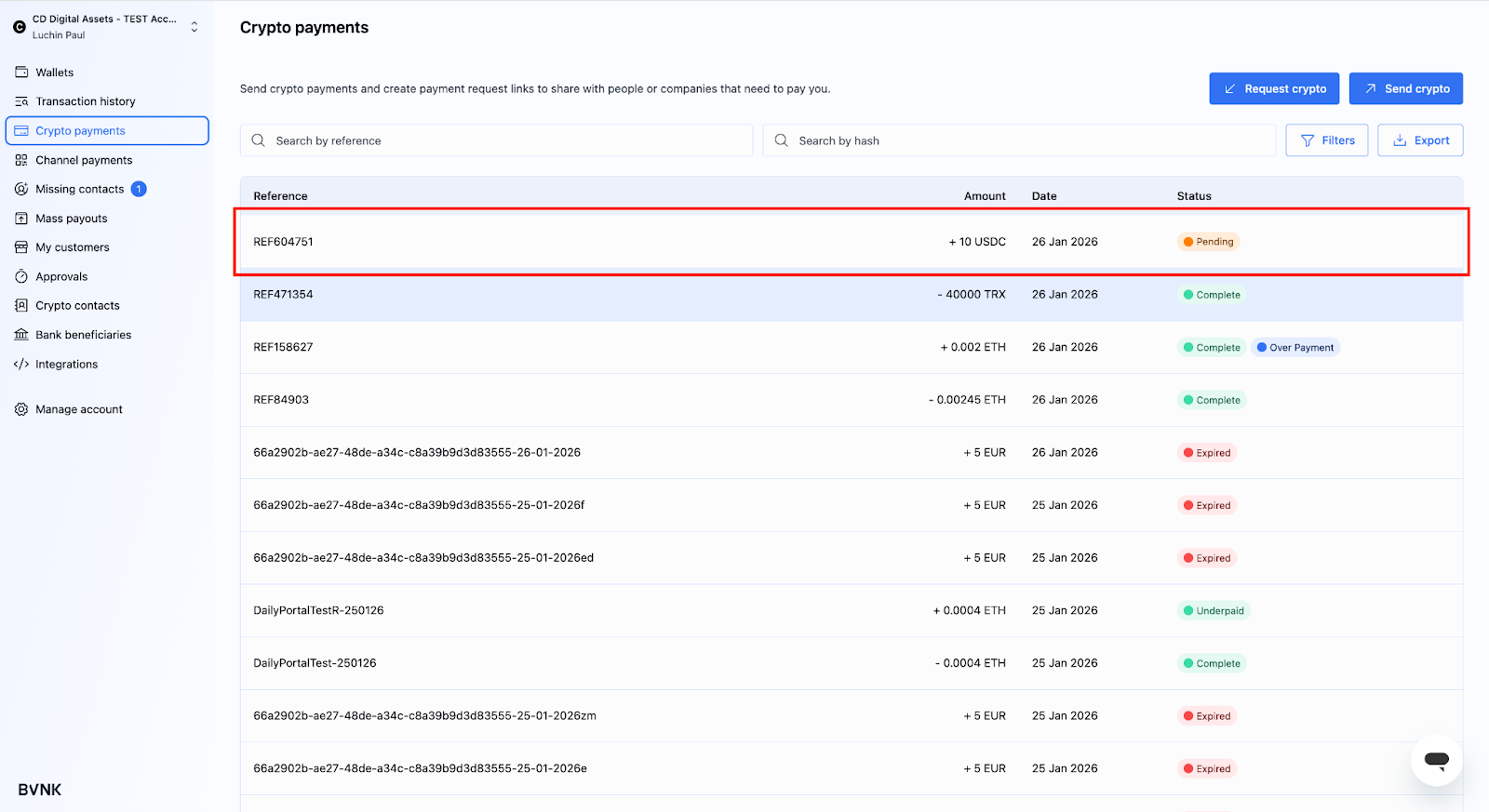
You create a payment link and send it to the payer to make a payment. The status starts as Pending.
-
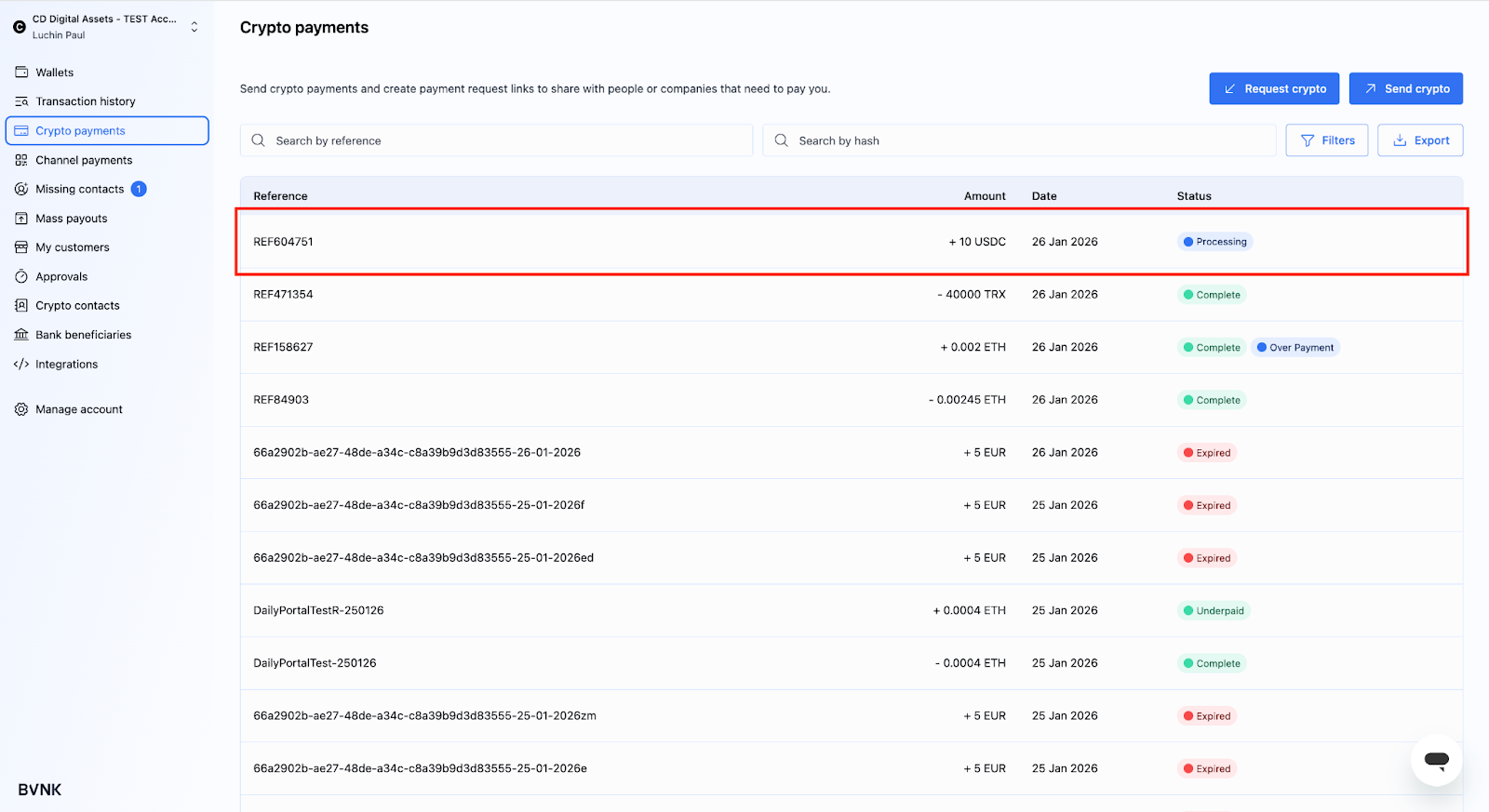
The payer selects the cryptocurrency they want to pay with. Once the payer accepts the quote, the status changes to Processing.
-
The funds are detected on the blockchain, and BVNK begins processing the payment. During Processing, BVNK monitors the blockchain to confirm the payment and performs safety checks to ensure secure processing.
-
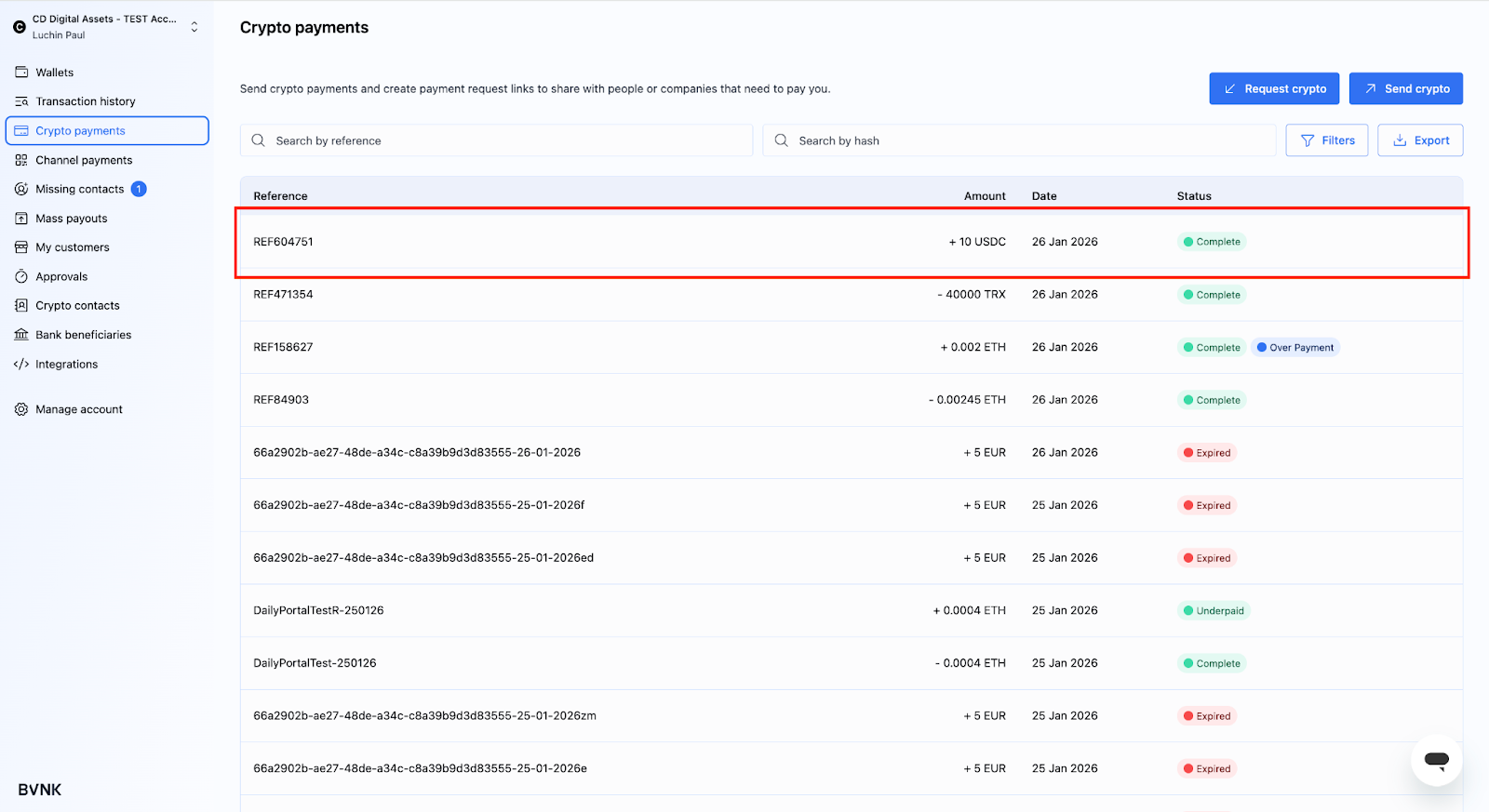
The payment is completed, and funds are received. Once the payment is finalized on the blockchain, the status changes to Complete. BVNK settles or converts the payment to your chosen crypto or fiat currency and credits your wallet.
-
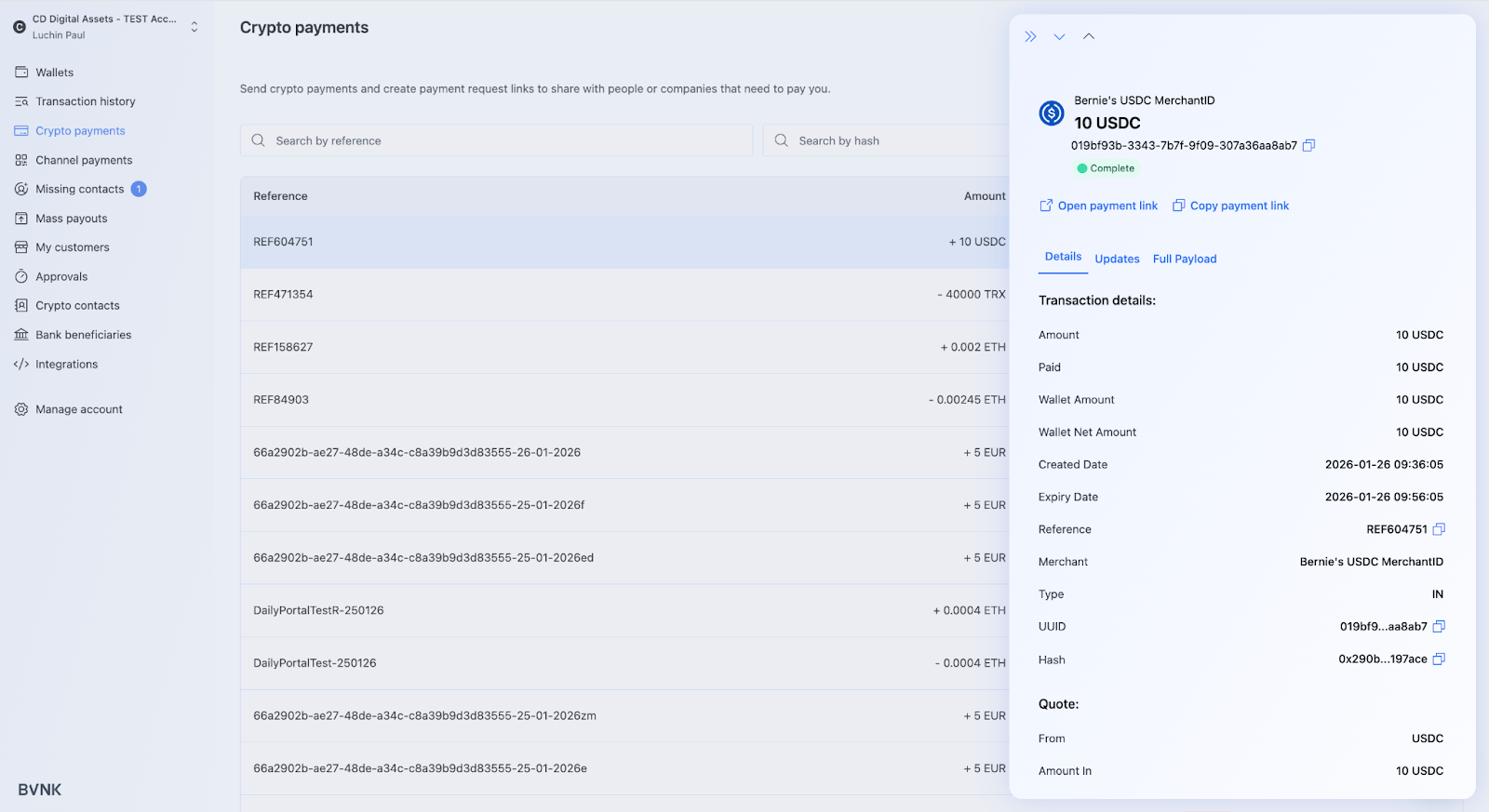
After the payment is complete, review the settlement in your selected wallet. Details include the exchange rate at the time of payment, the currency used, and the actual amount paid in crypto.
Payment expiry
- Via API
- Via Portal
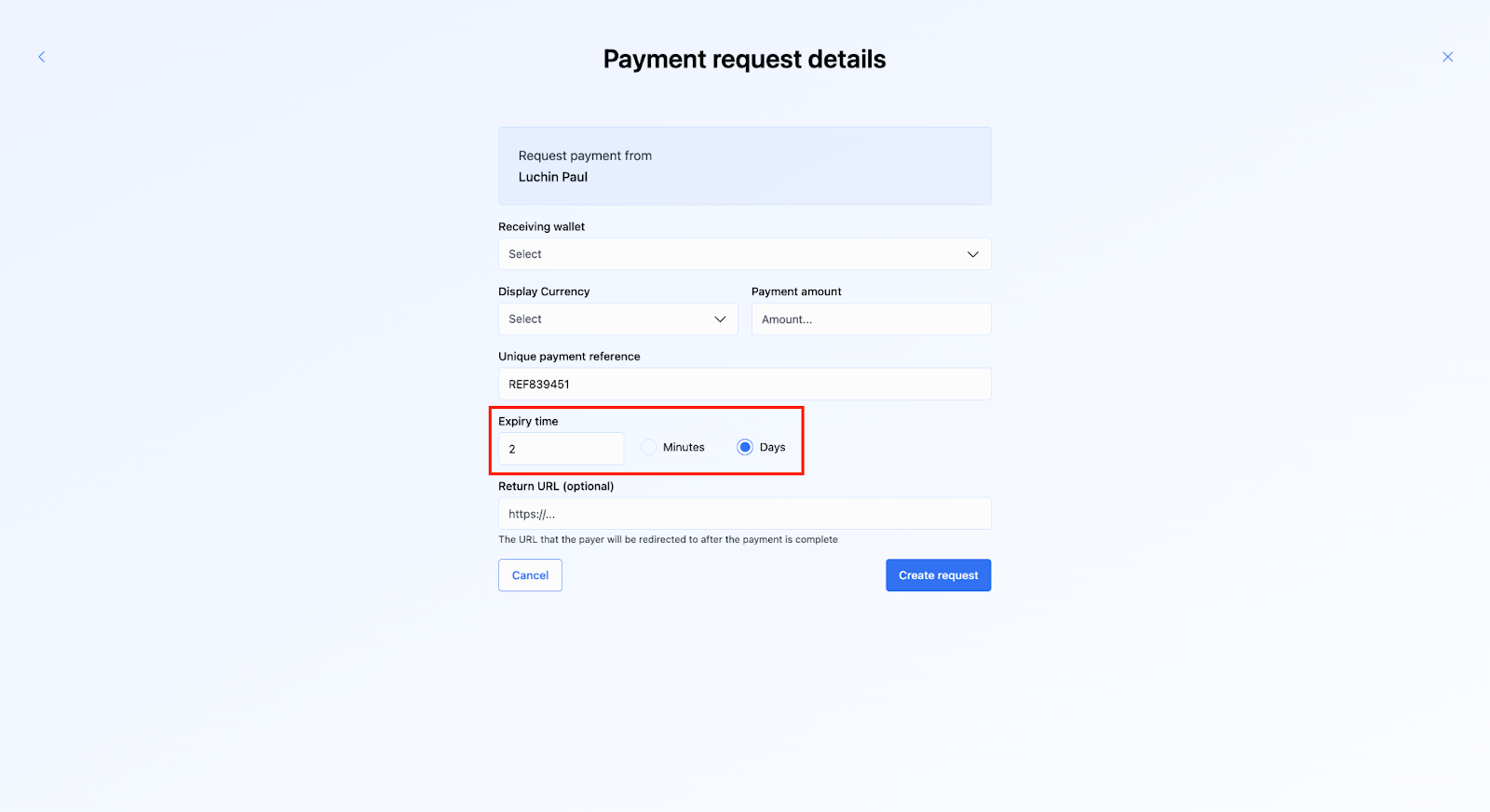
Set the expiryMinutes parameter in the POST /api/v1/pay/summary request to define how long a payment link remains valid. For payouts, set the expiry in the API request payload.
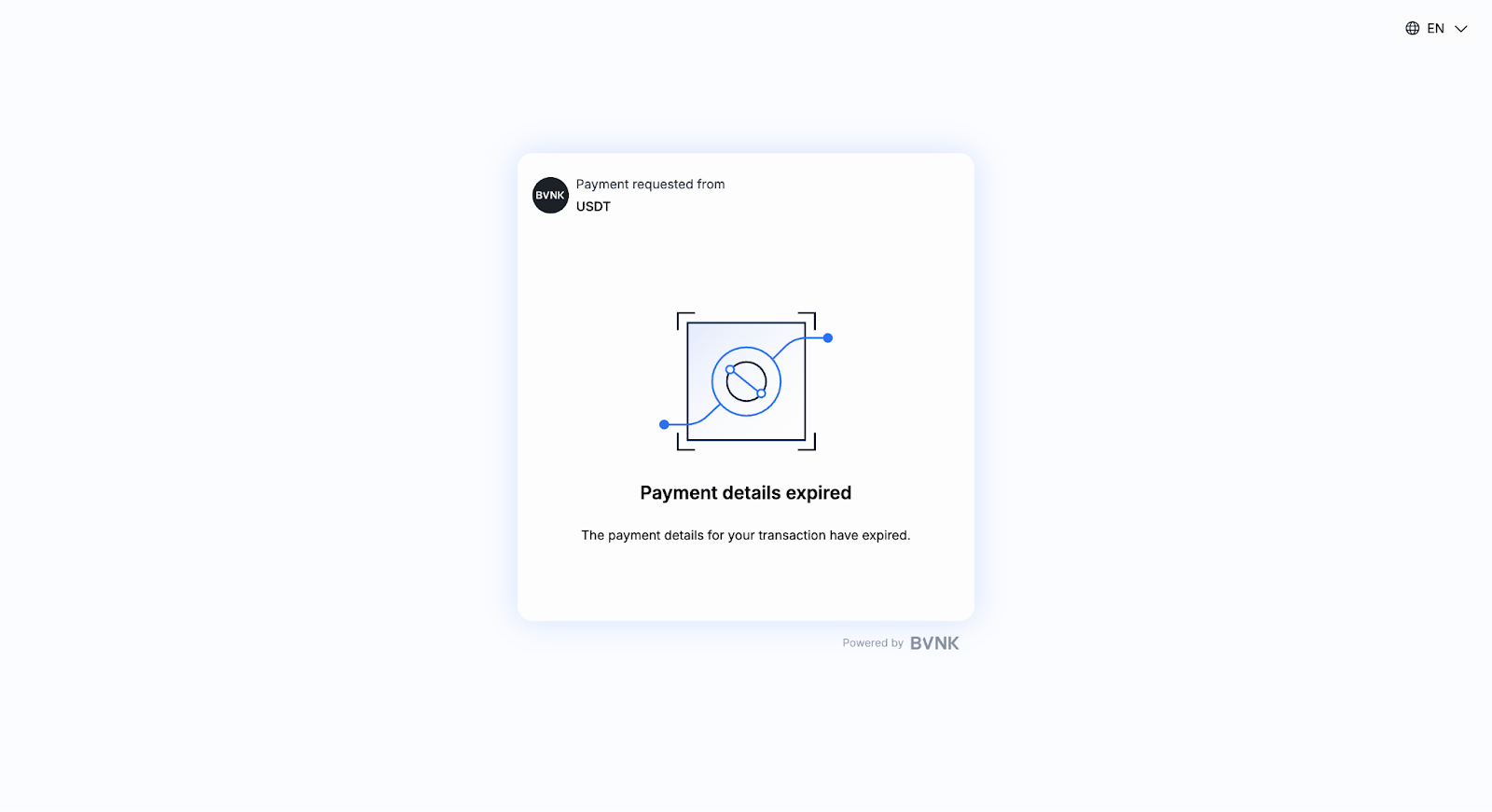
If a payment link expires and the end-user attempts to open it, they see an expiry prompt on the Hosted Payments Page. If they still proceed with sending funds after this prompt, it results in a late payment.
Provide additional party information
You may also need to provide additional party information to comply with the Travel Rule. See the Provide additional party information guide for more details.
Handle errors
If a customer uses an incorrect currency, BVNK may still process the payment. However, you must display a disclaimer instructing customers to use the correct currency. Otherwise, the payment may be declined, or funds could be lost.