Deposit and withdraw funds
Before continuing, refer to the Test Blockchain Integration guide to acquire test tokens.
Deposit funds
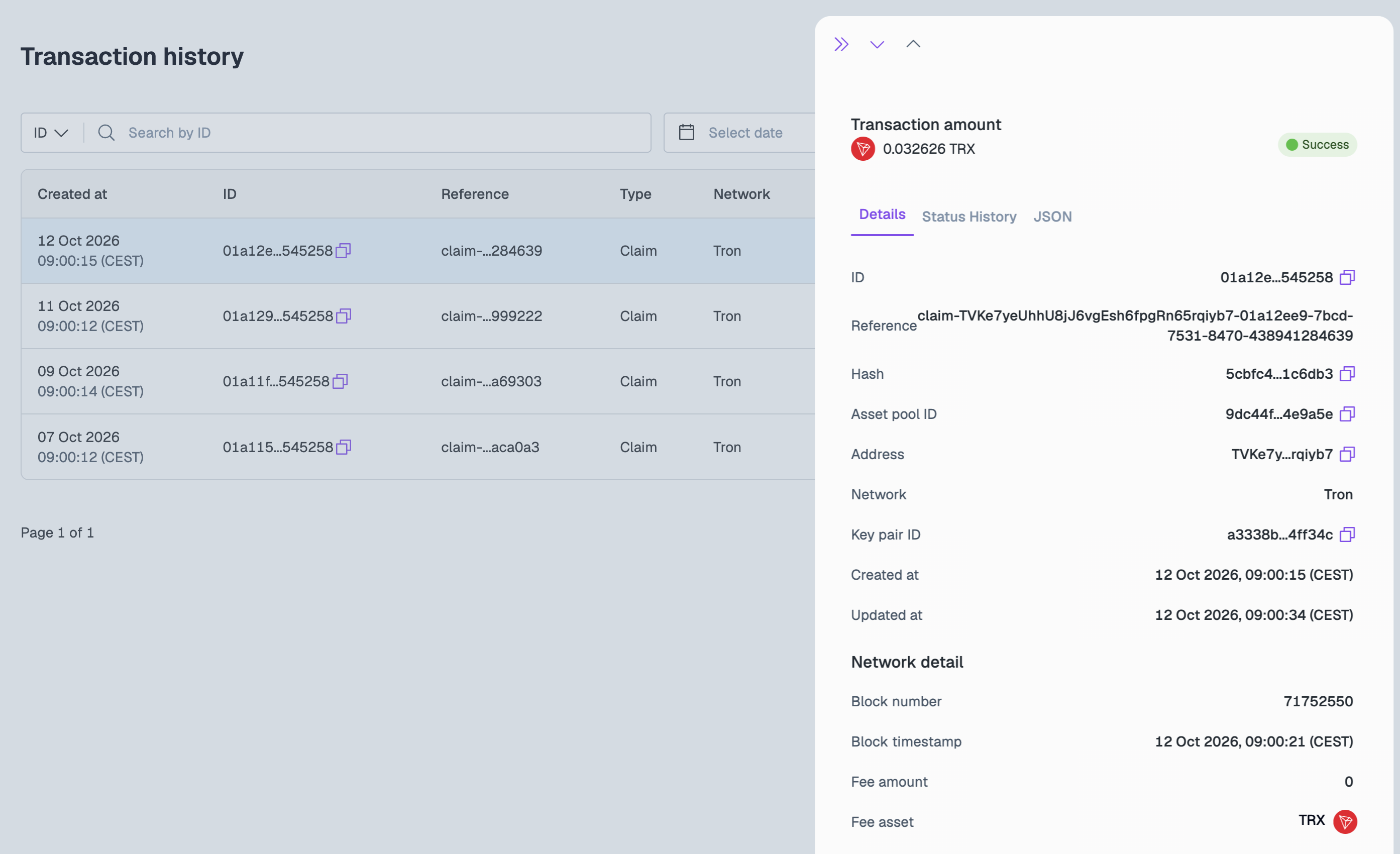
Once you have sent funds from your connected wallet provider to the new address in Layer1, you can see the fine details of the deposit in Digital Assets > Transaction history. Select the asset pool, then click a transaction to open its details.
Withdraw funds
To initiate a withdrawal operation to external wallet addresses, do the following:
-
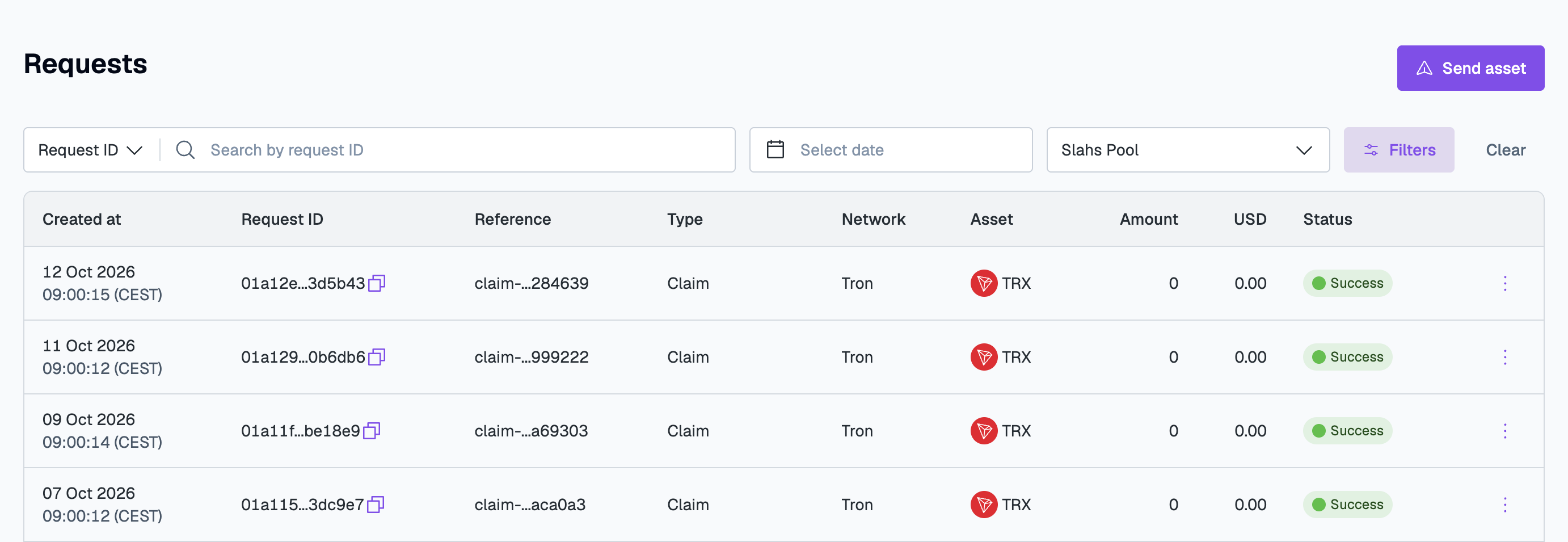
Go to Digital Assets > Requests. If you have enough balance in your asset pool, you can request the transaction here.
-
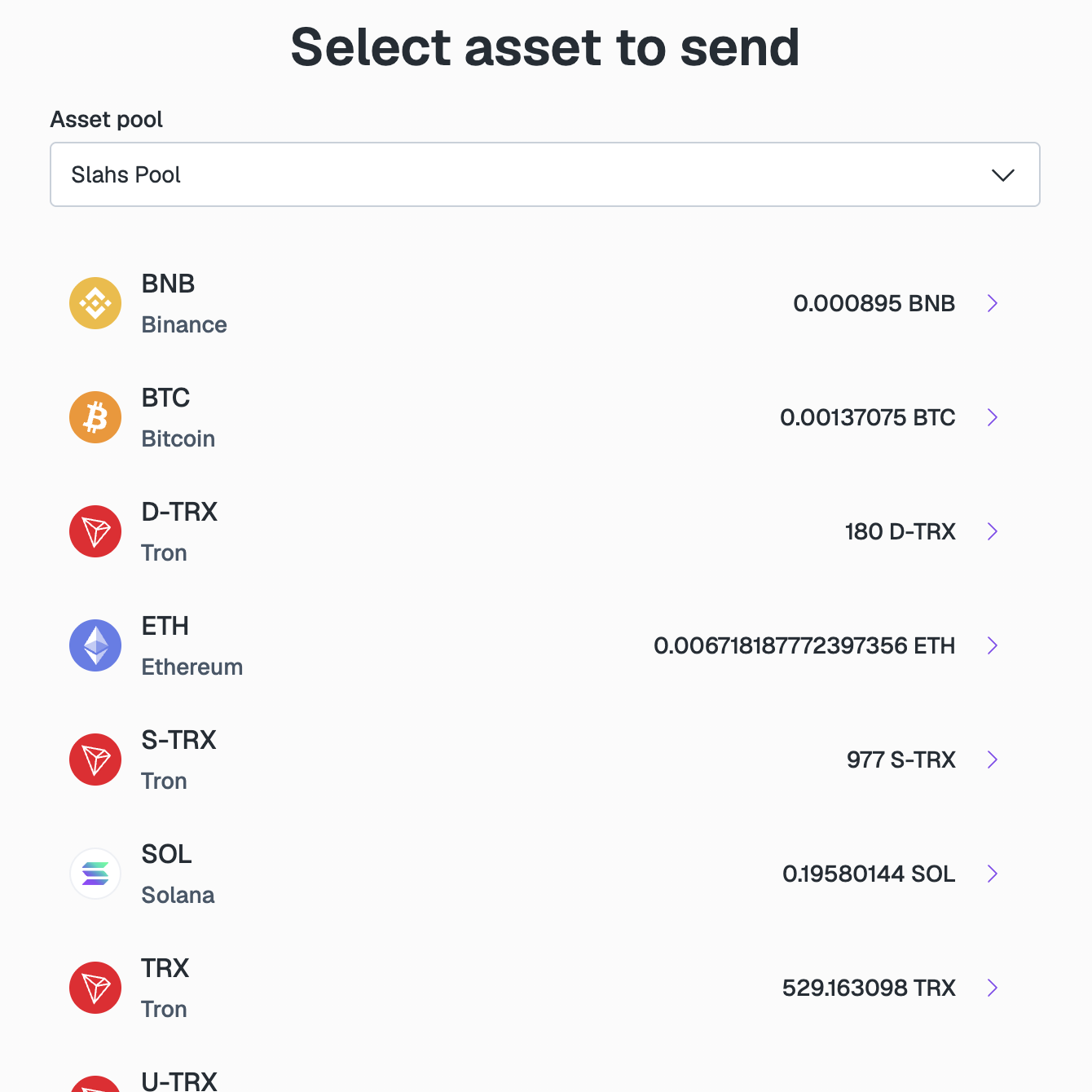
Click Send asset. In Select asset to send, select the Asset pool with enough assets to fund the withdrawal, then select the asset and network you want to send.
-
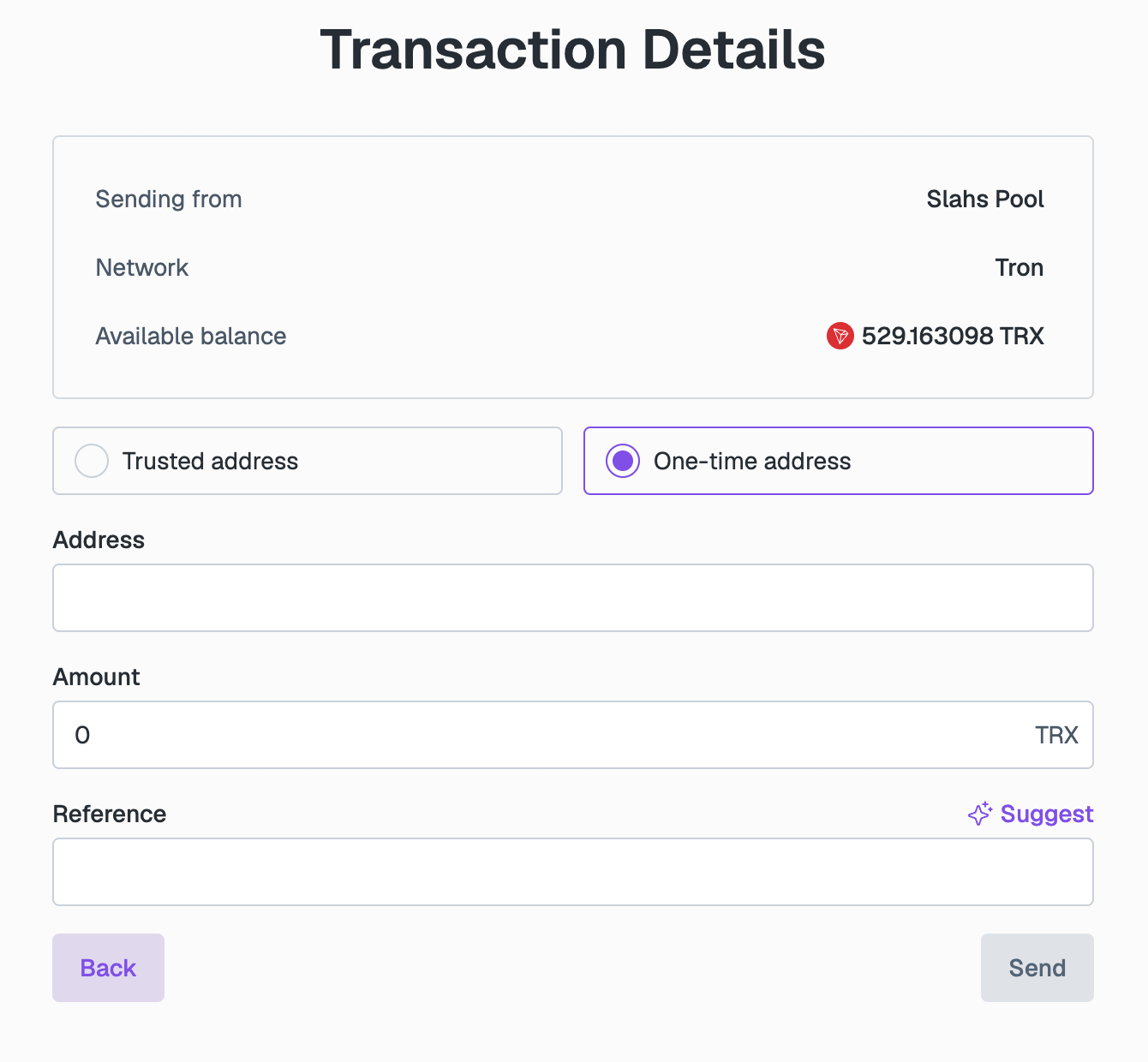
In Transaction Details, check the Sending from, Network, and Available balance details, then complete the following fields:
- Trusted address or One-time address: Select Trusted address to send to a contact's trusted address, or One-time address to enter any address.
- Recipient or Address: Select the contact for a trusted address, or enter the destination crypto address for a one-time address.
- Amount: Enter the amount of cryptocurrency to be sent to the address.
- Reference: Enter or click Suggest to add the unique ID of the withdrawal for tracking purposes.
-
Click Send.
After requesting the transaction, go to Digital Assets > Requests to view the withdrawal as it transitions through various states to completion.