Screen transactions
Supported providers
Layer1 integrates with leading blockchain intelligence platforms to help identify and mitigate exposure to high-risk counterparties, and with a Travel Rule compliance network to exchange counterparty information on digital asset transfers. Today, the platform supports the following screening and Travel Rule providers:
| Provider | Description | Coverage Areas | Integration Type |
|---|---|---|---|
| Elliptic | Blockchain analytics firm offering real-time risk scoring and wallet checks | Wallet screening, transaction risk, entity categorization | API Key (REST) |
| Chainalysis | Cryptocurrency compliance and investigation platform | Wallet and address screening, KYT | API Key (REST) |
| Notabene | Travel Rule compliance network for exchanging originator and beneficiary data between VASPs | Travel Rule messaging, counterparty VASP discovery, self-hosted wallet verification | API Key (REST) |
Travel Rule compliance
The Travel Rule, based on Financial Action Task Force (FATF) Recommendation 16 and implemented through local regulation in many jurisdictions, requires virtual asset service providers (VASPs) to collect, verify, and share information about the originator and beneficiary of digital asset transfers. Requirements and thresholds vary by jurisdiction.
Layer1 integrates with Notabene, a Travel Rule compliance network, so you can meet these obligations without building your own messaging infrastructure. Once Notabene is connected, Travel Rule checks run alongside your existing screening. If originator or beneficiary information on a deposit is missing or incomplete, the deposit is held with a requiredAction of type MISSING_COMPLIANCE_DETAILS until you submit the missing details. See Deposit flow.
Add a screening or Travel Rule provider
To add a provider:
-
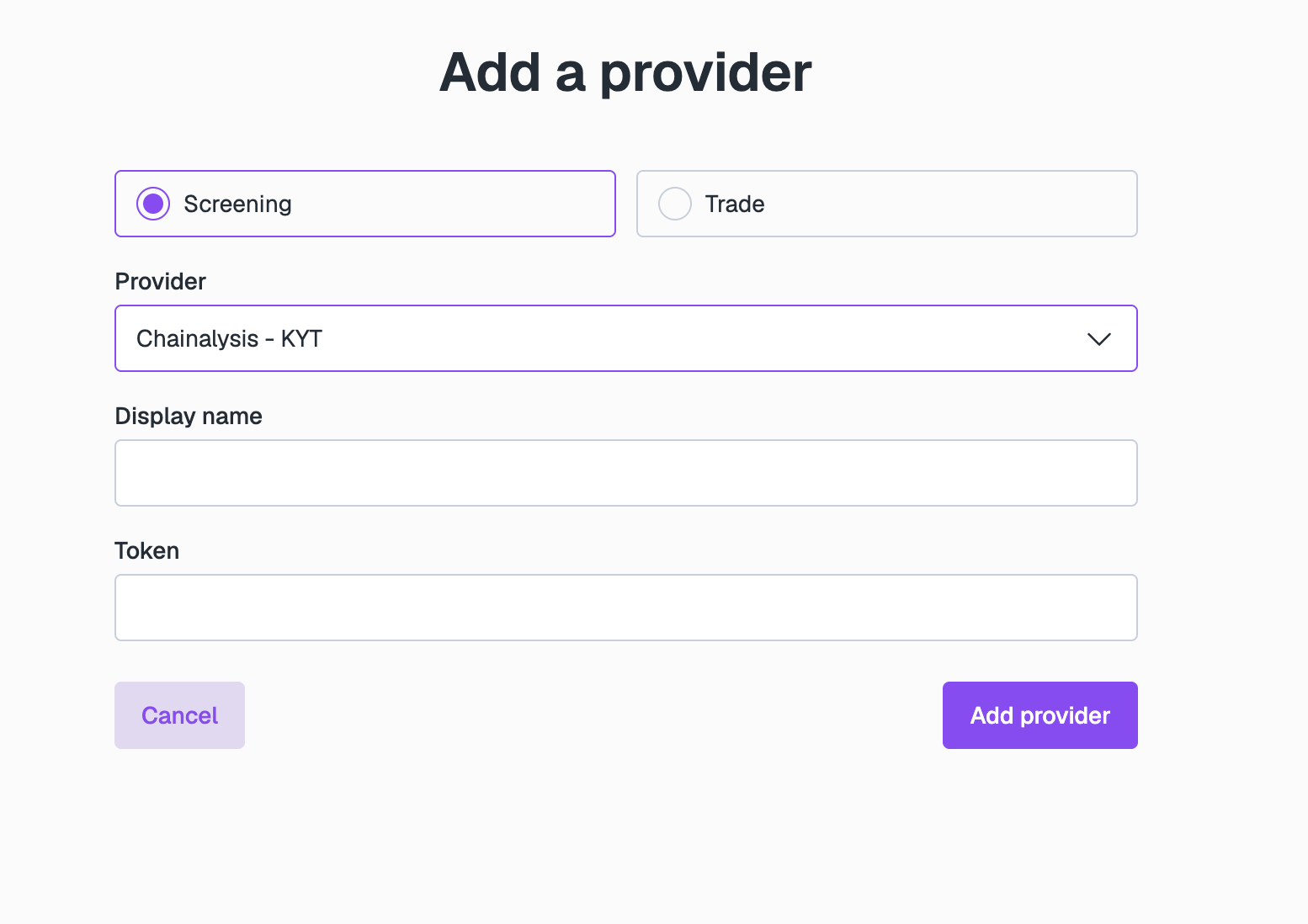
Go to Integrations > Connected providers and click Add Provider.
-
Select Screening.
-
Use the Provider dropdown to select your provider, then complete the following fields:
- Display name: Enter the name you want to give this provider on Layer1.
- Token, or API Key and Secret: Enter the credentials from the provider you are connecting. The fields shown depend on the provider you select.
-
Click Add provider.
It can take up to 24 hours to initialise your connection with your provider.
Configure screening settings
To update screening settings you must have the role compliance:admin
To update screening settings:
- Go to Digital Assets > Screening.
- Select Settings. Here you can view your connected provider and edit your settings.
- To disable a screening provider or service (that is, KYT or Address Screening) select Edit screening services and toggle screening to disabled.
- To edit your risk score configuration select Edit manual review scores. Use the dropdown to select the score at and above which transactions should require manual review before being processed.