Mint and burn
Stablecoin issuance is in early access. It's a paid module and is available on request. Contact your Account Manager to get access.
You mint
to put new tokens into circulation and burn to take them out. Each mint or burn is an order for one network.How an order works
Layer1 checks each order against your approval settings for stablecoin issuance. For a mint, Layer1 also checks your velocity rules
, and you confirm the reserve: see Confirm the reserve.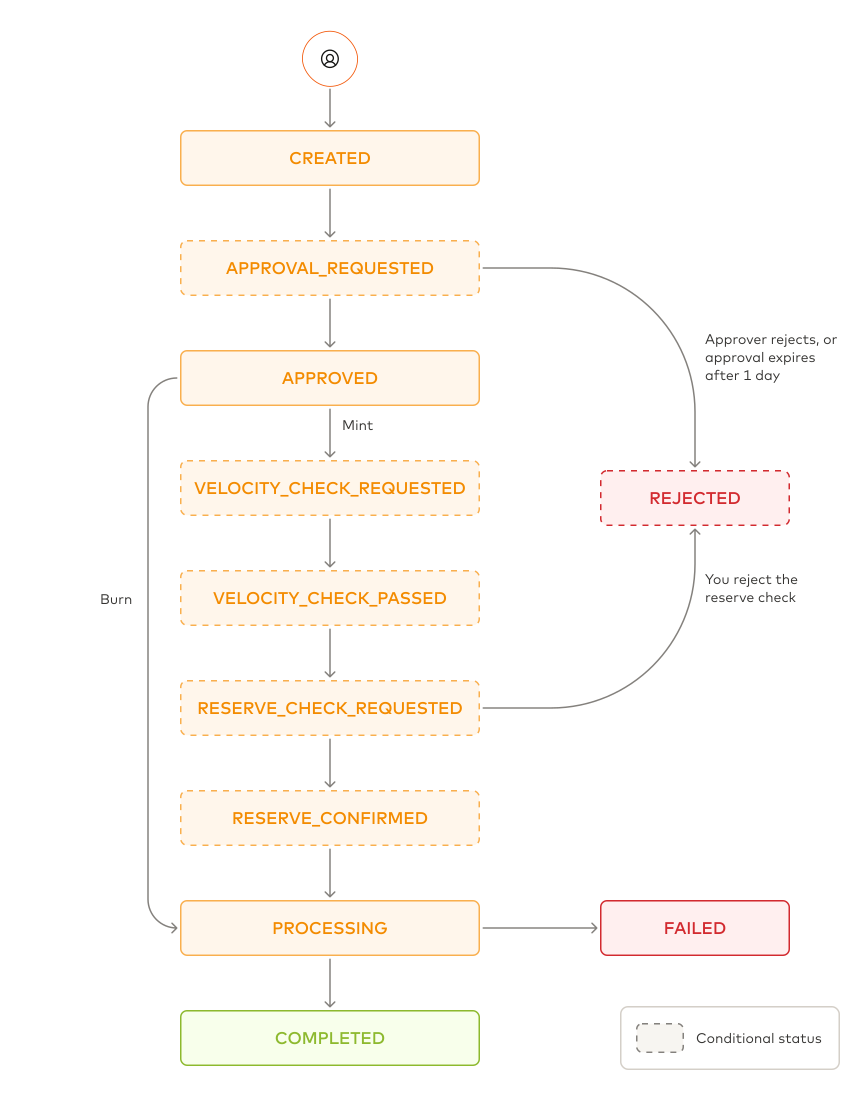
The order ends as REJECTED if an approver rejects it, if the approval isn't given within 1 day, or if you reject the reserve check. It ends as FAILED if the on-chain
failure in the order tells you why.
Every status change sends the layer1:issuance:order:status-changed webhook with the order.
Mint stablecoins
- Portal
- API
To mint your stablecoin, do the following:
-
In the Layer1 Portal, go to Issuance > Issuance and click Mint.
-
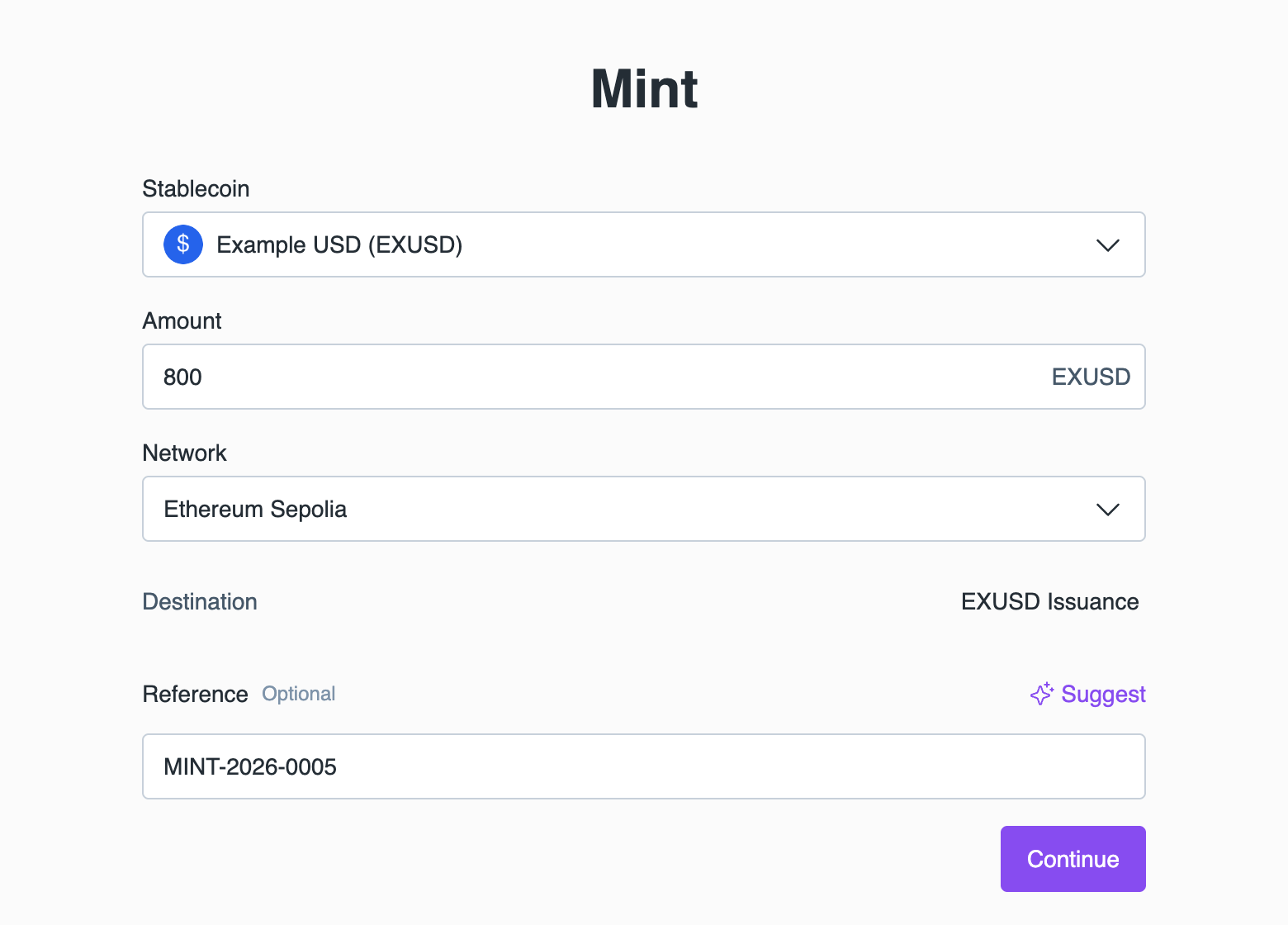
Complete the fields:
- Select the created Stablecoin.
- Enter the Amount to create.
- Select the Network. Destination shows the asset pool that receives the minted tokens.
- Enter a unique Reference, or click Suggest to generate one.
-
Click Continue, check the details, and confirm the mint.
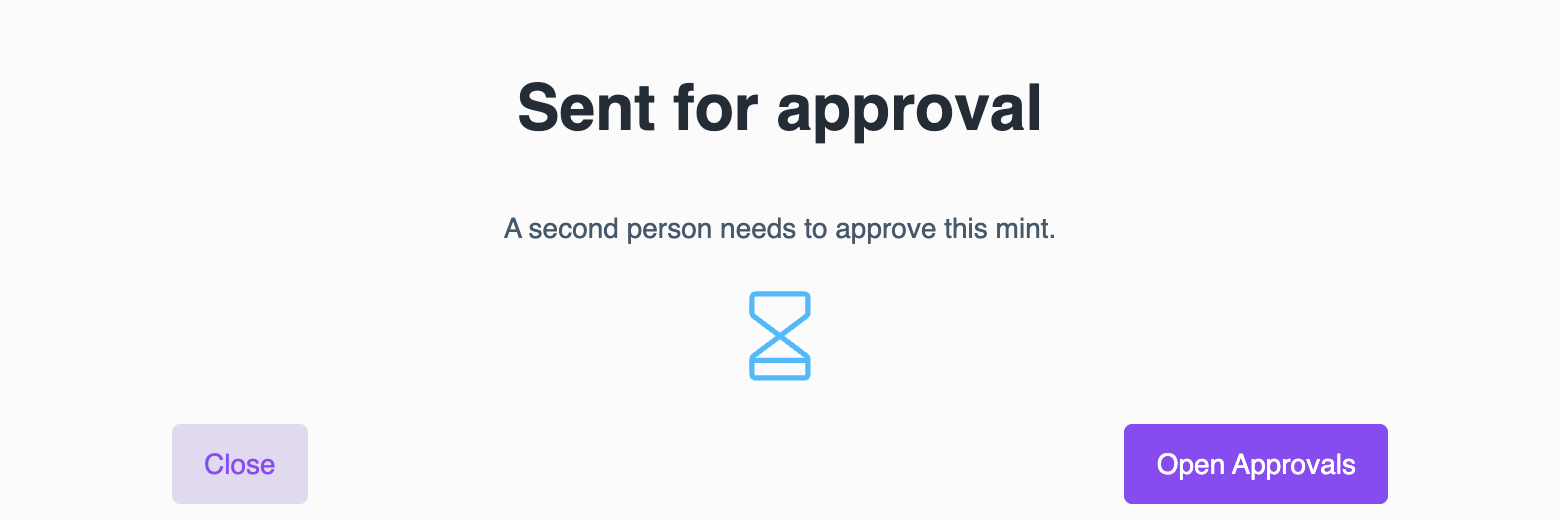
If the mint needs approval, you will see the Sent for approval window. Ask users with the issuance:operator role to approve it in the Approvals section. You can't approve your own mint.
Burn stablecoins
- Portal
- API
To burn your stablecoin, do the following:
-
In the Layer1 Portal, go to Issuance > Issuance and click Burn.
-
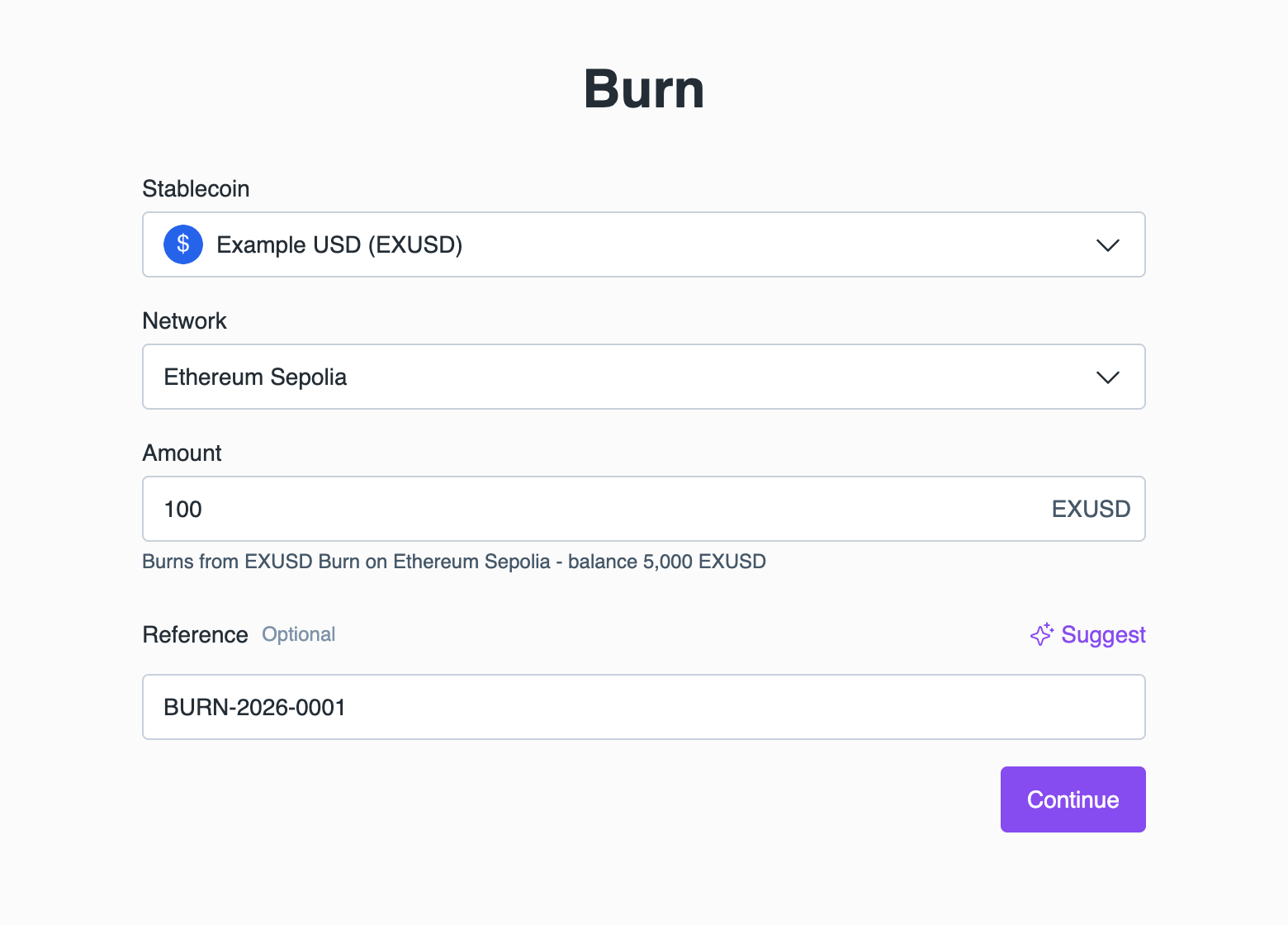
Complete the fields:
- Select the Stablecoin and the Network.
- Enter the Amount. Under the amount, you see the asset pool the burn is taken from and its balance. You can burn up to that balance.
- Enter a unique Reference, or click Suggest to generate one.
-
Click Continue, check the details, and confirm the burn.
You can't mint or burn on a network while its token contract is paused. In the Portal, Mint and Burn are disabled for that network, and the API responds with 422 and the error code layer1:issuance:0025. See Pause a token contract.
Confirm the reserve
Every mint waits for you to confirm that your reserve covers it. Layer1 never checks your reserve itself. When a mint reaches RESERVE_CHECK_REQUESTED, Layer1 sends the layer1:issuance:order:reserve-check webhook:
{
  "event": "layer1:issuance:order:reserve-check",
  "eventId": "019a2b8a-3c61-7a95-b3e7-1d5f9c2a6e48",
  "timestamp": "2026-10-26T14:52:10.701Z",
  "data": {
    "orderId": "019a2b7e-4d1c-7f30-b6a8-2c9e5f7d3a14",
    "reference": "MINT-2026-0005",
    "tokenId": "019a1f3c-7b2e-7d41-9c58-3e6f2a8b4d10",
    "asset": "EXUSD",
    "network": "ETHEREUM",
    "type": "MINT",
    "amount": "800.00",
    "supply": {
      "current": "26000.00",
      "networks": [
        {
          "network": "ETHEREUM",
          "contractAddress": "0x1D37a4E2b9C6f08d5E3a7B1c4F9e2D6a807B7526",
          "current": "16000.00"
        },
        {
          "network": "BASE",
          "contractAddress": "0x6A9f2C4e8B1d7A3f5E0c9D2b6F4a1E8c3B4d6F81",
          "current": "10000.00"
        }
      ]
    }
  }
}
supply is the on-chain supply before this mint. Check that your reserve covers supply.current plus amount, then answer by sending a POST /issuance/v1/orders/{orderId}/actions request. You need the layer1:issuance:order:action scope.
- Confirm the reserve
- Reject the mint
{
  "type": "CONFIRM_RESERVE"
}
The order moves to RESERVE_CONFIRMED, and Layer1 mints on-chain.
The mint waits until you answer; there's no time limit. The webhook can be delivered more than once. Answering again is harmless: an order you already answered responds with 409.
Layer1 sends the layer1:issuance:order:status-changed webhook for RESERVE_CHECK_REQUESTED first and the reserve check right after it. If Layer1 can't read the supply on one of the token's networks, it sends neither and tries again later, so the reserve check can arrive late.
Track an order
- Portal
- API
In the Layer1 Portal, go to Issuance > Issuance. The list shows every mint and burn with its status. Use the Waiting for approval, Processing, and Rejected tabs to filter the list.