Approvals for stablecoin issuance
Stablecoin issuance is in early access. It's a paid module and is available on request. Contact your Account Manager to get access.
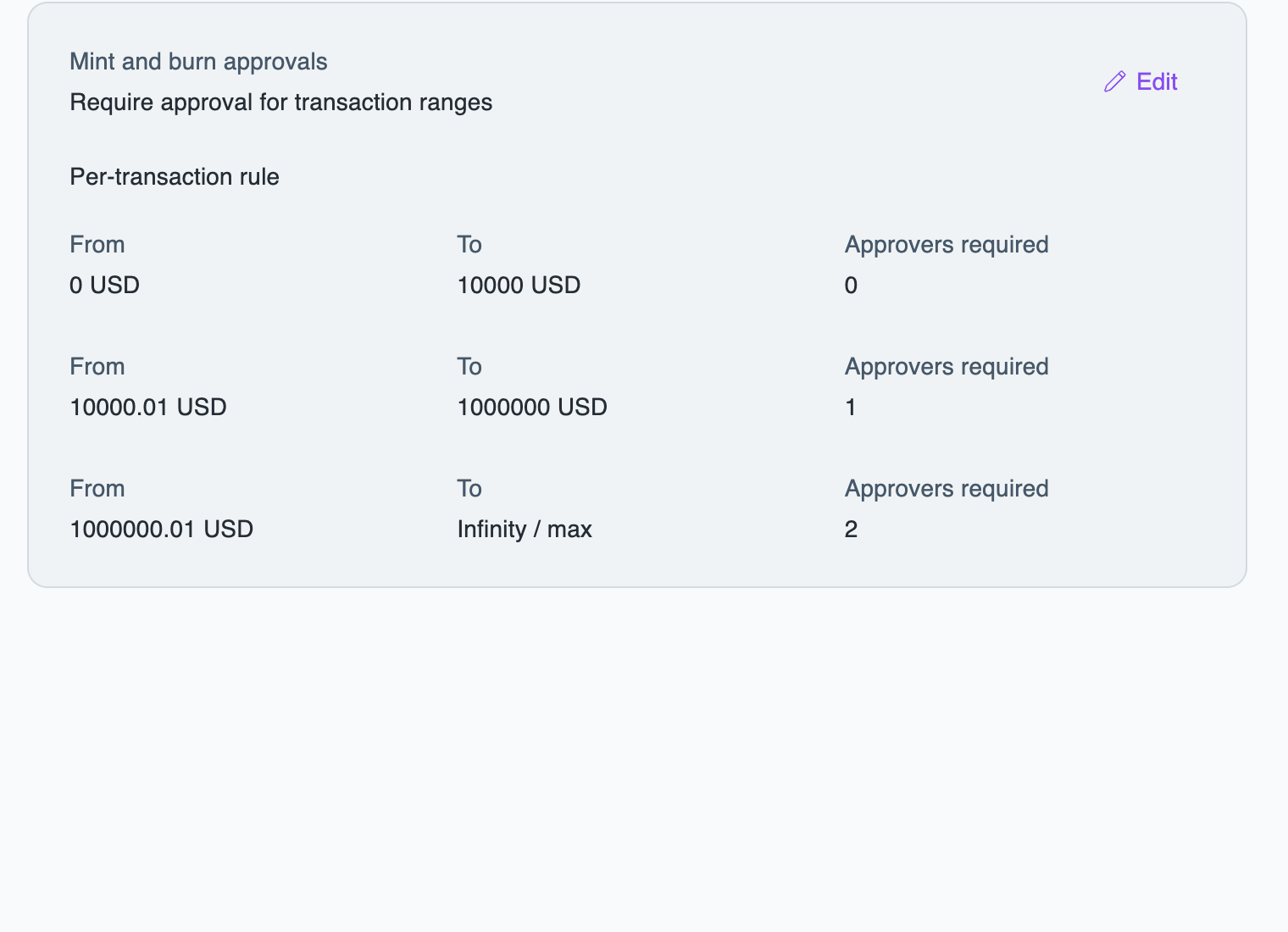
If you issue a stablecoin on Layer1, you can require approvals for mints and burns. You can require approval for every order, or set the number of approvals by the amount of a single order: for example, 0 to 10,000 USD needs no approval, 10,000.01 to 1,000,000 USD needs one, and above 1,000,000 USD needs two.
To configure approvals, you must have the approval-settings:operator role. Approvers need the issuance:operator role. See Assign approver roles.
Require approvals for mints and burns
- Portal
- API
To require approvals for mints and burns, do the following:
- In the Layer1 Portal, go to Approvals > Settings, select the Issuance tab, and click Edit.
- Set the per-transaction rules. Each range has a From value, a To value, and the number of Approvers required. The first range starts at 0, and the ranges must not overlap or leave gaps.
- Click Save.
How the rules apply
- The same rules apply to mints and burns, on every network.
- Amounts are in your base currency. Layer1 converts the order amount from the asset that backs your stablecoin.
- If several rules apply, the strictest one wins.
- A mint or burn that needs approval waits in Approvals with the status
APPROVAL_REQUESTED. If it isn't approved within one day, it expires, and the order ends asREJECTED. - You can't approve a mint or burn you created.
In approval requests and the approval webhooks, mints and burns use the policy issuance_order, and the velocity check of a mint uses the policy issuance_order_velocity.
To approve or reject a mint or burn, see Approve or reject a request.