Freeze and seize
Stablecoin issuance is in early access. It's a paid module and is available on request. Contact your Account Manager to get access.
Your compliance team can freeze
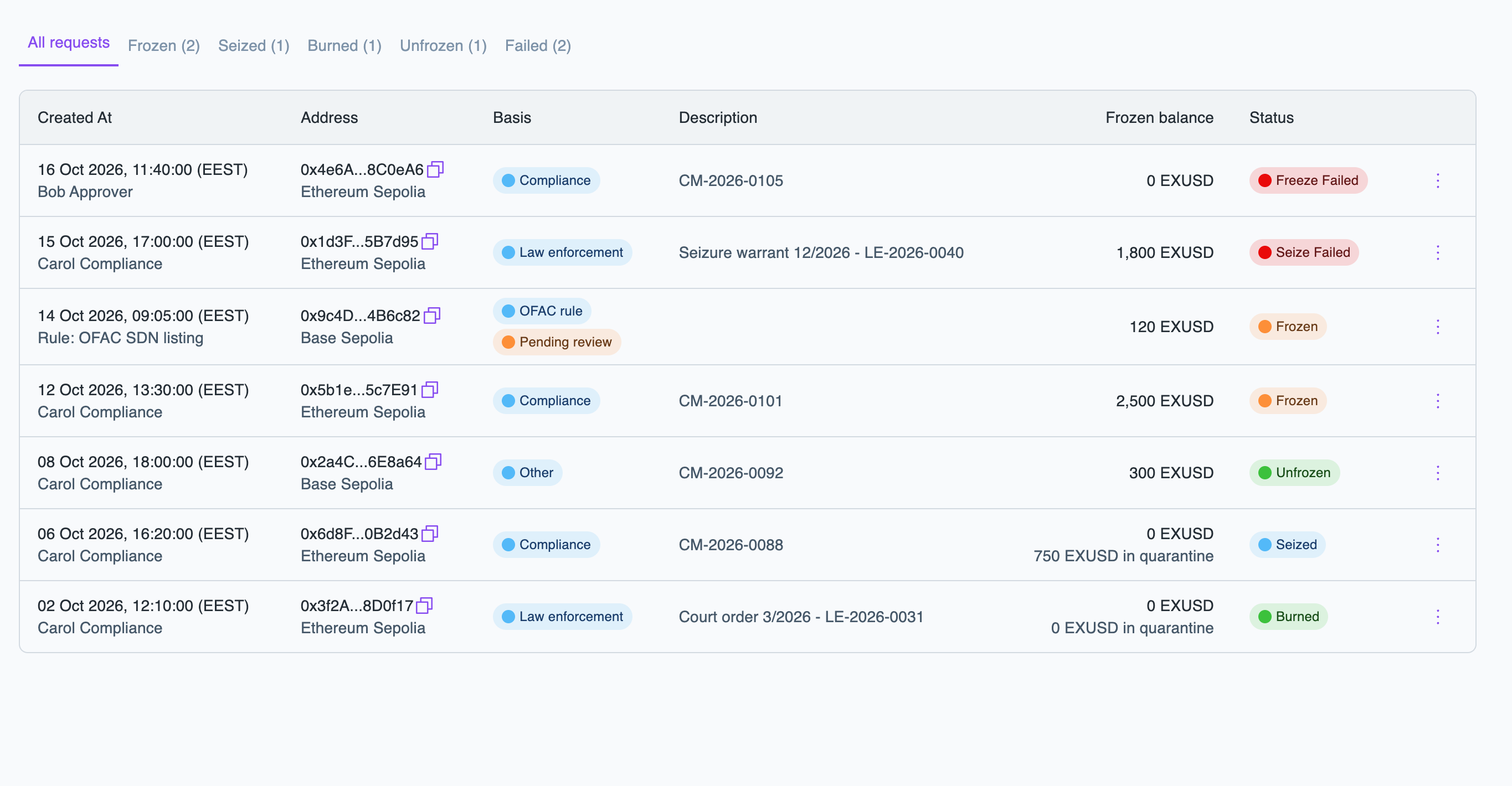
an address holding your stablecoin. A frozen address cannot send or receive your stablecoin on that network. You may later unfreeze the address or seize its funds.Each freeze opens a compliance case
. The case records the address, basis and reason for the freeze, legal basis, and all actions taken. The case remains open until the address is unfrozen.You need the issuance:operator role to freeze and unfreeze addresses, and seize funds.
Freeze an address
- Portal
- API
To freeze an address, follow these steps:
-
In the Layer1 Portal, go to Issuance > Freeze and seize and click Freeze address.
-
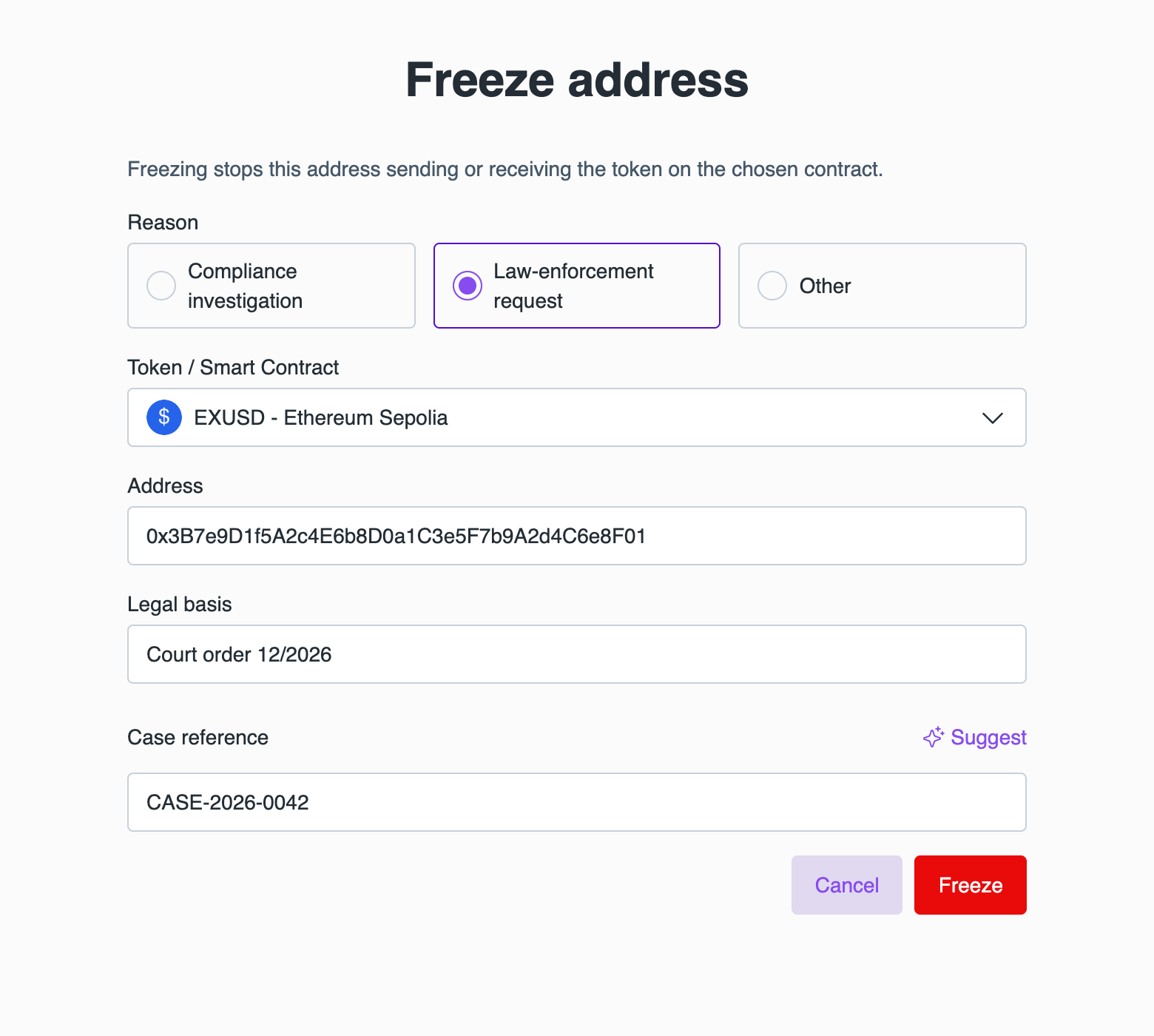
Complete the fields:
- Under Reason, select Compliance investigation, Law-enforcement request, or Other.
- Select the Token / Smart Contract: your stablecoin on the network to freeze on.
- Enter the Address.
- For a Law-enforcement request, enter the Legal basis, such as a court order.
- Enter the Case reference or click Suggest to generate one.
-
Click Freeze.
The case appears in the list. Its status updates to Frozen once the freeze is on-chain.
Unfreeze an address
You can unfreeze a frozen address, including those with seized funds.
- Portal
- API
To unfreeze an address, follow these steps:
- In the Layer1 Portal, go to Issuance > Freeze and seize.
- In the row of the case, open the menu (⋮) and click Unfreeze address.
- Enter the reason and confirm.
Once the unfreeze is on-chain, the case status is UNFROZEN and closed. The address can then send and receive your stablecoin.
Seize funds
Seizing transfers the entire balance of a frozen address into quarantine
. The address remains frozen. Seizing is available only if your stablecoin was configured to allow it.- Portal
- API
To seize the funds of a frozen address, follow these steps:
-
In the Layer1 Portal, go to Issuance > Freeze and seize.
-
In the row of the case, open the menu (⋮) and click Seize into quarantine.
-
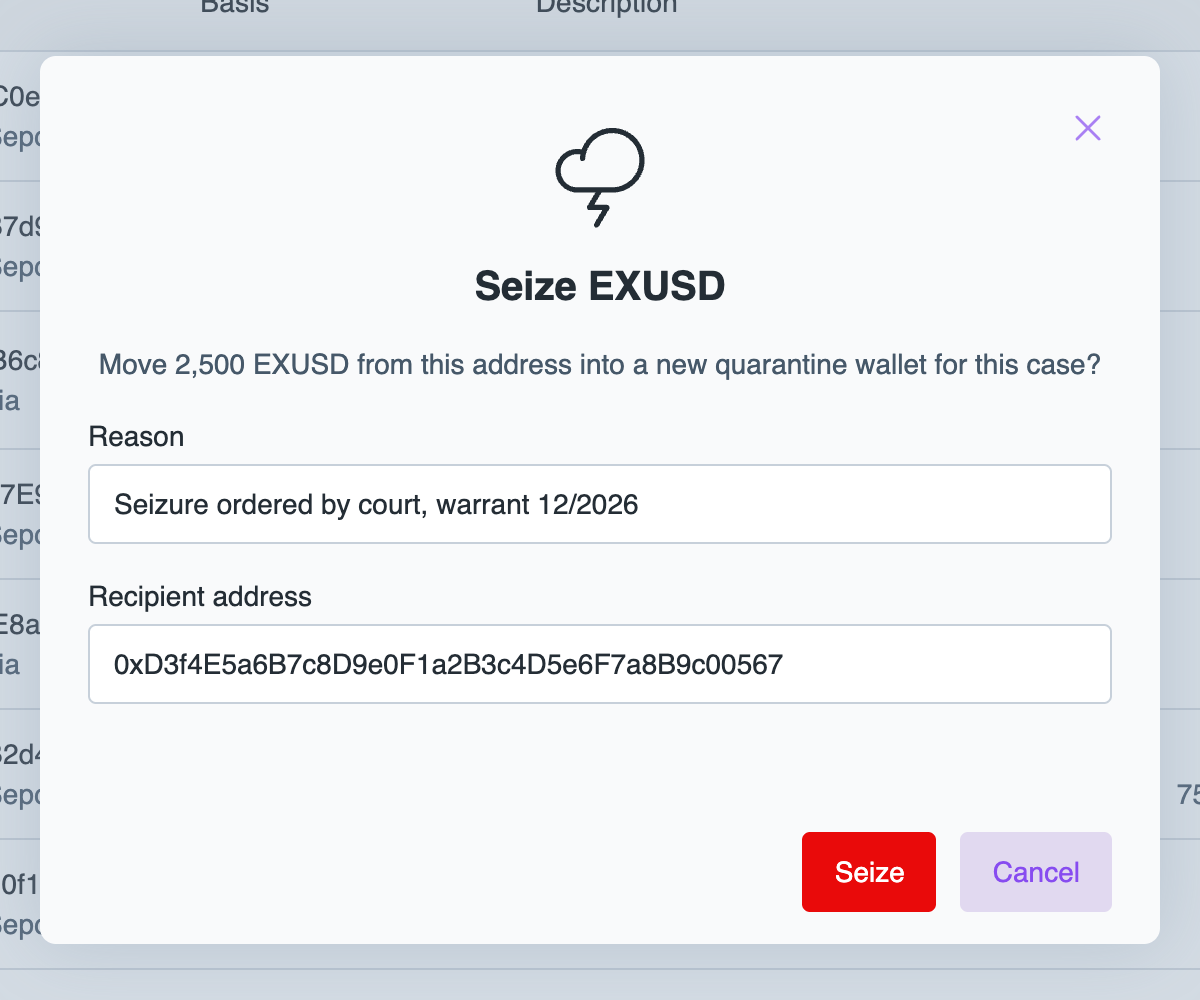
Enter the Reason.
-
Review the Recipient address. It is pre-filled with a new quarantine wallet for this case, but you may change it.
-
Click Seize.
To remove the seized funds from circulation, open the case menu (⋮) and click Burn quarantined funds.
Once the seizure is on-chain, the case status is SEIZED.
Case statuses
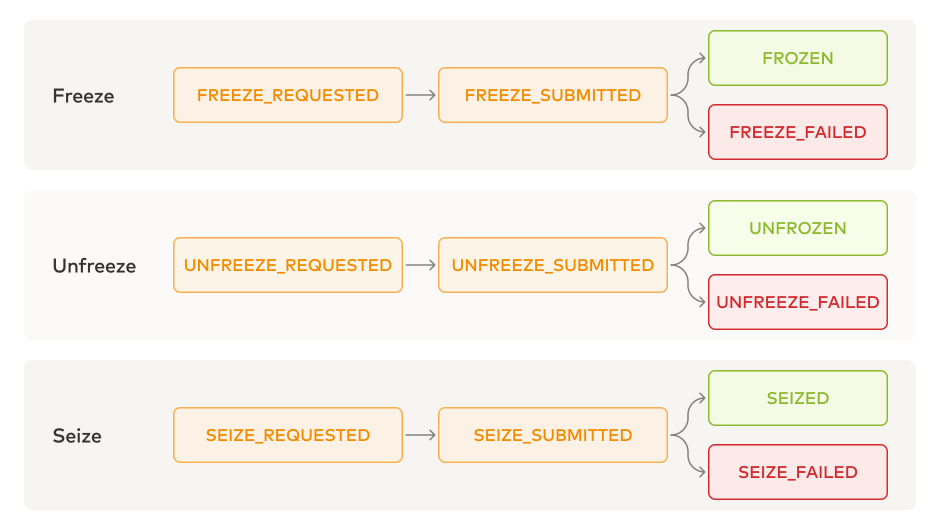
To retry a failed action via the API, send a POST /issuance/v1/compliance-cases/actions request with a FREEZE, UNFREEZE, or SEIZE action for the case. For a complete list of statuses, see the status field of Get compliance case.