Pause a token contract
Stablecoin issuance is in early access. It's a paid module and is available on request. Contact your Account Manager to get access.
Pausing a token contract
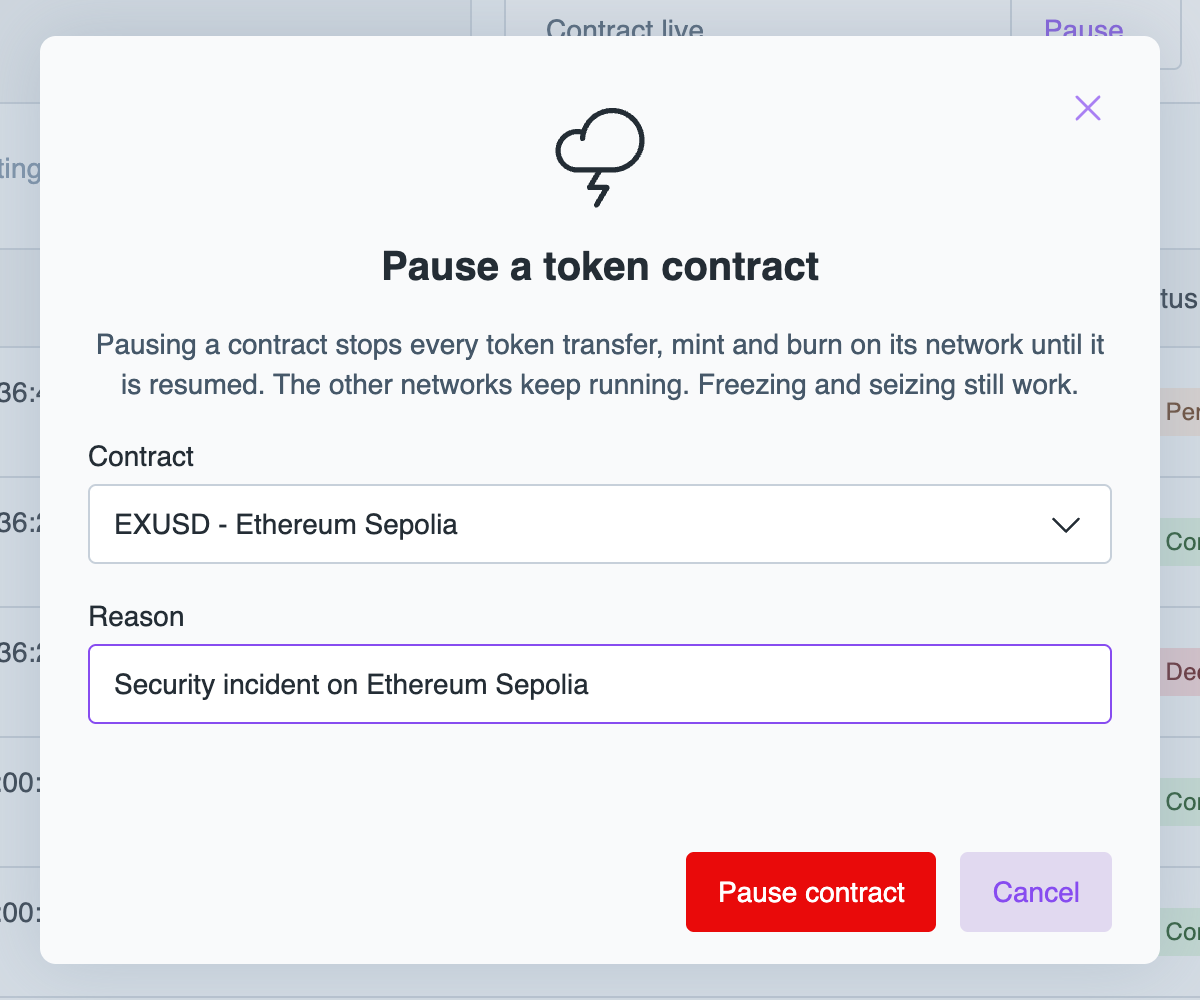
stops every transfer, mint, and burn of your stablecoin on that network until you resume it. The other networks keep running. Freezing and seizing still work while a contract is paused.Pause a contract when something is wrong on one network and you need to stop all movement at once, for example during a security incident.
While a contract is paused, Layer1 refuses new mint and burn orders for that network. Orders accepted before the pause fail on-chain and end as FAILED.
To pause and resume a contract, you need the issuance:operator role.
Contract statuses
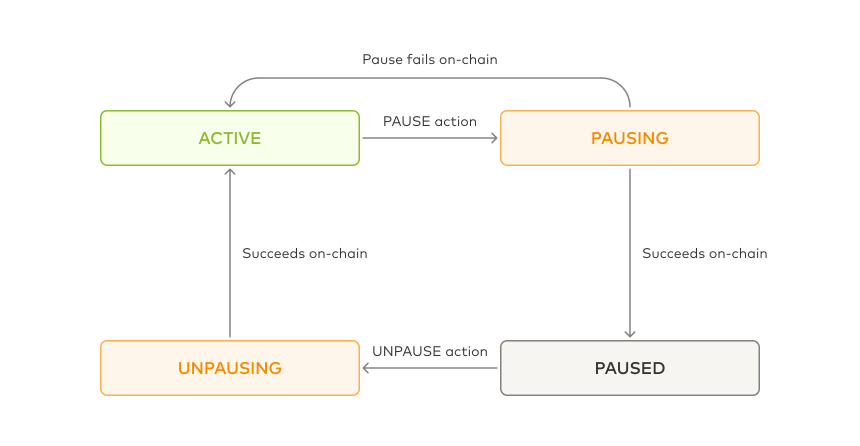
A pause or resume request moves the contract through a transitional status, PAUSING or UNPAUSING, until the network confirms the change. If a pause fails on-chain, the contract returns to ACTIVE, and you can send the action again.
Pause a contract
- Portal
- API
To pause a contract, do the following:
-
In the Layer1 Portal, go to Issuance > Issuance.
-
On the tile of the network, click Pause....
-
Check the Contract, enter the Reason, and click Pause contract.
The contract shows Pausing and then Paused.
Resume a contract
- Portal
- API
To resume a contract, click Resume contract on the tile of the network, enter a reason, and confirm. The contract shows Unpausing and then Active.