Create a blockchain address
An Address is a unique identifier on a specific blockchain network where digital assets can be sent or received. It is generated using the public key from the key pair and functions similarly to an account number for blockchain transactions.
To create an Address for your asset pool:
-
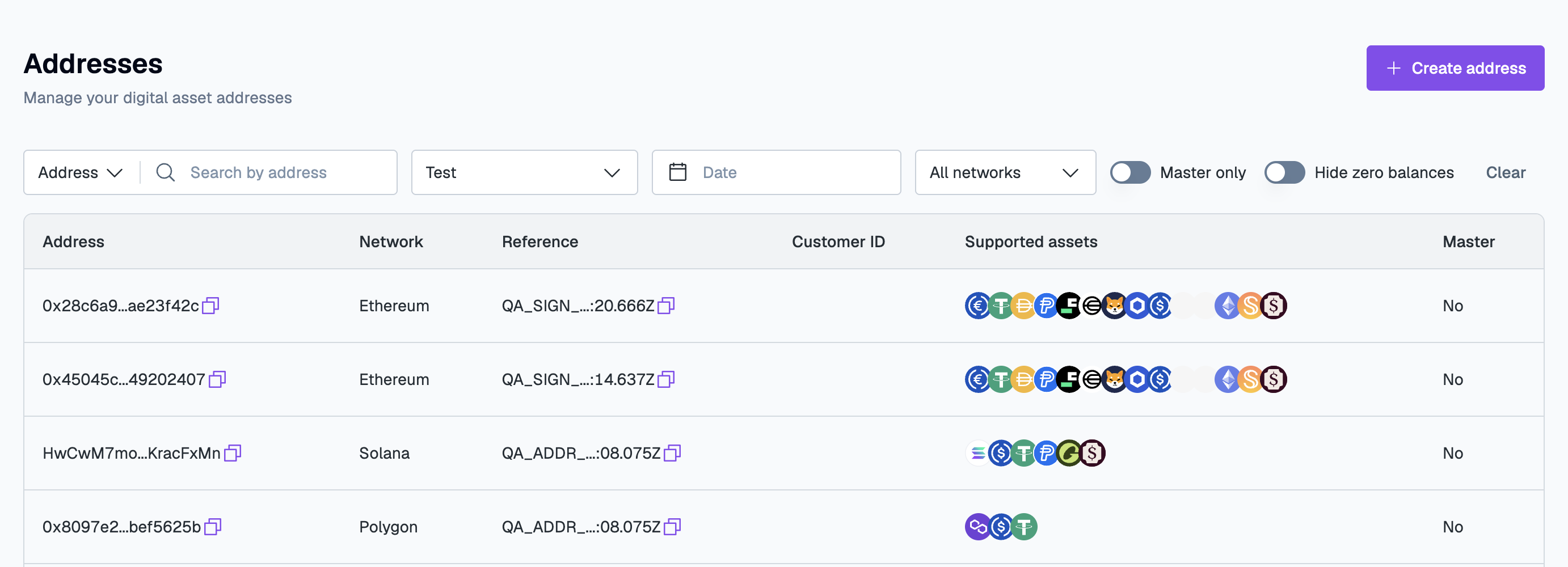
Go to Digital Assets > Addresses and click Create address.
-
In the Create Address form, configure the address settings:
- Creation method. Select how to generate the address:
- By network (single address). Creates a single address for the selected network.
- By asset (multiple addresses). Creates multiple addresses associated with a specific asset.
- Network / Asset. Based on the chosen Creation method, select either
- Blockchain Network (Bitcoin, Tron, and so on), or
- Asset (DOGE, ETH).
- Asset pool. Select the earlier created asset pool to create these addresses under
- Reference. Provide a unique identifier for the address. You can enter this manually or click Suggest to auto-generate it.
- Customer ID. Optional. To associate this address with a specific customer, enter the corresponding Customer ID.
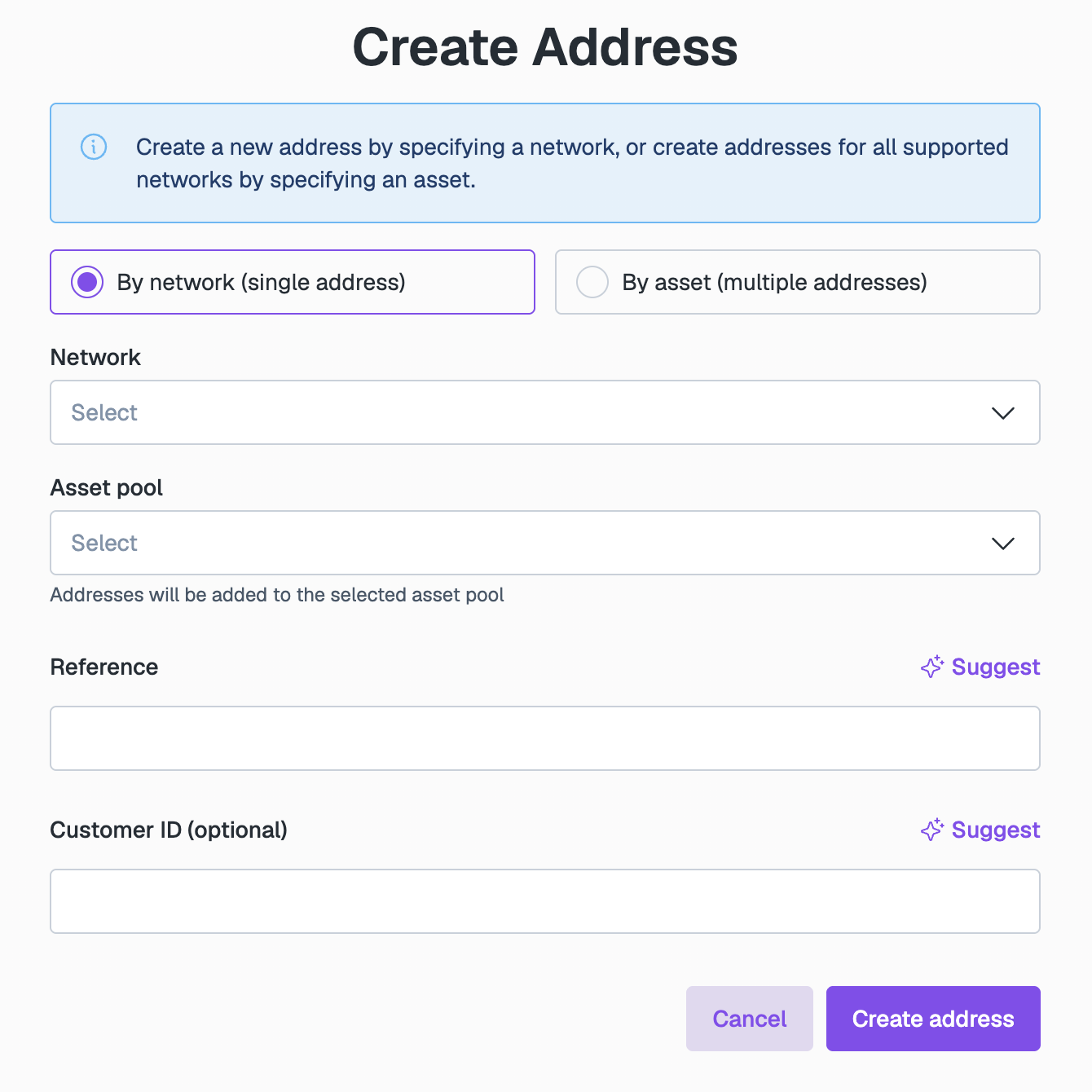
- Creation method. Select how to generate the address:
-
Click Create address. If you selected By asset, click Create addresses.
Once created, the address will appear in your Addresses list. Click on any address to view its details and balances.
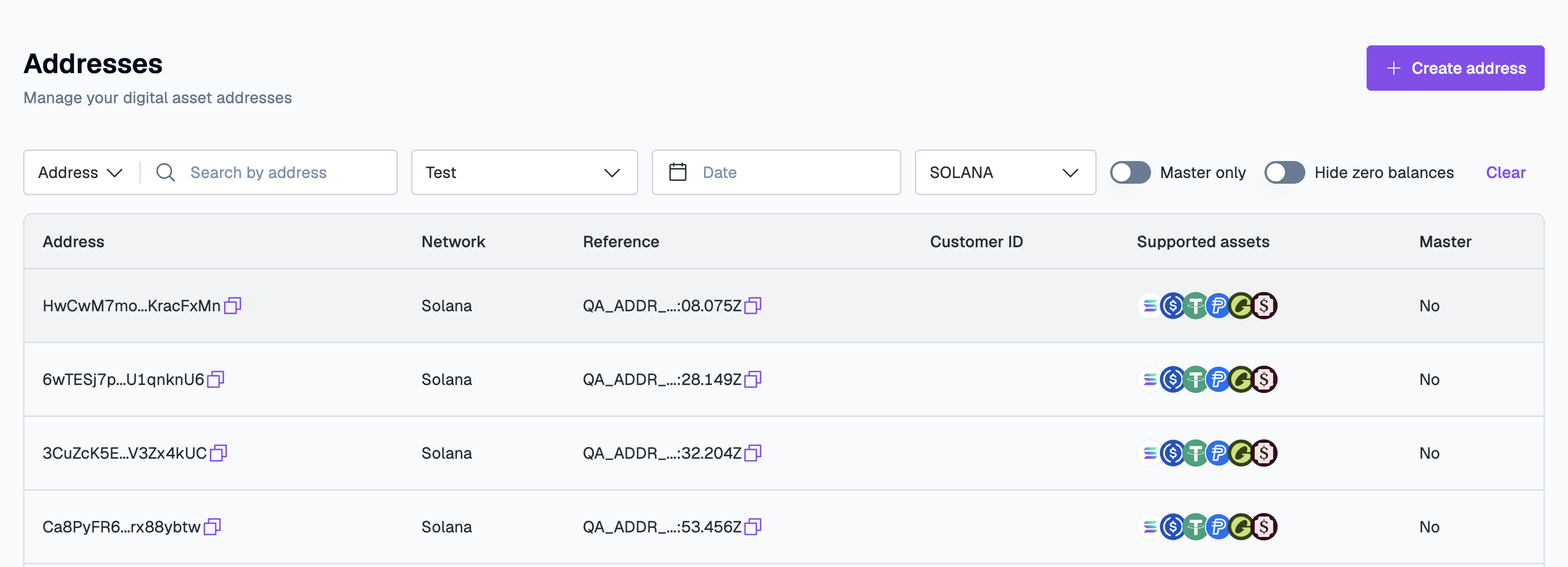
For supported networks, Layer1 automatically provides addresses for all compatible assets. The Supported assets column shows them. In the example below, a single Solana address allows you to receive SOL and Solana tokens such as USDC, USDT, PYUSD, and USDG:
To explore Layer1's capabilities further, contact our Solutions team to request test funds and tokens.
Alternatively, learn how to deposit and withdraw funds or follow the integration testing guide to simulate real-world workflows.