Recover funds sent on incorrect network
When a user makes a transaction to the correct address but over the wrong blockchain network, Layer1 can recover (or “claim”) those funds, provided the network used is one that Layer1 supports.
Situation:
Paige sat at her desk, staring at her screen with a growing knot in her stomach. She had carefully copied her USDT deposit address, 0xABC…123, with the intention of sending funds over the Binance (BEP-20) network. But in her haste, she’d clicked the Ethereum (ERC-20) option instead. The transfer whirred through the blockchain, and when it landed, her balance stubbornly refused to update...
How to fix the situation:
Recovering funds relies on creating an on‑chain address in the actual network (Ethereum) that uses the same reference (for example, user-address-001) as the intended address (Binance).
The process is the following:
- Ask the user to send you the Transaction Hash (TxHash).
- Recreate the address on the mistaken network with the original reference.
- Submit a claim (via Portal or API) to credit the user’s account.
- Claim via Layer1 Portal
- Claim via Layer1 API
To recover funds via the Portal, do the following:
-
Log in to the Layer1 Portal.
-
In the main menu, go to Digital Assets > Addresses, click Create address.
-
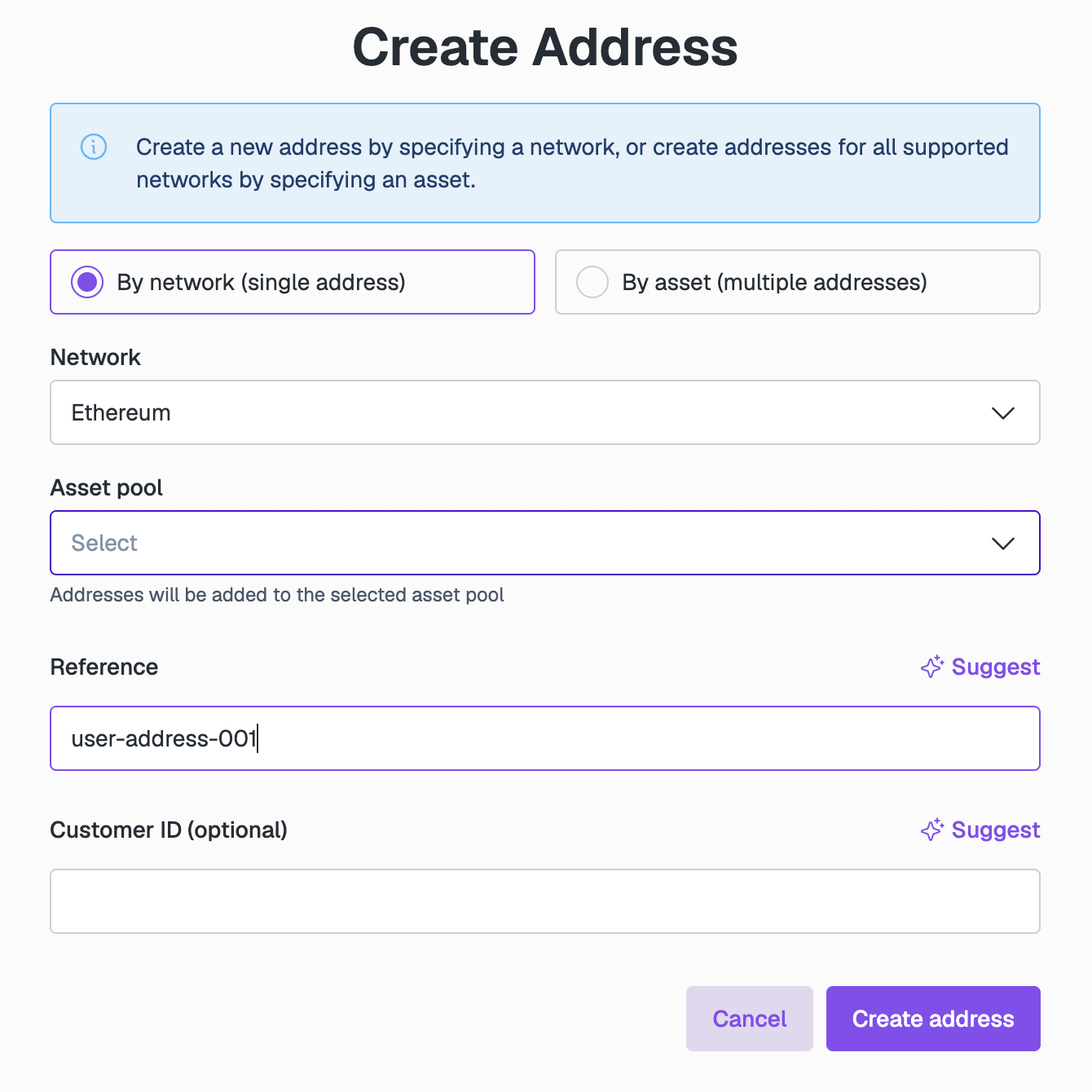
In the Create Address form, configure the settings, then click Create address:
- Creation method: Select By network (single address).
- Network: Specify the actual network where the funds are. In our case, Ethereum.
- Asset pool: Select the asset pool of the original address.
- Reference: Enter the original reference (for example,
user-address-001).
-
Go to Digital Assets > Transaction history and click Claim transaction in the top-right corner.
-
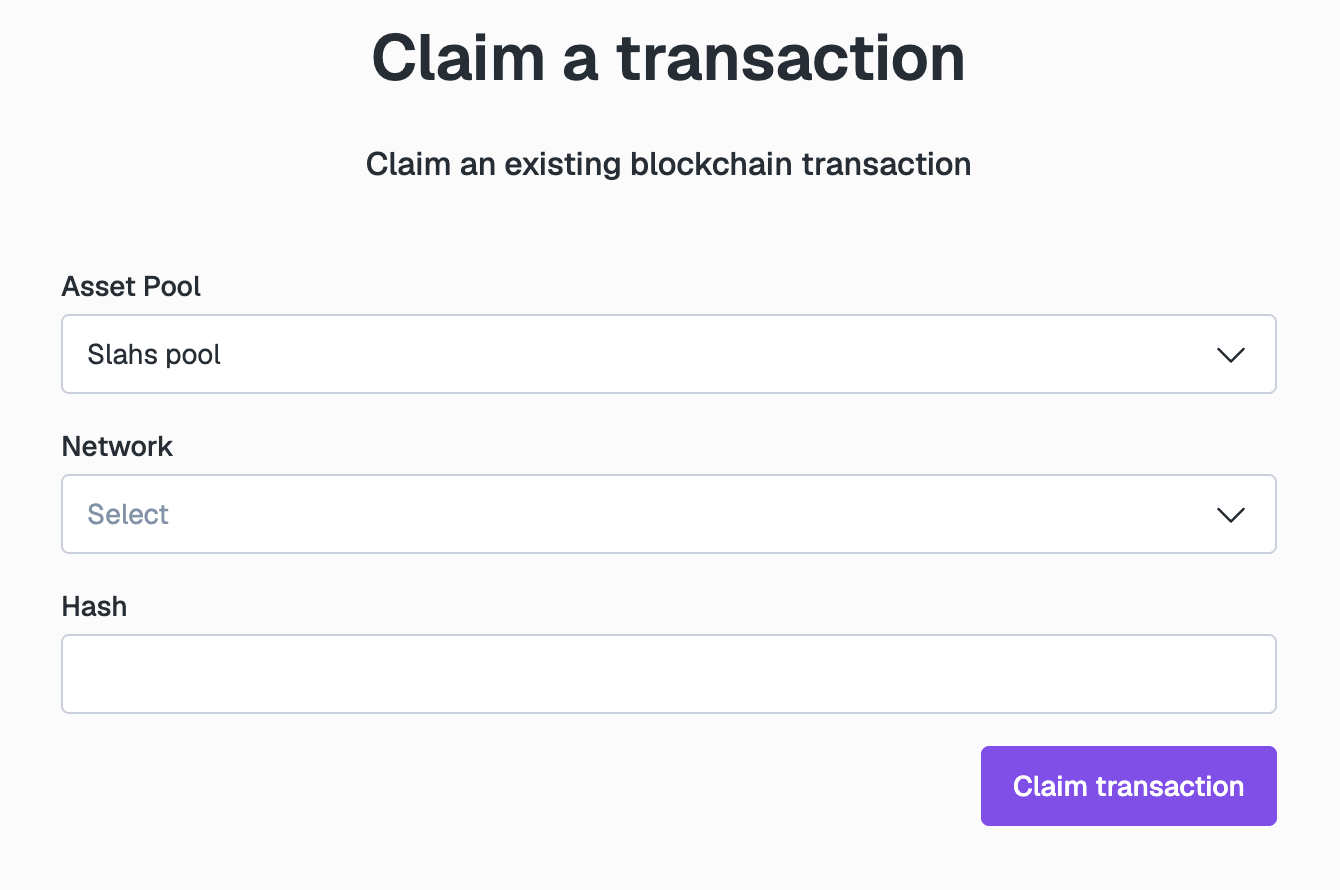
In Claim a transaction, configure the claim:
- Asset Pool: Select the relevant pool.
- Network: Choose the network from which the user sent funds (for example, Ethereum).
- Hash: Paste the user’s TxHash.
-
Click Claim transaction.
The system will process the operation. Upon successful completion, the transaction will appear in the transactions list, and the balance will be credited to the corresponding asset pool.