Receive fiat funds via SWIFT
To receive fiat funds in your BVNK virtual account, you can deposit EUR, GBP, or USD from a registered bank account. This guide explains how SWIFT wallets work and how to obtain the deposit details your senders need.
To receive funds via SWIFT, you can use one of the following account types:
- Named. The wallet has its own SWIFT account details, and operations look like a regular deposit. Senders transfer funds directly to the account number issued in your business name.
- Pooled. Multiple customers share a consolidated SWIFT account, and BVNK uses the payment reference to allocate incoming funds to the correct wallet.
Prerequisites
Before depositing funds, ensure you have:
- A fiat wallet with the SWIFT payment method enabled. See Set up wallets.
- A registered bank account on your BVNK Settings page (for Portal deposits).
Receive funds via SWIFT
Select your account type to follow the matching flow.
- Named account
- Pooled account
How it works
The wallet is issued with its own SWIFT account details in your business name. Senders transfer funds directly to the account number, and BVNK credits incoming funds to your wallet automatically based on the account number—no payment reference is required.
Get deposit details
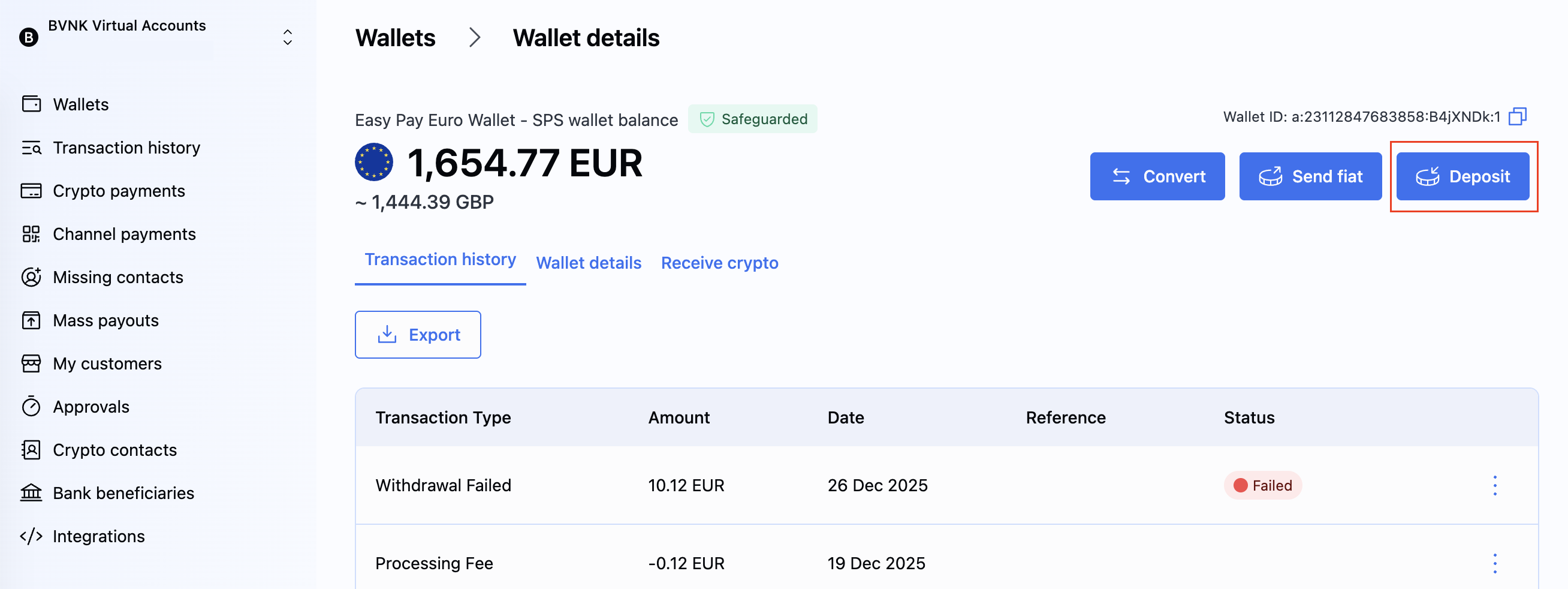
Retrieve the deposit details to share with the sender via the API or the BVNK Portal.
- API
- Portal
Send the GET ledger/v2/wallets/{id} request.
In the response, locate the paymentInstruments array and extract the accountHolderName, accountNumber, and bankDetails.bic fields.
{
    "id": "a:25060945127830:rTgK3wN:1",
    "name": "USD SWIFT",
    "status": "ACTIVE",
    "balance": {
        "amount": 0.00,
        "currency": "USD"
    },
    "paymentInstruments": [
        {
            "type": "FIAT",
            "accountHolderName": "Greenfield Logistics Ltd",
            "accountNumber": "846203917458",
            "bankDetails": {
                "name": "Atlantic Federal Bank",
                "bic": "ATFEUS33",
                "nid": {
                    "value": "621353",
                    "type": "SORT_CODE"
                }
            }
        }
    ],
    "createdAt": "2025-06-09T14:05:12.830Z",
    "updatedAt": "2025-06-09T14:05:17.384Z"
}
Provide payment instructions to senders
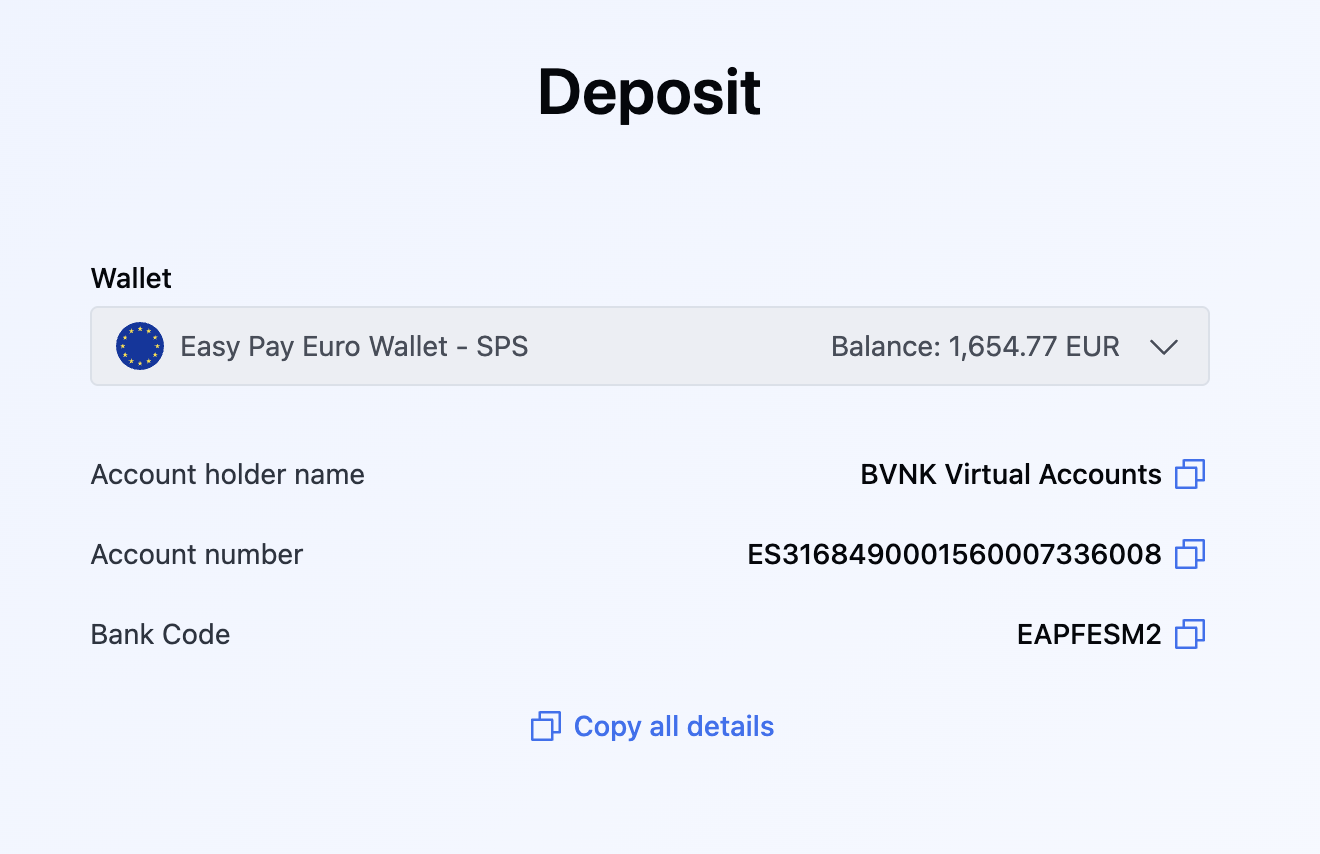
Share the following details with anyone sending funds to your wallet:
| Parameter | API field name | Description |
|---|---|---|
| Beneficiary name | accountHolderName | The name of the account holder for the BVNK SWIFT account. |
| Account number | accountNumber | The IBAN or account number for the BVNK SWIFT account. |
| Bank code | bankDetails.bic | The bank identifier code for the receiving bank. |
Test in sandbox
To simulate a SWIFT pay-in in the sandbox environment, send the POST /payment/v2/payins/simulation request:
{
  "walletId": "a:24092328494070:G5i4XZ9:1",
  "method": "SWIFT",
  "remittanceInformation": "REF DZ0XJL4 Invoice 12345",
  "amount": 1500,
  "currency": "USD",
  "originator": {
    "name": "Emily Kaldwin",
    "bankAccount": {
      "accountNumber": "GB87SYPE04082500000904",
      "accountNumberFormat": "IBAN",
      "bankCode": "SRLGGB2L"
    }
  }
}
For more simulation options, see Try fiat payments in simulator.
What's next?
- Send payments to customers
- Refund fiat pay-ins
- Configure webhooks to receive real-time notifications about incoming payments