Webhook signature validator
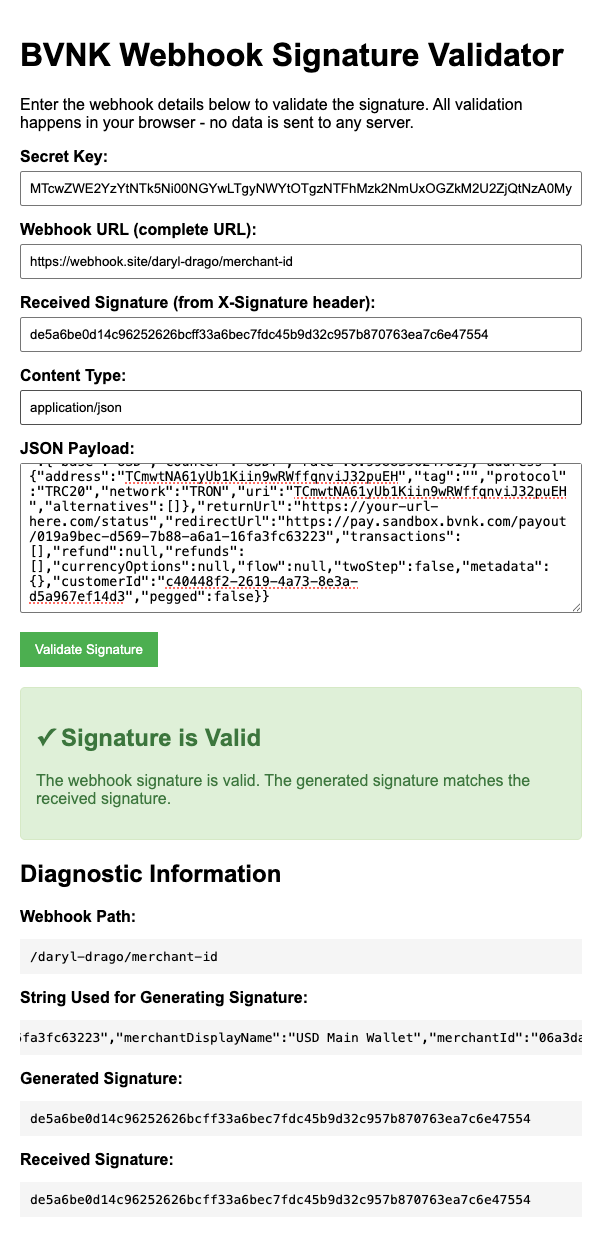
When implementing BVNK's webhook system, signature validation is critical for security. The BVNK Webhook Signature Validator is a client-side tool that helps developers verify webhook signatures from BVNK's payment processing system. This tool allows you to:
- Validate webhook signatures without sending sensitive data to any external servers.
- Troubleshoot signature validation issues in your implementation.
- Compare your generated signatures against signatures received from BVNK.
- Identify configuration problems in your webhook handling code.
All validation happens in your browser—no sensitive information is transmitted to any server, making this tool safe to use with production credentials.
How to use the validator
Gather required information
Before using the validator, collect the following information:
| Field | Description |
|---|---|
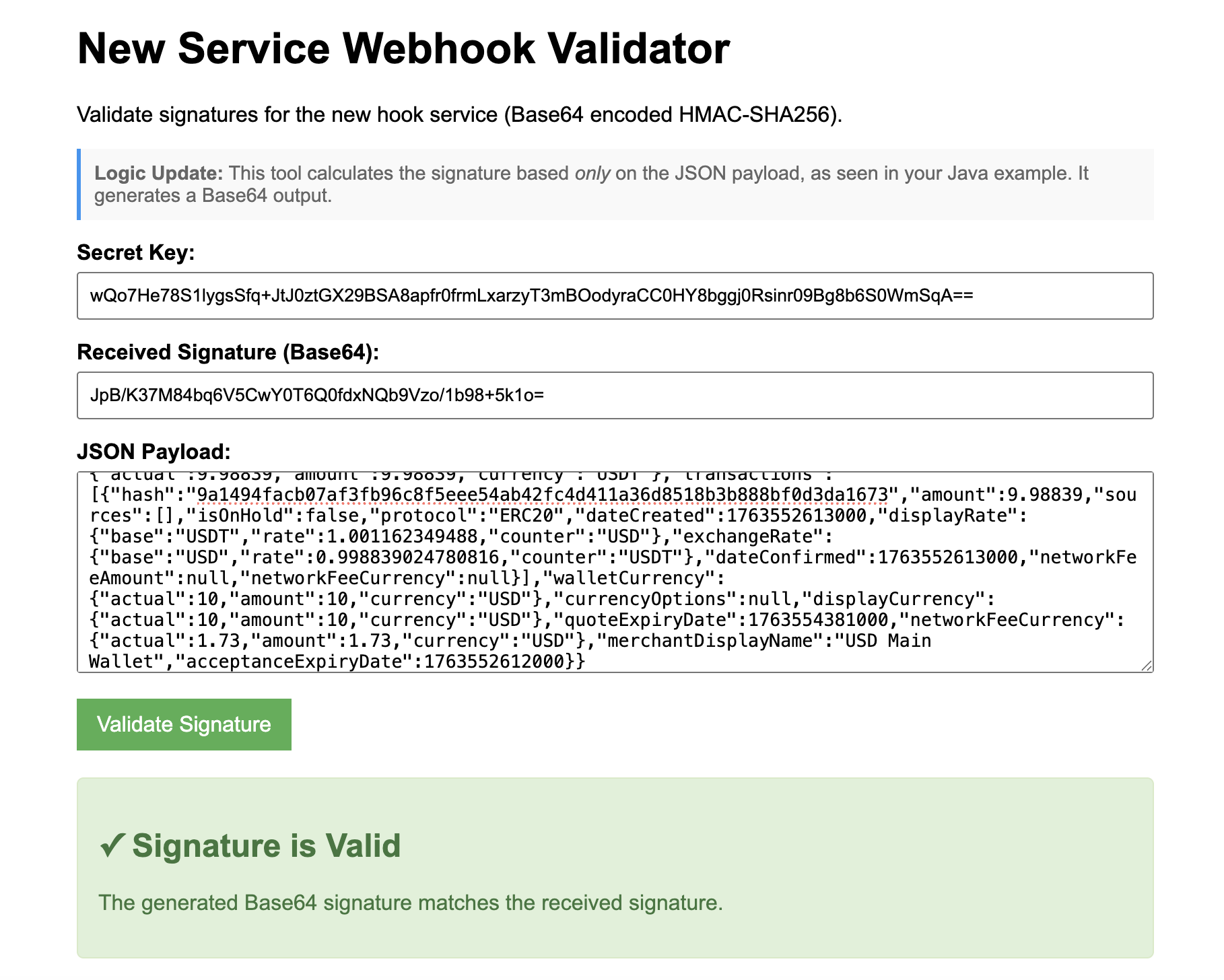
| Secret Key | Your unique webhook secret key provided by BVNK |
| Webhook URL | The complete URL where you receive webhooks (Standard only) |
| Received Signature | The signature value from the X-Signature header of the webhook |
| Content Type | The content type of the webhook, typically application/json (Standard only) |
| JSON Payload | The complete body content of the webhook |
Enter information into the validator
- Select the appropriate tab for your webhook type.
- Enter your Secret Key in the designated field.
- For Standard webhooks: Input the complete Webhook URL, including the protocol (
https://). - Paste the Received Signature exactly as it appears in the
X-Signatureheader. - For Standard webhooks: Verify the Content Type matches.
- Paste the JSON Payload exactly as received, maintaining the same formatting (raw format).
- Click the "Validate Signature" button.
The tool will process the information locally in your browser and display the results showing whether the signature is valid or invalid.
Review diagnostic information
If the signature validation fails, review the diagnostic information section, which provides:
| Diagnostic Field | Description |
|---|---|
| Webhook Path | Shows the extracted path from the URL (Standard only) |
| String Used for Generating Signature | Displays the exact string that was used to create the signature |
| Generated Signature | The signature calculated by the tool |
| Received Signature | The signature you entered for comparison |
Choose your webhook type
BVNK uses two different signature formats depending on the webhook service. Select the appropriate validator for your integration:
- Standard Webhooks (Hex HMAC-SHA256)
- New Hook Service (Base64 HMAC-SHA256)
This validator is for webhooks that use hexadecimal HMAC-SHA256 signatures. The signature is generated from the combination of webhook path, content type, and payload.
{
    "source": "payment",
    "event": "statusChanged",
    ...
}
Troubleshooting tips
Signature mismatch issues
- Ensure your Secret Key is entered exactly as provided by BVNK.
- Verify that your JSON payload maintains the exact formatting as received (no extra spaces or line breaks).
- Check that the Content Type matches exactly.
- For webhooks with query parameters, ensure the tool is extracting the correct path.
Common formatting problems
- Whitespace differences: The payload must match character-for-character, including all whitespace
- Encoding issues: Ensure special characters in the payload are preserved
- URL encoding: The webhook path should not include query parameters in the signature calculation
Comparing signatures
Use the diagnostic information to compare:
- The Generated Signature from the tool
- The Received Signature you entered
If they differ, check:
- Are you using the correct webhook type (Standard vs. New Hook Service)?
- Is your secret key correct?
- Is the payload exactly as received?