Approve withdrawals
To set up approvals for your Layer1 account, first follow the steps outlined in the Configure Approval for Withdrawals guide.
To approve a withdrawal, you must have the crypto:withdrawal:approver role.
To approve a pending withdrawal, do the following:
-
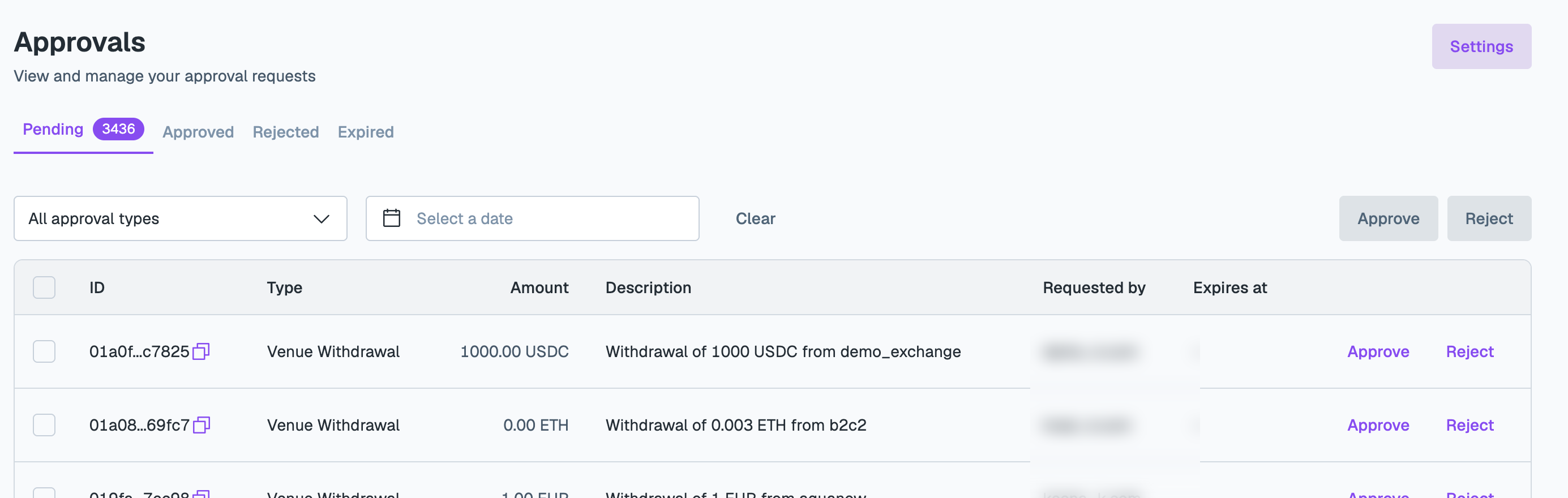
On the Layer1 Portal, go to Approvals and open the Pending tab.
-
Find the transaction you want to review, and click Approve or Reject. To act on several requests at once, select them and click Approve or Reject above the list.
Approved and rejected transactions appear in the Approved and Rejected tabs, respectively.
Pending withdrawals expire after seven days and can be viewed in the Expired tab.